
Everything posted by AndrewG
-
or Dot 5.1
-
I have ConZult working fine on W7 64bit with a genuine cable using the serial port of the laptop. Are you sure the serial to USB adapter is working correctly? You describe having the same connection problems with other applications.
-
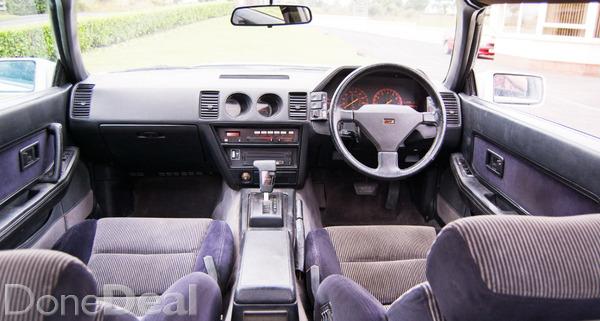
Nice example but doesn't do anything for me. Despite the production numbers I feel that Nissan had lost its Z way with the Z31 - safe but with dull styling and engineering that was by now no more than 'good enough'. The interior says it all really:
-
But not necessarily the loom wiring that runs to them...
-
Try the "free" conZult. The dongle you have shown above has a serial port to connect to the PC? Have you got a serial port on your PC or are you also trying to get a serial to USB adapter working?
-
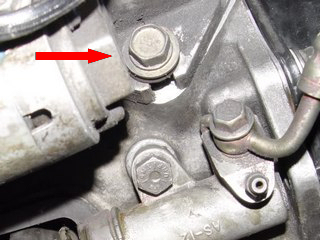
This one. It is often stripped by over tightening allowing the starter motor to pull away from the flywheel ring gear.
-
Then the bulb has blown or (more likely) been removed.
-
Have you tried contacting the eBay seller?
-
The ABS warning light (orange background with "ABS" on my UK spec) should come on when turning ignition key to the "ON" position without starting engine. This is the bulb check - to show that the bulb itself is working. The ABS light will come on when a malfunction is detected when the engine is running. Does you ABS light come on in the "ON" position without starting the engine?
-
UK Z32's use the same pod switch for rear fogs as Jspec cars use for front fogs. UK cars do not have front fogs as standard.
-
Engine oil cooler (middle), and small "finned" one in front is power steering cooler (UK/Euro spec cars).

-
Best wishes on your Birthday Nicci!

-
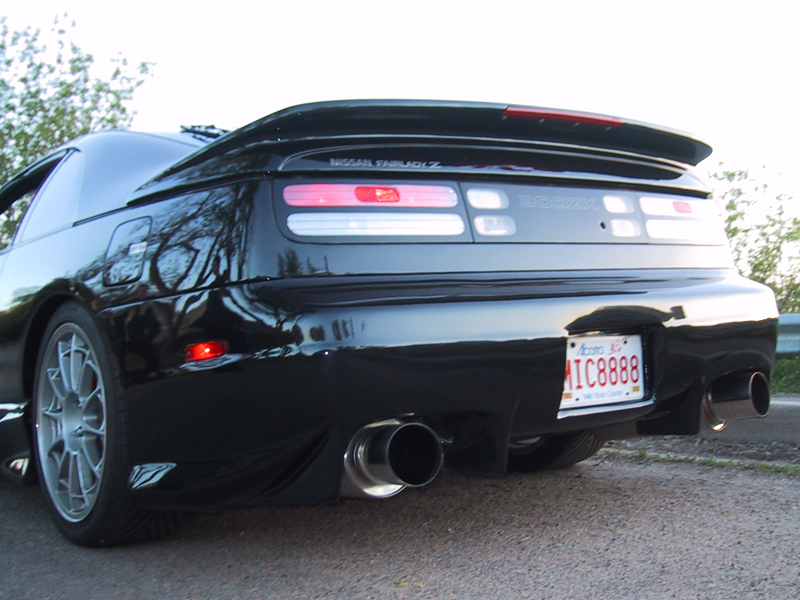
Kaminari (without 3rd brakelight) and with.

-
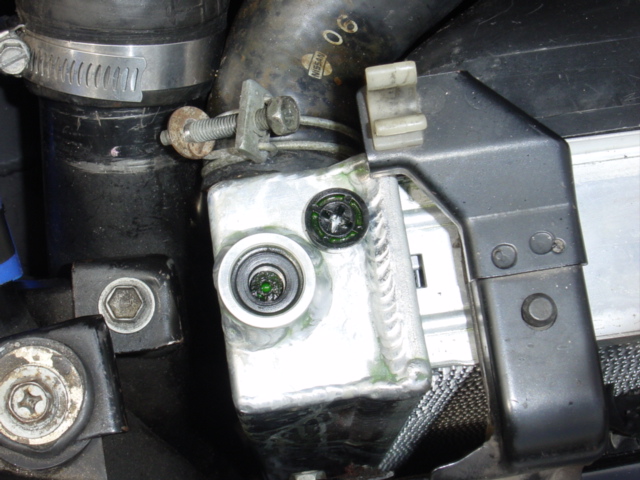
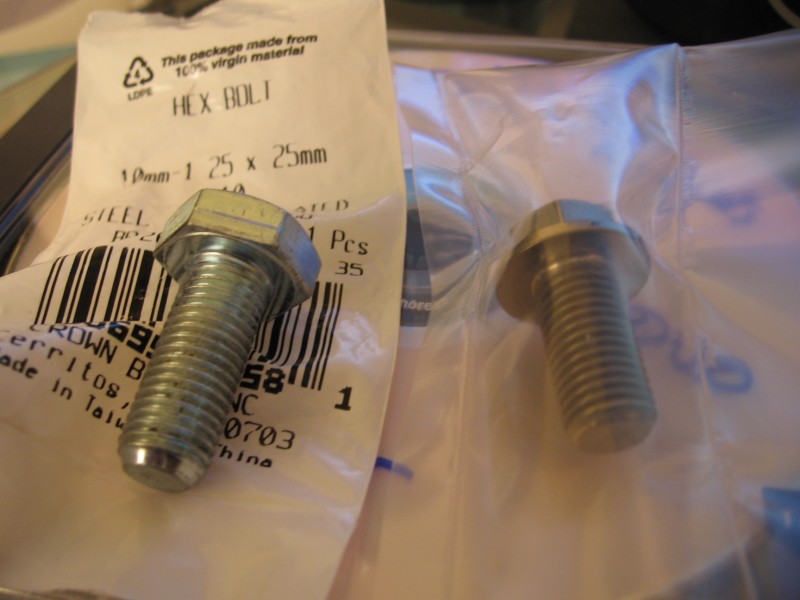
You will need a sealing washer under the bolt head. Here is a pic of the original plastic type broken in which you can see the seal.
-
Have fun!
-
The picture shows the size and thread needed (M10 x 1.25). The bolt on the right is titanium which will not react with the aluminium (unlike steel). Something like this would do the job: http://www.ebay.co.uk/itm/M10-x-20mm-TITANIUM-hex-head-bolt-Half-the-weight-corrosion-proof-/252021915109?pt=LH_DefaultDomain_3&var=&hash=item3aadad3de5
-
More pics from Beaulieu... Just to make sure he was in the running Joel brought along his personal car valet! Through to the people's choice final selection. and second prize - well done Joel! Steve giving his approval. and job done for Beaulieu Simply Japanese 2015. Well done Steve and thanks for organising the event for us.
-
Ah! Just waiting to go to a new home.
-
-
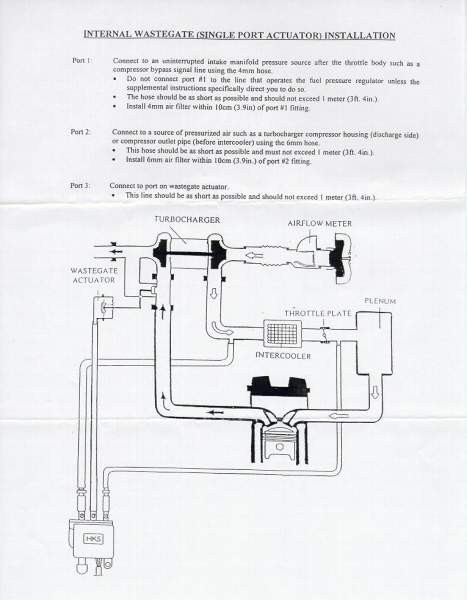
This is the setup for the HKS EVC I have. You can see how the two filters are used on the lines running air into the soleniod. I would have thought your Greedy setup would benefit from similar filtration to protect the solenoid.
-
HKS do them in 6mm and 4mm sizes. You can get them from here: http://www.sumopower.com/product/hks-6mm-evc-filter-4599-ra016 (6mm) http://www.sumopower.com/product/hks-4mm-evc-filter-4599-ra017 (4mm)
-
If you are running W7 64bit as I am what are the key improvements in moving to W10?
-
Best wishes on your Birthday Russ!
-
-
Best wishes on your Birthday Vig!