
Everything posted by AndrewG
-
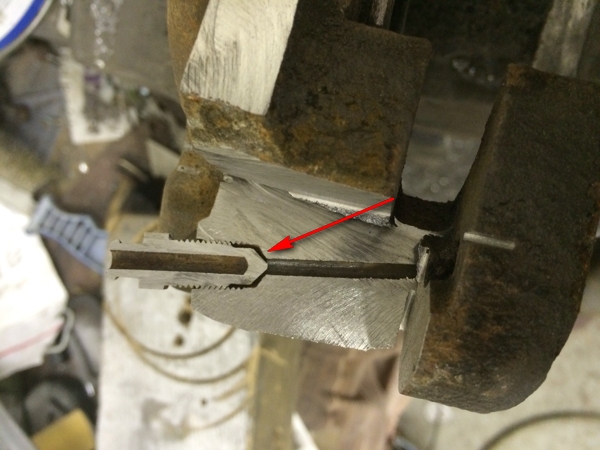
You mean the conical seating area I've arrowed?
-
"Traditional" Inorganic Additive Technology (IAT) Ethylene Glycol base. In this country (winter) 50/50 mix with distilled water is satisfactory. I change mine every two years and get it premixed from Nissan - L248 Premix Engine Coolant/Antifreeze KE902-99945.Except of course returning from PowerZed's!
 If this is your question then: http://www.vehicle-wiring-products.eu/product.php/672/glow-fuseTerry, so long as you don't loose your Zed mojo again take your time - the car will look stunning when finished either way.Oh well. I was very tempted at the time to buy the blue one - it was in my favourite colour.That will be the one on the left then. Mark H. actually owned the blue one as well at the same time (which he sold on). The white one he kept and it was converted to a TT. The last I heard from him was that he popped the engine traffic light racing a Lamborghini in the King's road in London.
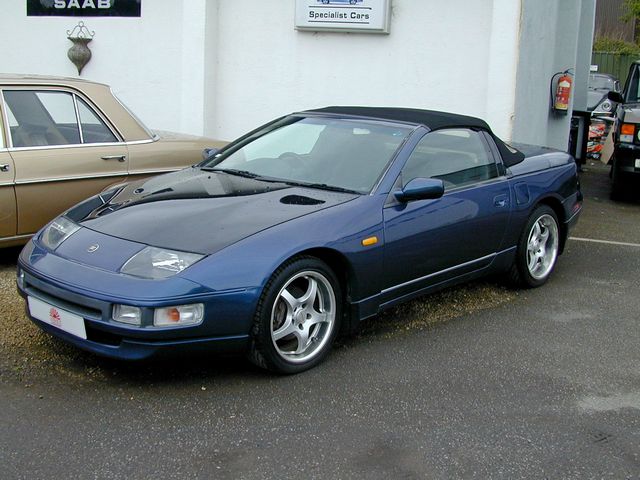
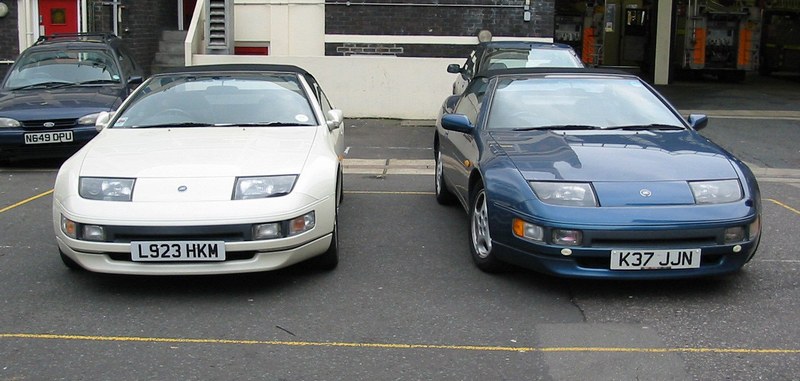 http://www.ebay.co.uk/itm/171783568279?ru=http%3A%2F%2Fwww.ebay.co.uk%2Fsch%2Fi.html%3F_nkw%3D171783568279%26_rdc%3D1 and the seller's website: http://www.specialistcars.net/newspecialistcars/carpages/142.html
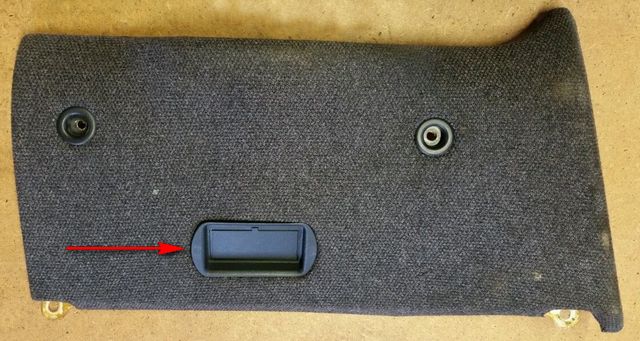
 Perfectly! Thank you.Sorry, I'm suggesting your third option - "it'll be hardly noticeable different"c)Are those disks grooved to the edge?You mean Nicola Sturgeon surely in that scenario?What does the manufacturer of your EBC specify - installation instructions? My HKS EVC install uses 6mm piping from the EVC solenoid to straight coupler to the stock piping to the wastegate actuator. (I don't know off hand what diameter the stock piping is). HKS specify 6mm for external wastgates as well.How does a vacuum flow?I'm after one of the plastic cover pieces located on the driver's side under dash trim (arrowed in picture). If you have one of these in undamaged condition then I would be very happy to hear from you.
 Best wishes on your Birthday David!
 Something will come up, be patient and don't let your heart rule your head.Best wishes on your Birthday Ash!
 A ConZult will monitor and test the various elements (motor, doors and sensors) of the system.The information is in the document I provided you yesterday - one is NO the other NC. You can tell which switch is which by their wiring colours.Here are the pages from the '96 FSM for the ASCD (cruise control): https://www.dropbox.com/s/kq3dg2jf216llj0/el-211%20to%20238.pdf?dl=0 Page el-223 has the conditions for the flashing "cruise" light and the corresponding diagnostics. The ASCD related switches on the brake and clutch (manual) pedals can be problematic.Very nice! I have my late father's Myford Super 7.