



Everything posted by JaiKai
-
Never too far from Jimmer, heading there today myself and i stay in Troon.
-
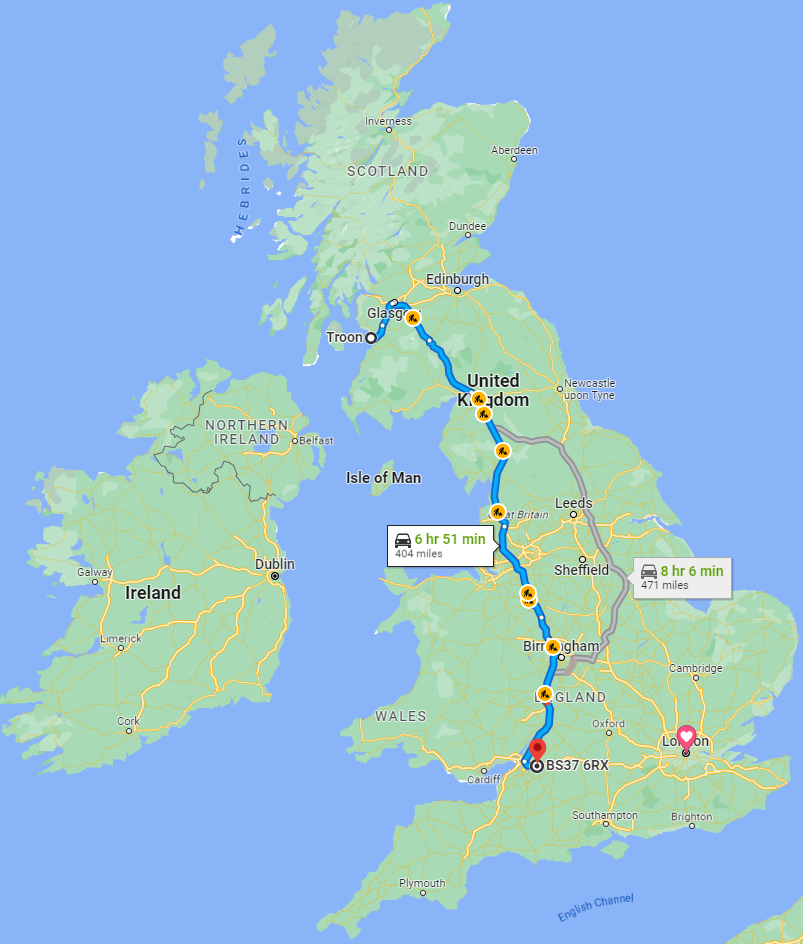
Plan to leaving about 10AM, We start our road trip down to Bristol from Troon, quick stop over at a bnb then drive back again tomorrow. Things we do for our zeds and our newly built engine by Jimmer at PowerZed.

-
Belated Happy Birthday Joel
-
Apologies, We had a few server outages today which happened due to our server needing an update. Problem now resolved but thought i'd let you all know.
-
Happy birthday Andy
-
Had mine replaced under insurance a few years back, they turned up with new side trims only but i know there is a top piece too, luckily i happen to have it.
-
Happy birthday bud.
-
Welcome to the club, all are welcome. Lets see some pics, we will help any way we can.
-
Less than 2 weeks and i'll be heading down to Jimmer's again for collection of my engine. Long time to wait out but worth it in the end. -- Update, slot booked for the 17th and 18th March. Its actually happening, getting exciting again.
-
Go for it, If we had your sort of weather in Scotland i would be in my zed every day.
-
Welcome to the club, only 17k miles; what a find. Whats its general condition like ?
-
My first zed was a Silver 91 NA, sold it to my best man who was a member on here but always wanted it back.
-
We all are!
-
Is this a UK zed or Jap spec? If Jap spec, do you know if the clocks are using a conversion mod to clock in miles rather than kilometres!
-
Best tag line for that picture - wanna see my zed !
-
Can't you see he had a Dirty Weekend in Bath, Even his zed has censored him out😁
-
Membership number is assigned manually by Gary or Myself.
-
That worked that time.
-
There has been some fault in the communication between our Server and the Payment Gateway. I have cancelled all the payments that i could find on the system, if you could try once more via card or try paypal.
-
What payment method did you try ? I'm wondering if there is a payment gateway issue.
-
As part of the club move to a new domain i've added a few features to show international members better. The first is the flag of origin which shows next to everyone's name. Now this is automatically selected by your Geo-Location so if its wrong please don't get upset as you can change it to whatever you want. People can be easily offended if something is forced on them so simply change it using the account settings page at the bottom. or simply click the below link : https://www.300zx-owners.club/settings/country/
-
Yeh, the club does valuations based on receipts and any pictures and documentation you can provide us. But you need to be a Premium Member. So worth the £20
-
Premium Members - Technical Area - This can now be seen by all but the individual posts cannot. - If a non Premium member clicks a link they will be redirected to a Membership Signup Page.😎
-
Great Ideas ! Having the FAQ section topics visible but content hidden is a good idea - i'll get on that shortly. Uploading pictures is a feature of the forum software so we may be stuck unless there is a plugin to modify the default methods to upload.
-
Yes, but there in the subbed area now.