



Everything posted by JaiKai
-
I noticed that too, Seems after the first time you read it it defaults back to the first page post rather than last. This might be a bug in the software.
-
Hi Ian, Good to have you back online. Lots of changes lately all for the better so I hope you stick around. Lee
-
ok, I've made some changes and i think it works alot better : At the top right side we have Latest Content; This will show everything in the system from the last 4 weeks, unread content is in bold. The top Activity menu has similar preset streams like : Latest, Unread, Started & Replied Also added the custom Streams menu at the bottom which show everything you decide to save as custom. The default is 'Latest Content', but you can overide that by selecting your own stream.
-
I can understand what your trying to do but cant get it to work that way either. What we want is to get it to display the last unread comment for each particular thread rather than them all.
-
And now fixed. Everyone should be able to see the new link to the left bar.
-
Seems we have a bug in the system, as only the committee can see the link in the profile. mmm.
-
The Profile / Gallery section is locked out so that only Premium members can create in those sections, But anyone can view it.
-
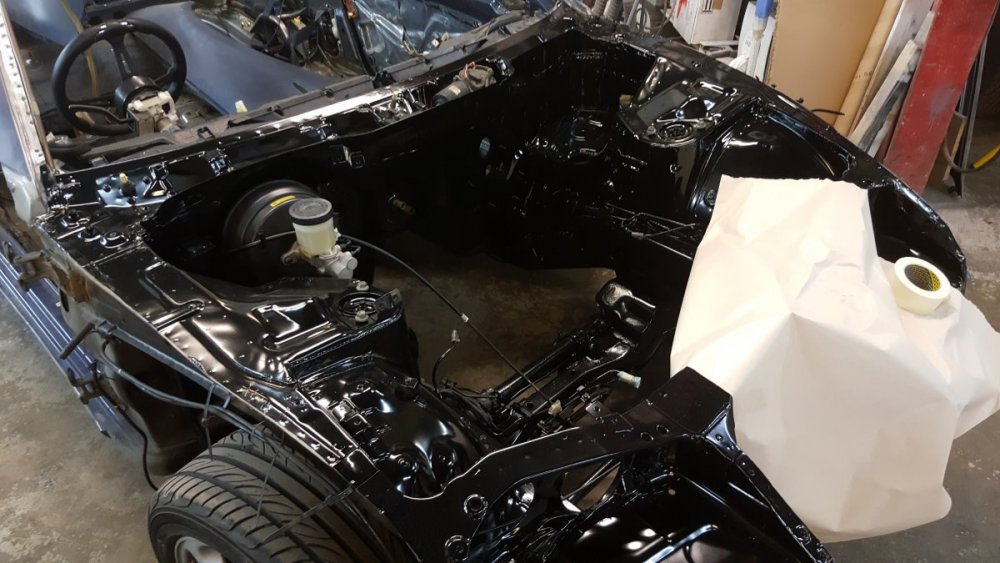
It looks more glossy in this picture but it is painted in satin.
-
i done my full engine bay in Satin Black. looks great in contrast with the shiny stuff i have.
-
Who else sung that to themselves when reading it?
-
No, as it wasn't left on for too long. Not that i bothered at the time as i was getting a respray.
-
When I resprayed my zed I used nail polish remover to get all the gunk off.
-
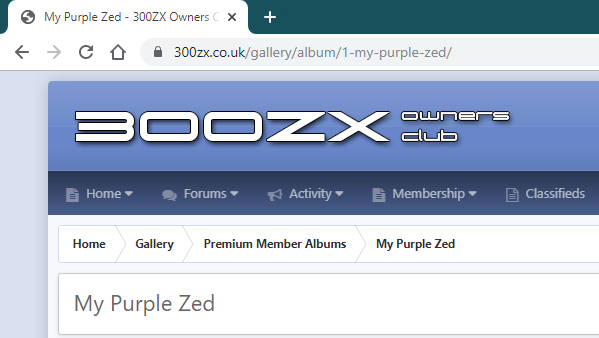
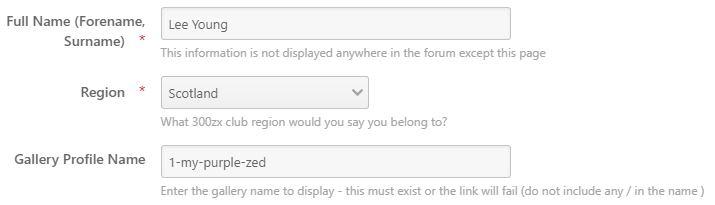
Your gallery name can be found on the top URL bar of your gallery as follows. If you copy just the end part with no trailing slashes (/) that should activate the feature.
-
Slight update on this feature. You now only need to add the gallery name rather than the full URL as follows :
-
Just starting to update my own Gallery profile too. And i think you can link previously uploaded pictures used in posts so you dont have to upload them twice.
-
Yeh, as the whole side panel reduces in size and the stats panel gets hidden.
-
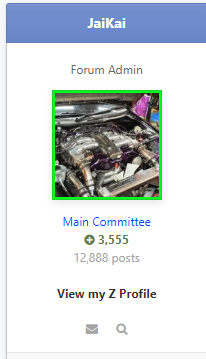
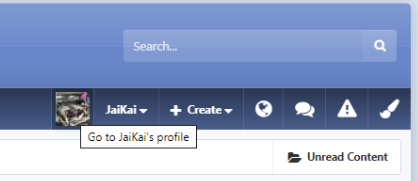
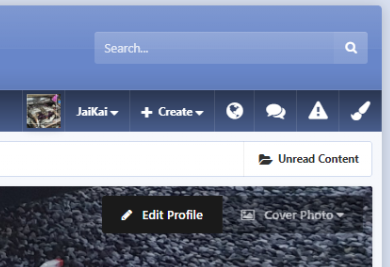
I'd like to intoduce a simple but great feature for all Premium Members. This was suggested by @AndrewG and i've managed to implement it fairly quickly. Its simply a link directed to a gallery of your choosing on the left side under your profile stats. As seen above in the screen capture it says 'View my Z Profile'. Clicking this will take you directly to my featured gallery. In order for this link to show you need to populate the URL within your profile page. To do this click your profile picture at the top right of the screen : Then click the Edit Profile button shown below : Scroll down to the bottom of the popup dialogue and enter your gallery name under 'Gallery Profile Name' Obviously you need to create a gallery first and update its content for others to see before being able to paste the name.
-
Now closed.
-
I doubt many zeds are on the road this time of year. So I was thinking a more informal meet and greet.
-
I thought it would be a good idea, but i can also see the issue it creates. I've turned the feature off for now.
-
Ah right, It's per thread, rather than a default for all. The standard members help section is the only area formatted with the question and answers vote system so it shouldn't effect any other threads.
-
On the first post of the thread there is a filter at the bottom right side.

-
Fixed.
-
I see lots of scottish members reading this thread but no replies ?