Everything posted by AndrewG
-
Best wishes on your Birthday Ian!
-
Congratulations to you both - have a good trip and an even better w/e!
-
Best wishes Arthur on your Birthday!
-
Welcome to the Club and thank you for your support! We are here to help you with your Z32 quest.
-
James, checking against this parts database for JDM GZ32 (2+2 NA): https://nissan.epc-data.com/fairlady_z/gz32/6029-vg30d/engine/211/14075N/ has that part as 14075N: pipe assembly, heater feed part#14053-30P10 Looks like this: https://www.nissanpartsdeal.com/parts/nissan-pipe-assy-heate~14053-30p10.html I've bought parts from these folks in Japan, you could email them to see if available. https://jp-carparts.com/zh/nissan/part_detail.php?maker=nissan&type=132&cartype=4&fig=211&part=1405330P10&page=1&img=211A 001
-
Best wishes on your Birthday Vig!
-
To be fair to SZ I would have thought it rather challenging to diagnose when they are over 5K miles away. What are your plans for the car Stephen? You still intending to sell it and just need to get it running well enough to do so?
-
What are you running now?
-
Assuming you mean these ones then there are instructions on the CZP site: https://conceptzperformance.com/czp-subframe-sleeve-kit-for-es-subframe-bushings-nissan-300zx-z32-55400-czp01_p_3145.php https://conceptzperformance.com/images/czp/Instructions/SubFrame.pdf
-
I've posted this up for reference: https://www.specialtyz.com/products/sz-ecu-chips-or-nistune-file I plan to go with a SZ map. I'm pretty sure that Joel is running with a SZ map for his car.
-
You might want to swap that out for a "known" map Stephen.
-
Welcome to the Club and thank you for your support!
-
My belated best wishes Aff on your Birthday!

-
Have you checked the drivers seat runners to make sure nothing is jammed in there preventing full movement?
-
Best wishes on your Birthday Tom!
-
It may be the power window module has developed a fault (poor solder connections): https://www.300zx.co.uk/forums/topic/114853-repair-window-module/ Sometimes you can get the thing temporarily working by pressing down on the button and thumping the door. To fix the door card needs to come off (the same applies to a seized window motor).
-
Happy to display and attend for the duration.
-
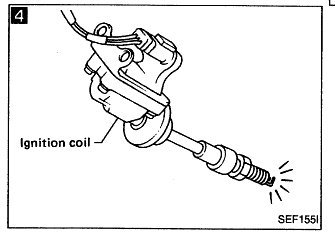
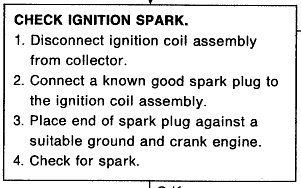
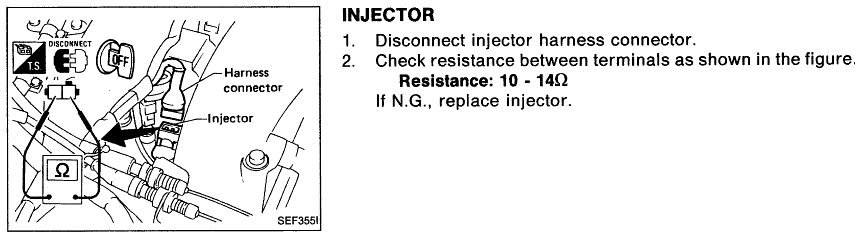
Is No3 spark plug wet with fuel on removal after engine run? Have you checked No3 spark plug is firing? Measure the resistance of the No3 injector.
-
To paraphrase the late great Eric Morecambe "It has all the right wheels, just not necessarily in the right order"
-
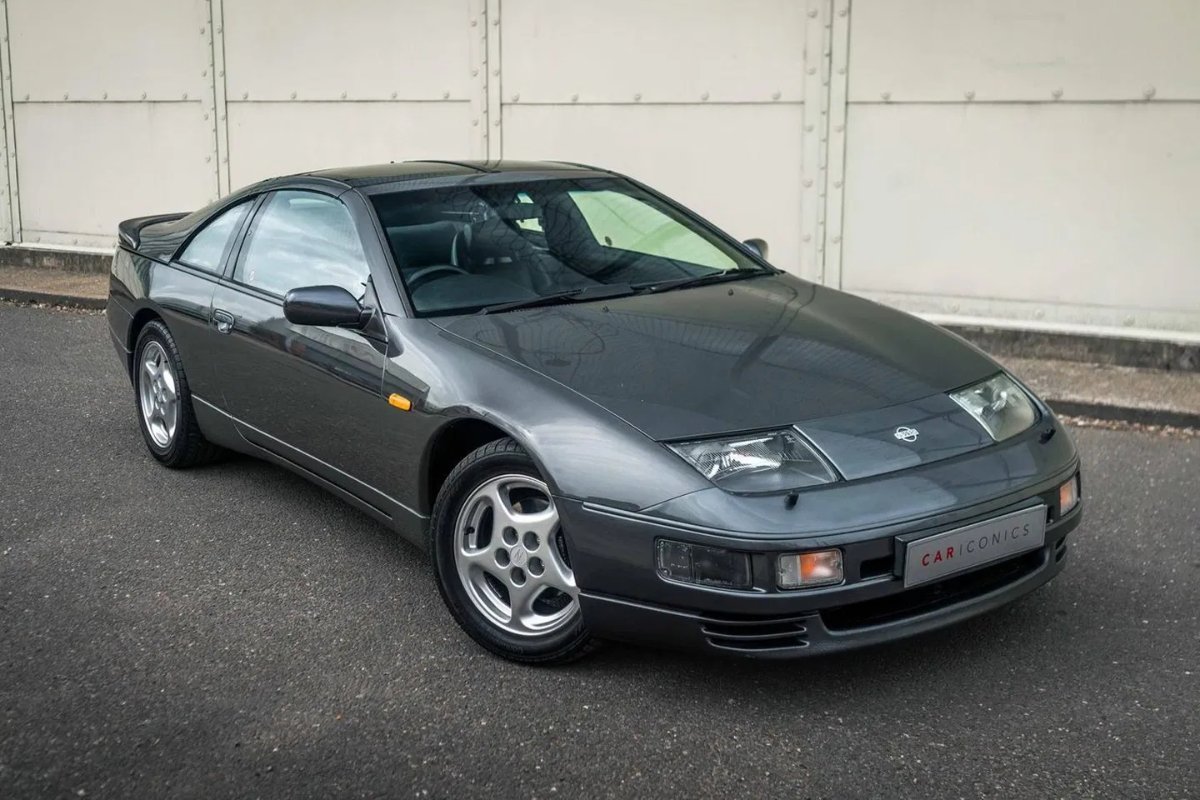
UK spec "spotted" on Pistonheads - nice write-up. What also caught my eye were the rather favourable comments that followed on Z32s. https://www.pistonheads.com/gassing/topic.asp?h=0&f=23&t=2080391 and the for sale advert. https://www.pistonheads.com/buy/listing/16723286
-
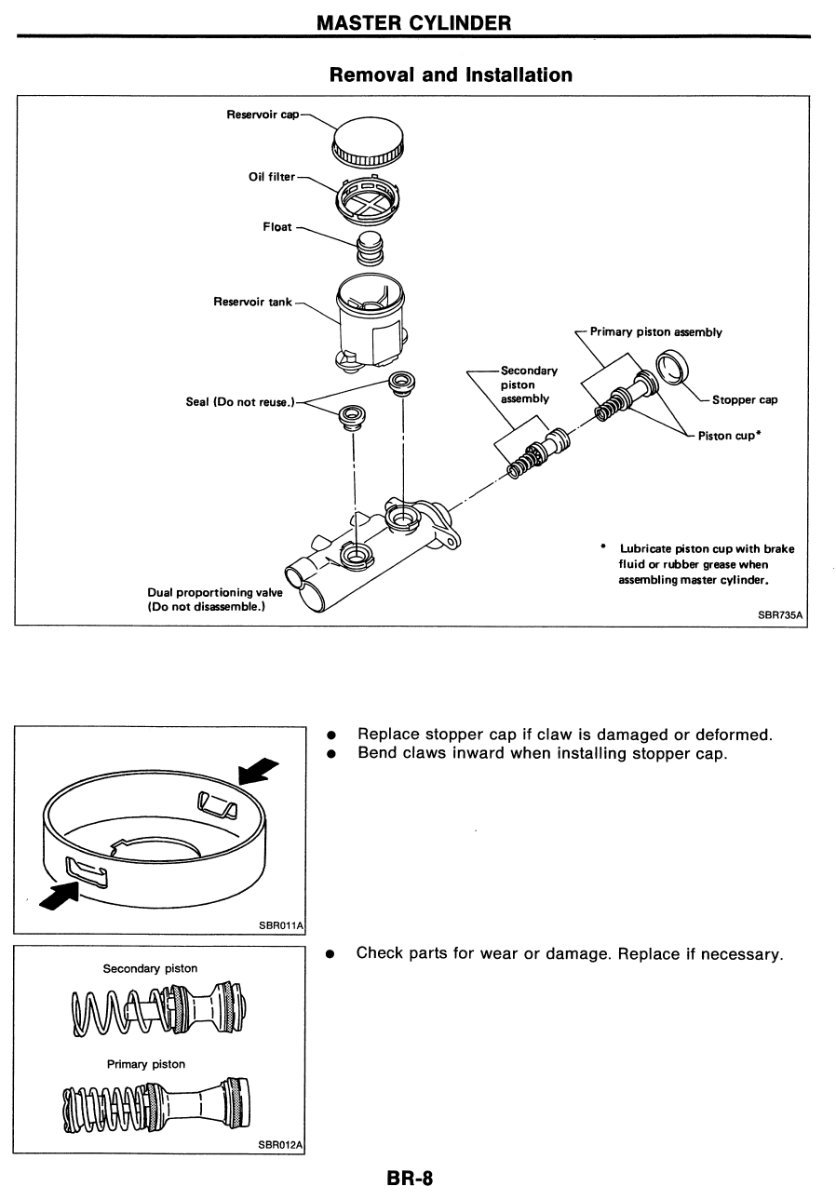
That's what I did Richard, makes all the difference. Moved the bulb holder and harness over.When you take the pistons out check the BMC bore for scratches. If they are present it is likely the refurb kit won't work.Hope the treatment is working!The snap ring (stopper cap in picture) comes as part of the refurb kit. The tabs can be prised back to release. Refurb kit for Tokico TT ABS BMC: https://zcentre.co.uk/product/300zx-brake-master-cylinder-rebuid-kit-tt-and-nt-with-abs/