





Everything posted by AndrewG
-
Thanks Raj - I've got a SZ chip to go in a spare ECU. I gave them a list of mods, so we'll see how we get on.
-
Well after many years of collecting parts the the next stage of the car's development with the "bolt-on" engine parts is nearly there. The Z is going down to Jim@PowerZed this summer. I thought it would be fun to photo all the parts going down with the car - quite a collection! and a 98 spec manual gearbox:


-
The flasher unit is located here: https://www.300zx-owners.club/forums/topic/155321-climate-control-faults/page/2/#findComment-1724409 My solution to the "being too tall" was this:
-
He is ahead of me on this one! New to me - ordered a copy for my collection.
-
Bon voyage Arthur!
-
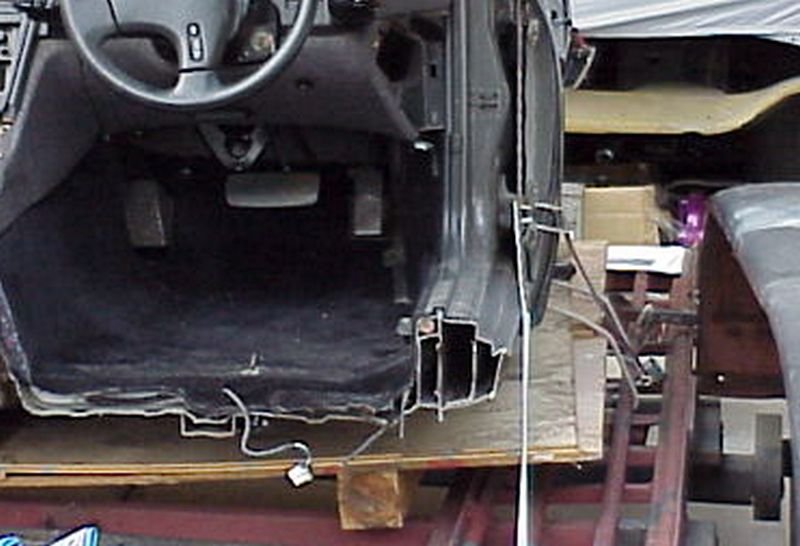
Just for reference: The photo below shows the complex sill structure in cross section. You can get at the various sections from inside the car, the plastic door sill plate fixings and the hole at the front of the sill located behind each front plastic wheel arch liner. When I did the job I used Dinitrol aerosol cavity wax with 60cm lance.
-
Best wishes on your Birthday Lee.
-
https://www.conzult.com/scrnshts.htm A free version is available from the above site (limited funtionality, but still useful). A pc to the consult diagnostics port is required (example below): https://www.z1motorsports.com/electronics/plms/plms-conzult-diagnostic-adapter-and-cable-only-p-7389.html
-
Best wishes on your Birthday Joel.
-
Best wishes Andy.
-
Goodness me - that year went by quickly!

-
It's a worthwhile upgrade from stock. For reference: https://conceptzperformance.com/czp-upgraded-heavy-duty-clutch-fork-kit-nissan-300zx-z32-30531-cd000-fk-z32_p_9315.php
-
Best wishes on your Birthday Jason!
-
You can spend your money more wisely: http://www.twinturbo.net/nissan/300zx/forums/technical/view/1167523/Re-Anybody-using-the-GK-Tech-fan.html
-
You could also modify a JDM bracket:
-
For UK spec bumper you need 96250-37P00 (longer bracket than JDM). As far as I know (and I have looked) they are NLA.
-
Best wishes Gary.
-
Yes, pull out then up - there is a sliding tab at the bottom of the trim panel: https://conceptzperformance.com/nissan-infiniti-nissan-oem-a-pillar-interior-finisher-w-t-top-rh-black-nissan-300zx-z32-76911-30p00_p_906.php
-
My apologies I put the wrong wiring diagram for a UK spec up before. The one below is correct. The Clarion amp will have had a signal from the stock radio to switch on. The Clarion amp will also have received line level L&R signals from the radio for the rear channels. You can trace the various wires used from the UK spec wiring diagram (the photo shows the Black/White and Blue/White wires and are the stock right channel output from the Clarion amp). The Red/Yellow/Brown set of wires and white connector is for the rear electronic shock absorber actuator. EL-93 (UK spec).pdf
-
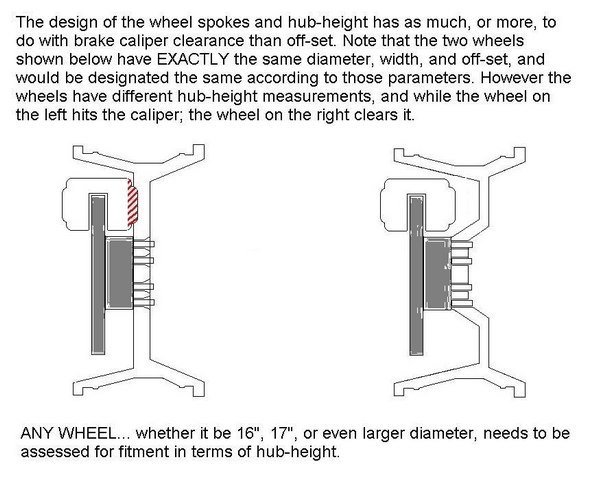
It's not just offset to think about but also spoke profile (especially with aftermarket BBK's). The diagram below illustrates why:
-
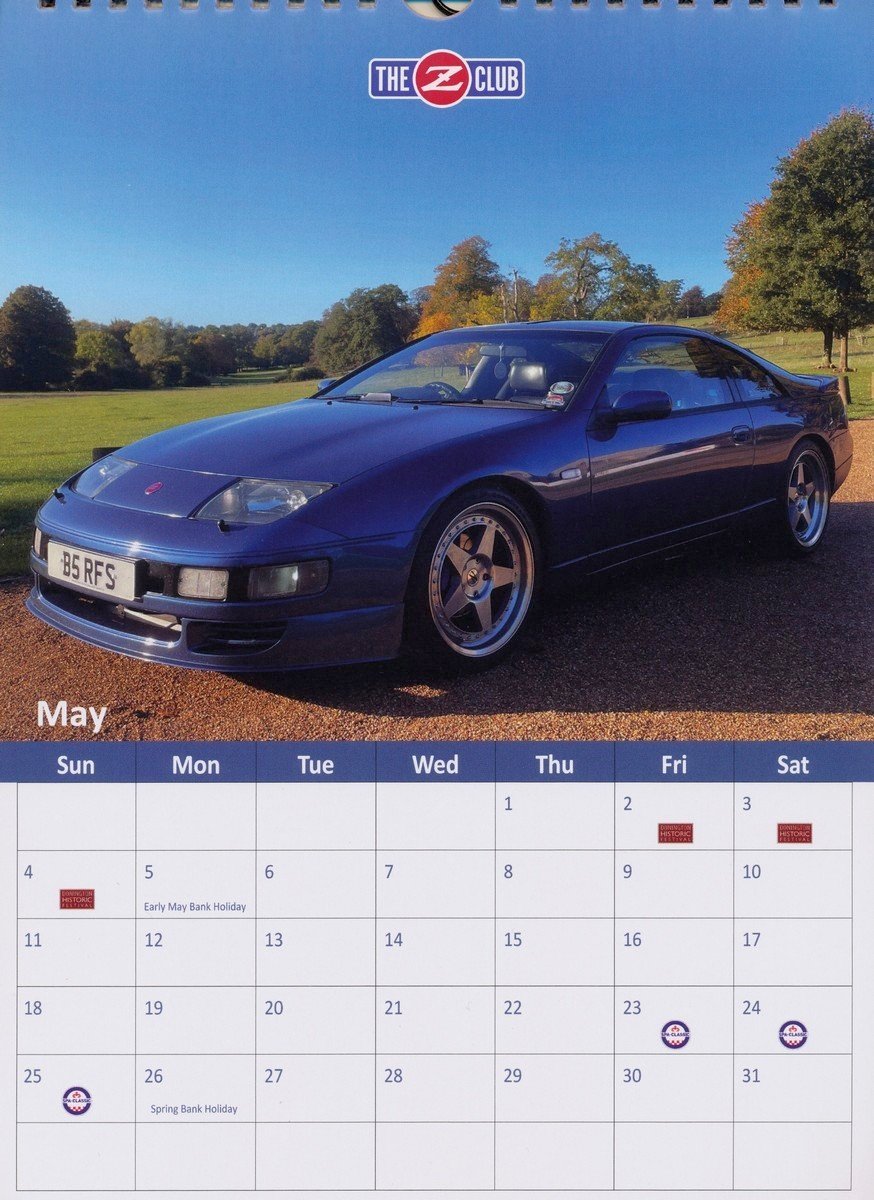
Well done Richard!
-
Take the rear speaker cover off (they pull up and off). If you have a black plastic speaker enclosure then they are Bose (if you see a speaker mounted on a metal bracket then you have a non-Bose system). Bose speakers were always fitted front and rear as a set from the factory. EL90-91.pdf
-
Lovely jubbly!
-
Lovely looking series 1 UK spec example - built Oct-91. Have it in the UK specs database. F&R wheels need swapping L to R.
-
Best wishes on your Birthday!


