Everything posted by AndrewG
-
Best wishes on your Birthday Arthur!
-
Glad to see things are progressing Chris! As for bushes, the FUCAs can be rebushed with aftermarket - Nismo (which I have used) for example. The tension rods the same (again I used Nismo). If you want part#s I'll look them up for you.
-
https://www.z1motorsports.com/cam-crank-sensor/nissan/oem-96-300zx-z32-crank-angle-sensor-p-4621.html There is a reference to it in the '96 FSM (OBDII):

-
The screens do have a purpose. Discussion on TT.net (YugoBernie's is probably the most pertinent): http://www.twinturbo.net/nissan/300zx/forums/technical/view/804818/Has-NE1-removed-the-screens-from-their-MAF-And-if-so.html AFIAK the screens are not replaceable/repairable. You might be able to prise one out of a dead MAF. You could also remove the damaged screen and see what happens to the drivability. If you do go for an aftermarket filter then you will probably need one of these (the stock air filter box masks the sound): https://www.bde-performance.com/goose.htm
-
You can adjust for that:

-
Yes: https://www.300zx-owners.club/forums/topic/160096-headlight-removal/
-
Welcome to the Club Richard. You might have more success on the ZClub site https://zclub.net/ They have more Z31 activity and should be able to help you out.
-
A bit of background for the "41P13" bit: https://www.300zx-owners.club/forums/topic/142972-aftermarket-chip-analysis-amp-comparison/ Whether that chip is based on/from the OEM Auto TT map is ???? Probably the best thing is that the chip is socketed so you can easily pop it out and replace it with a known map for your intended build - for example: https://www.specialtyz.com/products/sz-ecu-chips-or-nistune-file?_pos=1&_psq=chip&_ss=e&_v=1.0&variant=41152467173475
-
92600-30P01. Production date Jan '92. BTW the part# for my car is 92600-30P05 (production date Nov '93). Could you get Jim to take a photo of your compressor?
-
PM me your VIN and I will look it up.
-
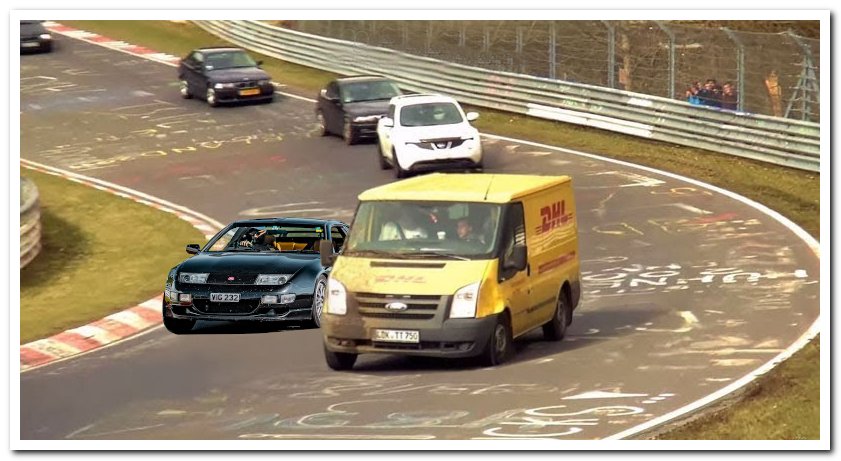
Best wishes on your Birthday Vig. I found a picture from the Nurburgring - hope you like it!
-
Bonjour Lionel, welcome to the Club and thank you for your support. Have you tried the Datsun France Club? They are really for earlier Z car models (240Z -> 280Z) but may be able to help with a specialist in France for your Z32. https://www.datsun-france.fr/forum/ When you have a moment it would be great to see some pictures of your car.Congratulations on your growing business Steve - onwards and upwards!Personally I would head further west to J18 M4: https://powerzed.com/Thanks for sharing the pictures Marco, great to see your car back on the road. Apologies for not being able to attend this year's event, 2026 in the diary.Mike, welcome. I see you are in the US - however you might have more success on the ZClub site https://zclub.net/ They have more Z31 activity.Thanks for the heads-up Jim. I see this car has a current MOT - makes you wonder.Indeed it was.Congrats Steve! A little memory lane photo for you from 2006 (click for hi-res):Best wishes on your Birthday Aff!
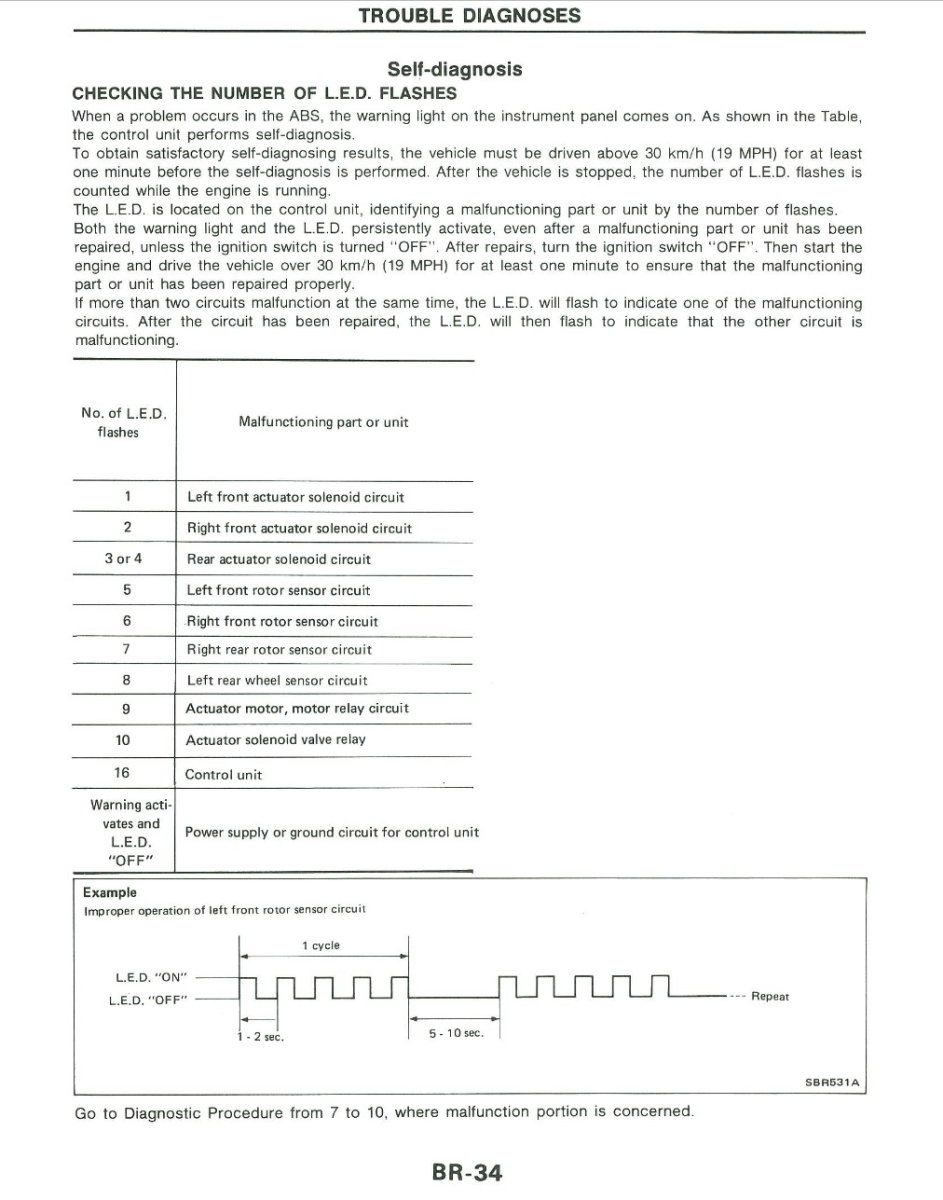
 Welcome to the Club Mohsan and the start of your Z32 adventure! FYI - Your car was built in July 1990 and is number 372 of 1548 Uk specs.Assuming you are still running with a stock MAF setup then this might be of interest to you: http://www.twinturbo.net/nissan/300zx/forums/general/view/2421113/I-do-not-recommend-blow-off-valves-on-the-Z.htmlPosted in your new thread: https://www.300zx-owners.club/forums/topic/164528-abs-light-stays-on/#comment-1777130The speedo gauge itself has a signal processing function from the speed sensor (analogue wave form) to the electronics for the ECU/HICAS/Power Steering/Cruise Control and the odometer. Was the odometer still working after the speedometer failed? It is worth checking the speed sensor for this fault condition: https://www.300zx-owners.club/forums/topic/161221-1993-tt-lwb-in-black/page/4/#findComment-1771548 The ABS Self - Diagnostics is below. ABS light comes on when there is a fault.