





Everything posted by AndrewG
-
Does your car still have the side skirts? Do you want to keep them?
-
Yes it is - Top Gear episode from 1992.
-
Be very mindful of body kits as they can hide/obscure corrosion and impact damage.
-
Option 3 for me - keep the '89 spec nose.
-
Best wishes on your Birthday Richard!
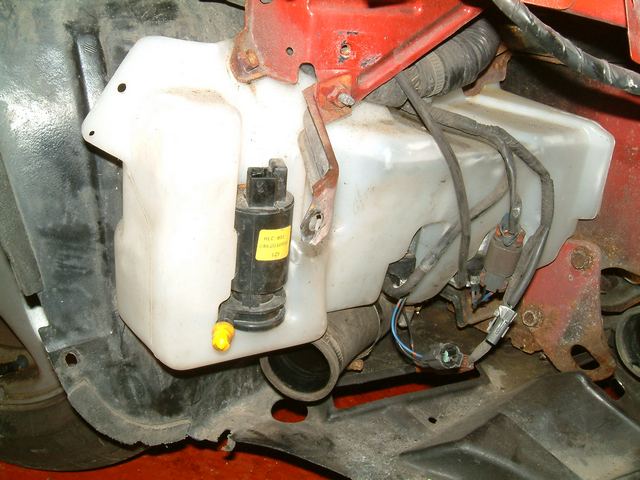
 Where is that documented in a way that is relevant to our cars?This was picked up by Eric (lymon) on TT.net: http://www.twinturbo.net/net/viewmsg.aspx?forum=general&msg_id=2603507 (shown in diagram bottom right) It must be OEM for European mainland cars. My UK spec does not have it.As an alternative approach, why not buy a complete kit (ebay ~£130) and sell the NA decats you have now?Headlight washer motor on left.
 Welcome to the Club! An '89 UK spec, not many around now. What is the bodywork like?Best wishes on your Birthday James!
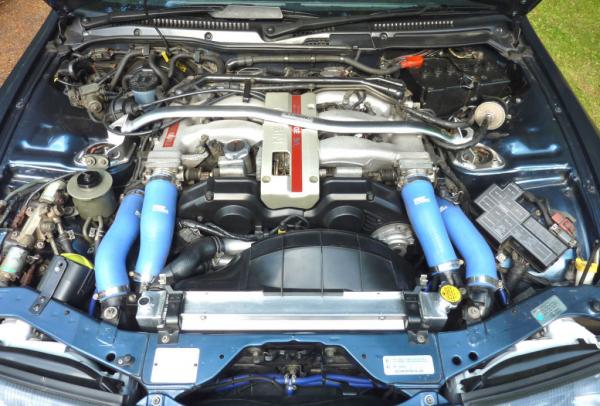
 What was the car's original colour?Looks to be a rather nice example of the type (less so with mismatched glovebox and tacky looking dials).Would you be out of pocket if you went elsewhere? He made a mistake (and has admitted as much) and should redo the work at his expense to the agreement you made with him when you gave him the work.You can use your stock brackets by swapping them over left to right and cutting a notch in them to hold the Koyo radiator. The fan cowl will then fit as it should and the bonnet stay clips remain.
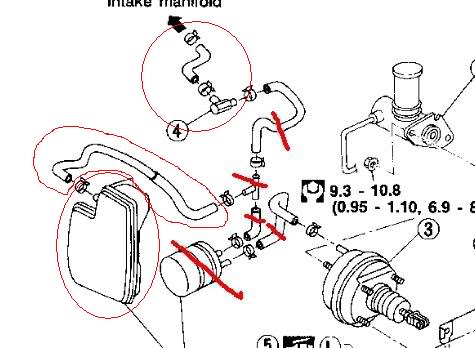
 Another UK spec series II manual finds a new home! http://imgur.com/a/R1HdDWelcome back to the Club Mark!I remember the car at the NISSTEK (aka SE Nissan) "open day" back in October 2003. How time flies!To answer your original question. I use AutoGlym products and this is their advice which I follow to clean my alcantara: "What would be the best product to clean alcantara? We recommend Interior Shampoo which should be applied to a damp cleaning cloth - NOT sprayed onto the fabric directly. The Alcantara cloth should only be wiped very gently to clean the surface and then wiped gently with a clean cloth rinsed out in fresh water. Never rub harshly or the nap of the fabric will be damaged and avoid over wetting." http://www.autoglym.com/valeting_bay/faqs/59-What-would-be-the-best-product-to-clean-alcantaraWhat is the setup of your system (including location of components)?This stuff marked in red:
 I think you are way beyond the point of subtleness!Definitely Super Duper!


