Everything posted by AndrewG
-
And yet... Anyway, welcome to the Club James and thank you for your support! If you put your VIN into here you can get the build date and original factory spec for your car: https://gtr-registry.com/en-fairlady-z-z32-japan.php
-
Nice collection of cars there.
-
Much better! Looking forward to seeing the car in the metal.
-
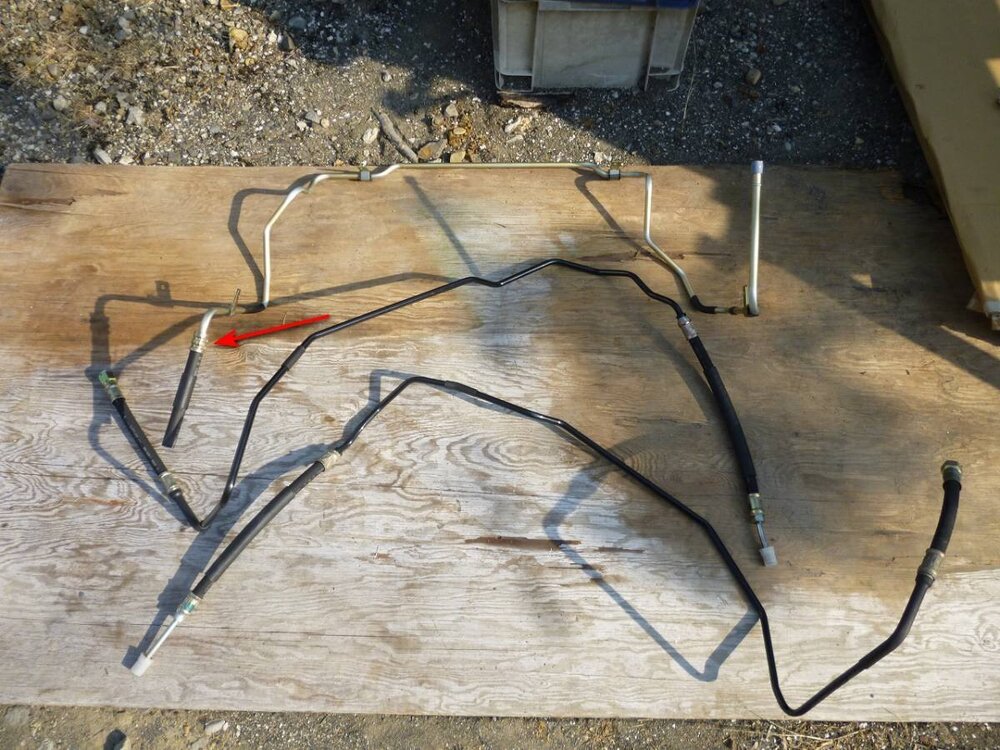
Interesting part 49790-30P01. Shows up as a set of parts with a separate (screw clamped hose) here: https://jp-carparts.com/nissan/partlist.php?maker=nissan&type=132&fig=497A&part=4979030P01&page=1 but appears here with a crimped shell coupling (arrowed). As this a low pressure part of the system I can't see why a suitable length of hydraulic hose and clamp can't be substituted with screw clamp. You would need to cut off the old crimped shell connection. 中古】新品未使用 Z32用 パワステホース3本 49790-30P01 49720-31P03 49720-31P04 の落札情報詳細| ヤフオク落札価格情報 オークフリー・スマートフォン版 Just an FYI - the diagram above (nissan4u) is for the UK/Euro PS system with cooler (item 32) which was not fitted on JDMs. AFAIK that part of the PS system (reservoir tank connections) is the same for RHD and LHD cars.
-
That will be Part# 16635-10V10. https://nissan.epc-data.com/fairlady_z/gz32/6029-vg30d/engine/164/16603F/ For reference: https://conceptzperformance.com/search.php?search=16635-10V10&filter=1 https://www.z1motorsports.com/fuel-rail-and-injectors/nissan/oem-300zx-z32-fuel-rail-plenum-seal-early-style-p-615.html They are available in the UK (but are expensive): https://www.allcarpartsfast.co.uk/nissan/nissan-1663510v10-insulator-injec/
-
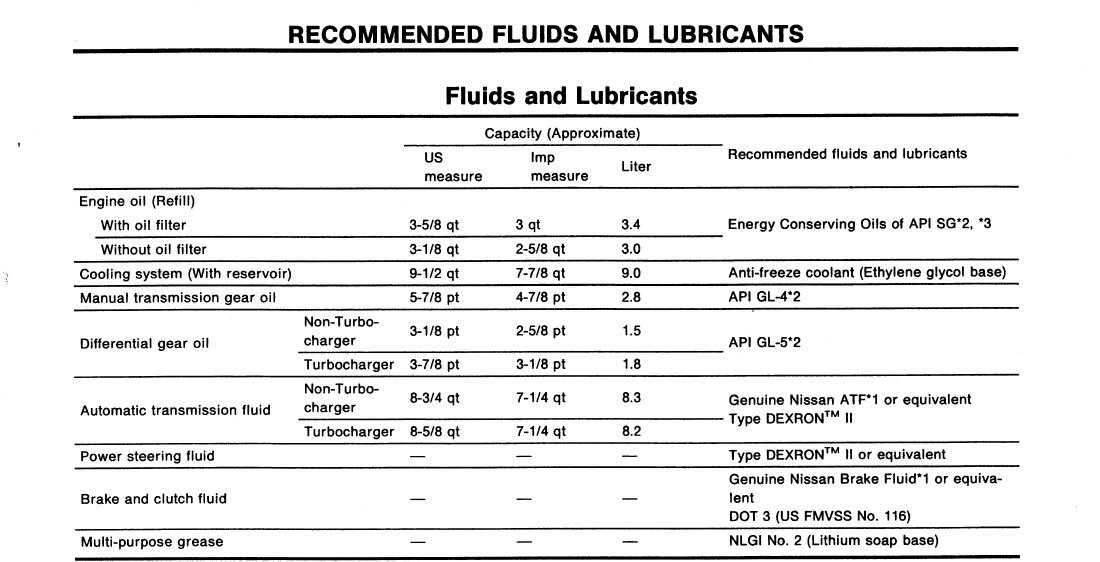
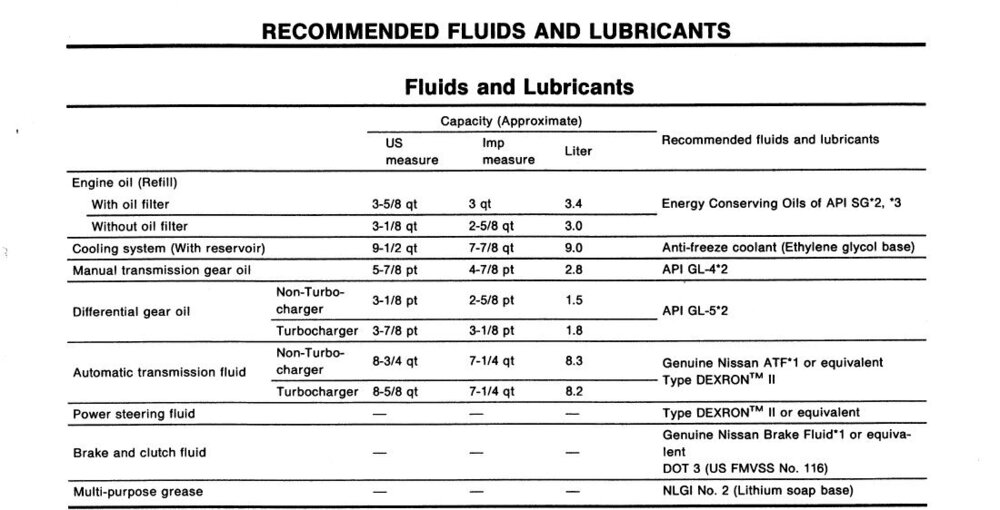
By the FSM: re ATF vs PS fluid: http://www.twinturbo.net/nissan/300zx/forums/main/view/1109051/Power-steering-problems-and-solutions.html
-
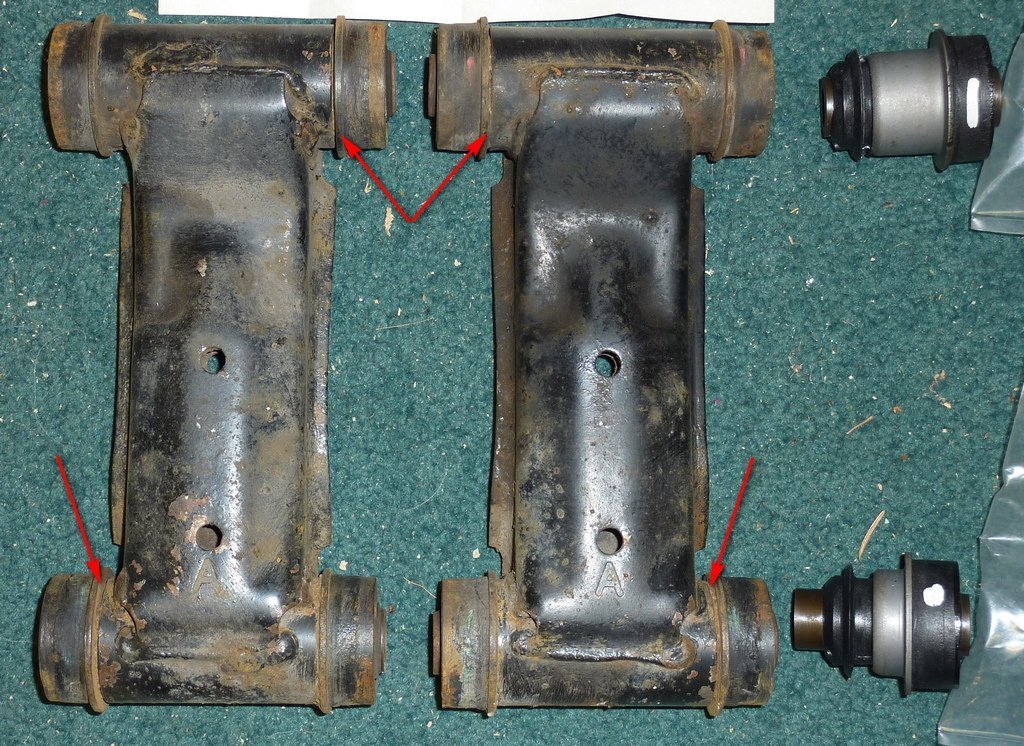
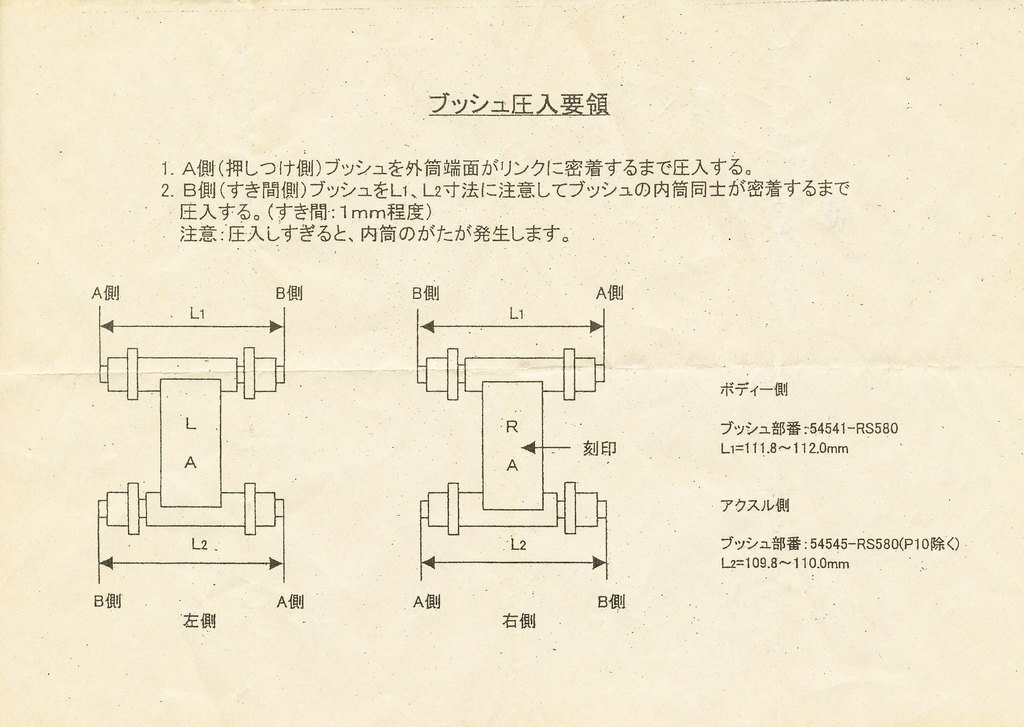
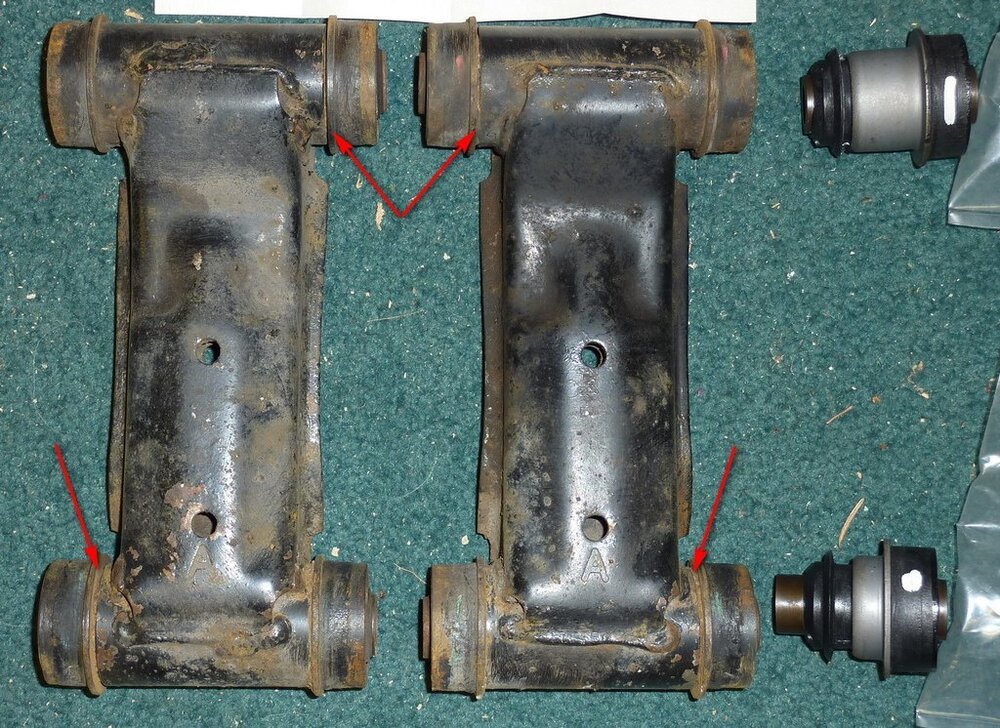
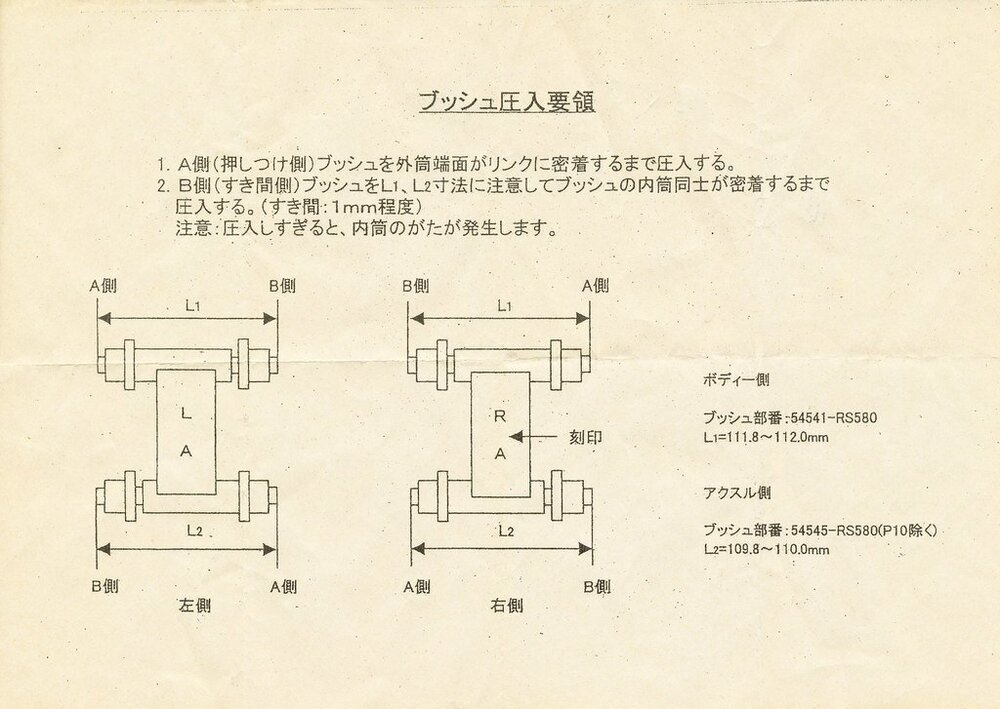
AFAIK the main differences are the placement of the bushes in the arms. There is a small 1mm gap (arrowed) between the bush and the arm. There is also an offset in the arm to the tube. Side by side you can see this at the top of the picture. This is also shown in the in the leaflet that comes with the Nismo replacement bushes.
-
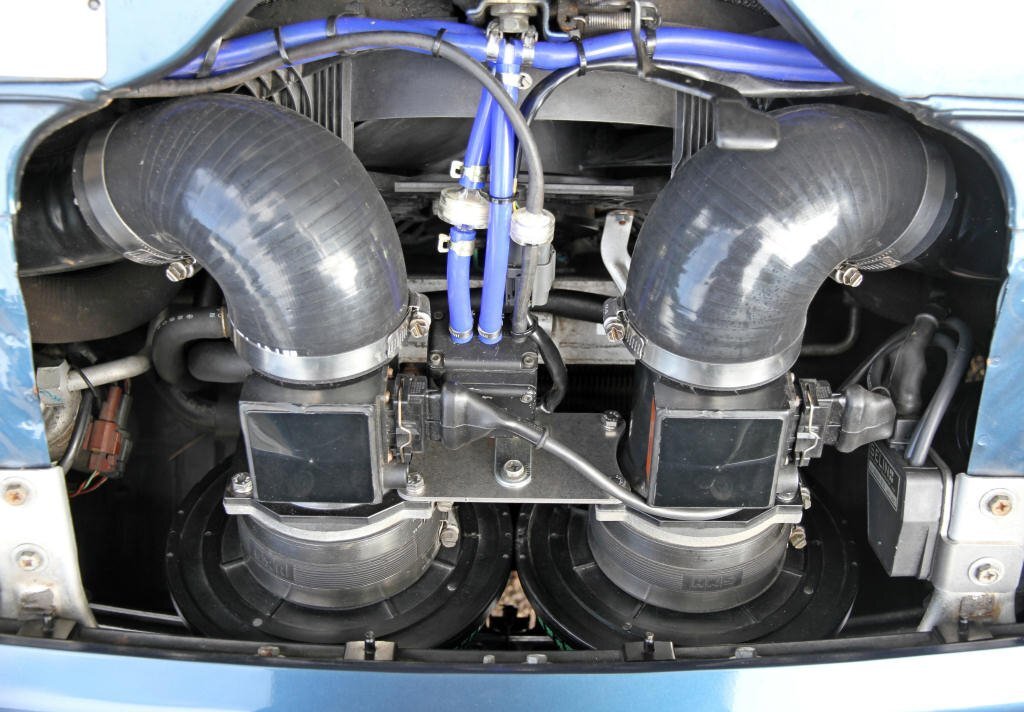
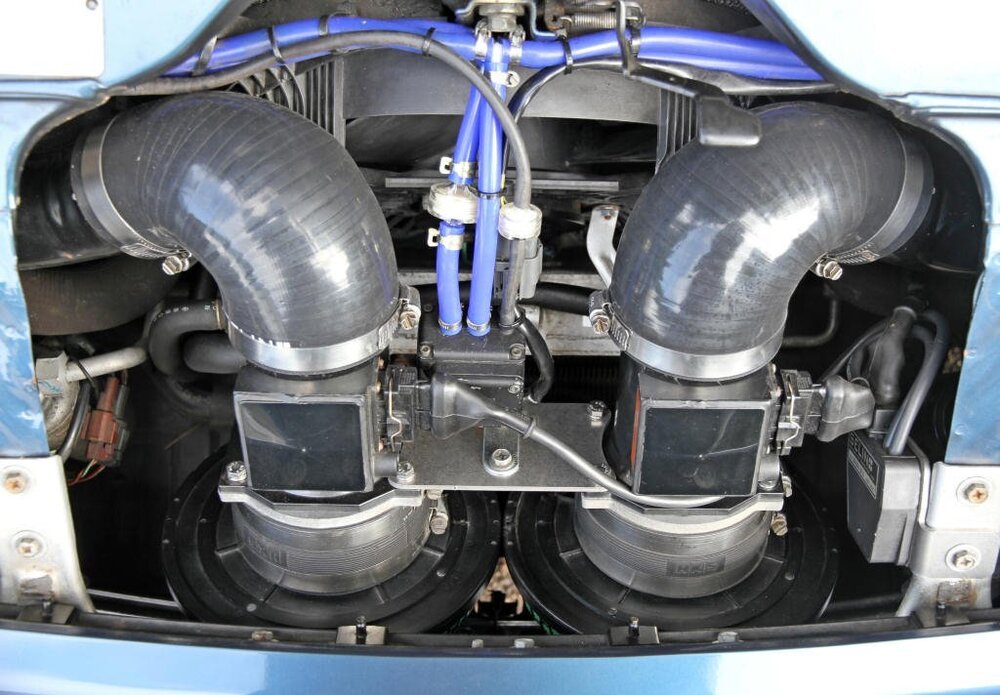
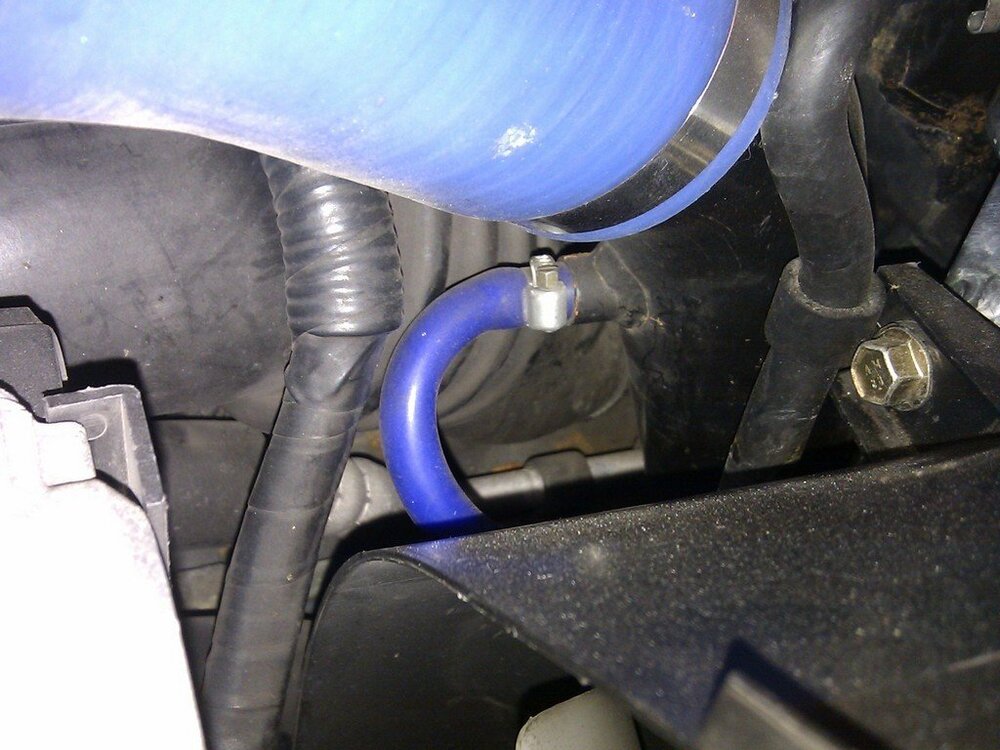
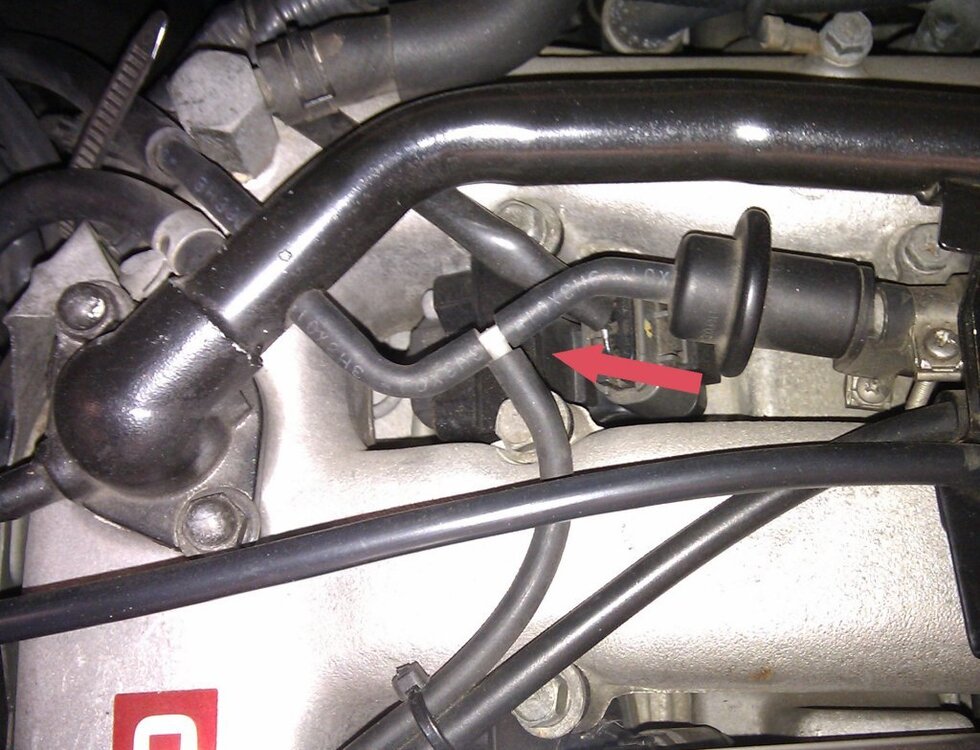
For my HKS EVC4 install the setup. BC Solenoid mounted so roughly equal distance for hose runs between both wastegate actuators and between TB intake takeoffs (small blue hoses T'd off from soleniod running to both wastegate actuators and both intake takeoffs). This setup has been in service for over 15 years without any issues. This is for RH TB takeoff using existing nipple in intake pipe. Large diameter blue hose runs up to TB. LH side is the same setup. Single takeoff from balance bar for boost pressure signal to BC Soleniod.
-
Well done Stephen - best wishes for your new venture.
-
Just to clarify, what year is your car? Which part are you referring to - 16603FA in diagram below?

-
Welcome to the Club Charles and the start of your Z32 adventure! If you put your VIN into the search field you can find out the factory build date and spec: https://gtr-registry.com/en-300zx-z32-uk-europe.php This stuff will help you start with diagnosing problems on your car. http://www.twinturbo.net/nissan/300zx/forums/technical/view/1105629/The-Ultimate-Guide-to-ECU-Diagnostics.html http://www.twinturbo.net/nissan/300zx/forums/main/view/922678/The-6-Ps-Proper-Preparation-Prevents-Piss-Poor-Performancegt.html You can also use the Conzult diagnostic software running on a windows PC to display the ECU fault codes and real time sensors and signals: https://conzult.com/products.htm A free Windows version is available to get started and covers most of the stuff needed (engine related)
-
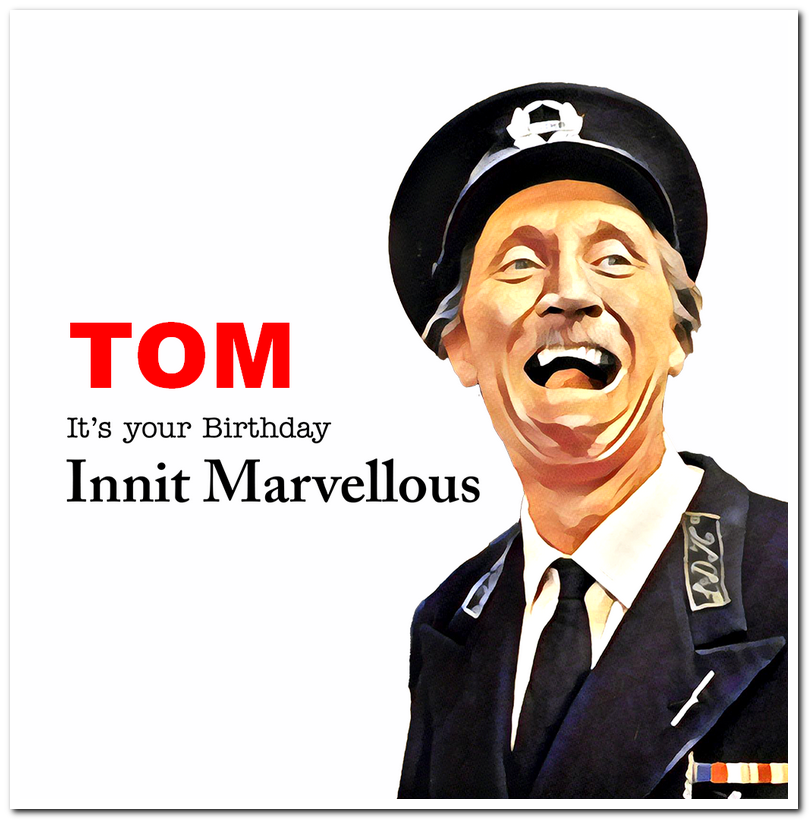
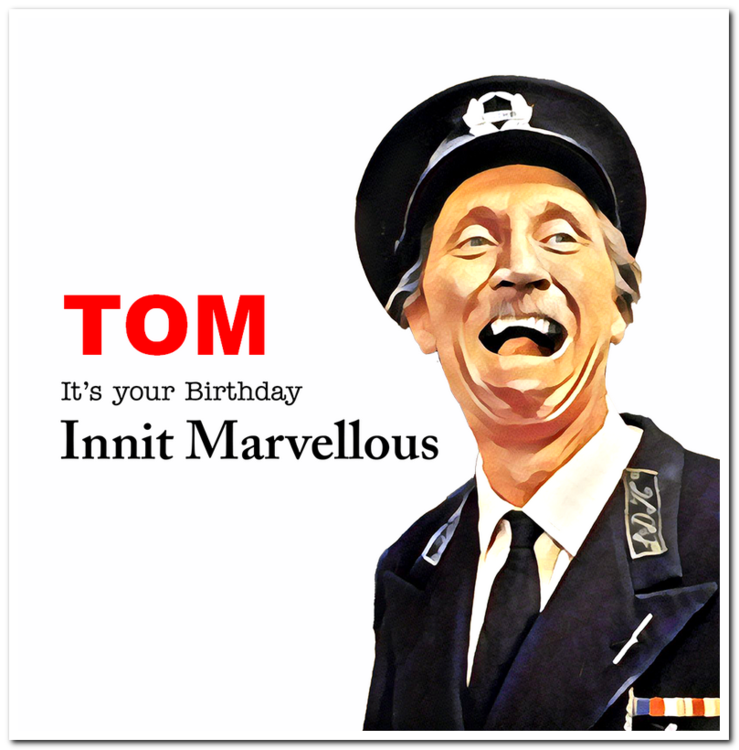
Don't do it Tom - I always had you down as this sort of guy!

-
Best wishes on your Birthday!
-
More than I did - it does makes one ponder when the oil coming out looks pretty much the same as it did going in when doing the annual service!
-
Well done chaps on completing your grand tour of the UK! It has been great following your diary.
-
Seen this Mike? Lot's of lovely JDM info!
-
Looks like a good show to attend. I'd be up for that next year.
-
I bought this kit for general use. To be honest they all seem to come out of the same moulds. https://www.ebay.co.uk/itm/123895221389
-
Best wishes Dave. Hope all is well with you.
-
Are you using a serial RS232 connection (as I do on my W7 64bit laptop) or USB? The free "cut down" version of ConZult is available from their site https://conzult.com/downloads.htm
-
Best wishes on your Birthday Ian! Hope all is well with you.
-
What did that exhaust set you back if you don't mind me asking?
-
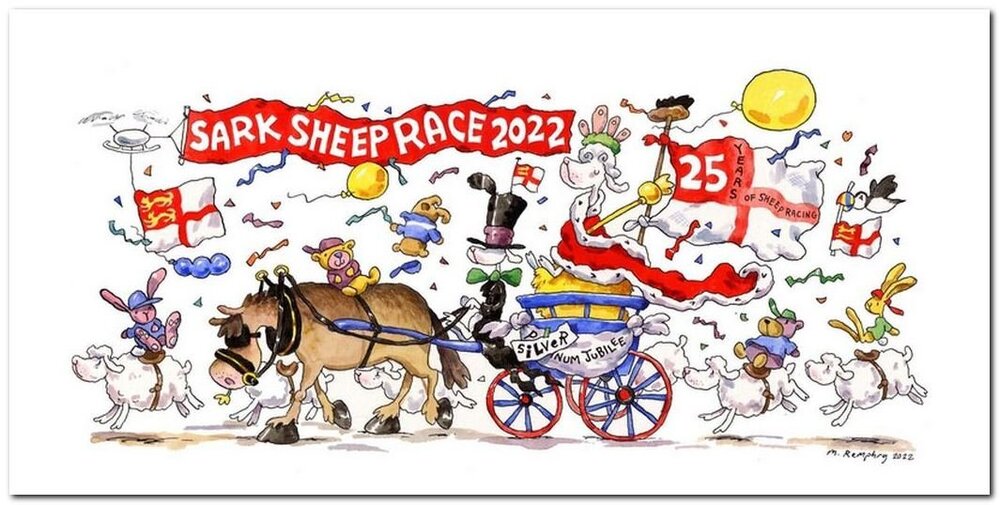
Best wishes on your Birthday Mike! BTW you still on Sark? Gotta love the pace of life!
-
Had an message from Mark Dodd, owner of the GTR-Registry.com website to say that JDM production data has now been added to the existing information which includes UK/European, American, Canadian and Australian records. https://gtr-registry.com/en-fairlady-z-z32-japan.php Big thank you to Mark and ryzan (Australian owners' association) for undertaking this work to provide a complete worldwide production database to the Z32 community - well done chaps! Their announcement of the new resource is here: https://aus300zx.com/index.php?threads/complete-z32-production-data-now-available.339084/
-
Welcome to the Club Will - and to the start your Z32 adventures!