Everything posted by RichardS
-
Enjoy your break Alan - sounds like you've earned it mate.....:thumbup:
-
Cool - what a great idea....:thumbup:
-
Yup - what Gaz just said...... Nice work Jeff, thank you sir; and thank you Gary for adding to the FAQ section:cool:
-
Nice one Gary - and still plenty of summer time left to enjoy your Zed once more....:thumbup:
-
Hi and welcome to the club...:thumbup:
-
Yup - I too have to concur.....! Good to see you back on the forum Dave; hope all's well with you mate! Richard:cool:
-
Yup...:cool:
-
I did indeed, thanks mate - and yes; Andrew was correct! The tank is fine, the garage forgot to connect the overflow hose.... .....They did it for me on Saturday morning, but sadly stretched the hose too much that it split... They are making good on Wednesday. Sure it's frustrating for me - but my local village garage are not Zed experts; however they are honest, trustworthy, helpful and will always do the right thing. They know my Zed is my baby and always make sure they look after it, when in their care! Richard:cool:
-
Looking good Jeff....:thumbup: And yes, the August weather here (in the SE at least) is not too bad either....:wink: How long are you allowed to keep your UK number plates, by the way....! Richard:cool:
-
Isn't that for the (optional on J-spec) front corner marker "aerial" - which extends the little mast from the front left-hand side of the bumper as a parking aid?
-
....Yes - this. Not really worth the cost and agro IMO. Unless you plan to turn a convertible into a twin turbo; as Nissan never made a TT 'vert, so you'd end up with a very rare and special car.
-
Me neither, if I'm honest mate.... Just like "ZTT" "ZXTT" "SWB" etc etc etc....:nono: IMO, best sticking to the normal "300zx" on the rear light centre panel, followed by OEM or enhanced OEM "Nissan" and/or "Twin Turbo" badging.
-
That's really looking good Dan...... ....And I have to agree with you 100% there mate!! Nice work - can't wait to see the finished product:cool:
-
Good question Andrew - I didn't think of that. That will teach me to over-look the bleeding obvious:oops: I'll check tomorrow before condemning the tank, thanks!
-
Cool - that would be great if you did thanks mate!!
-
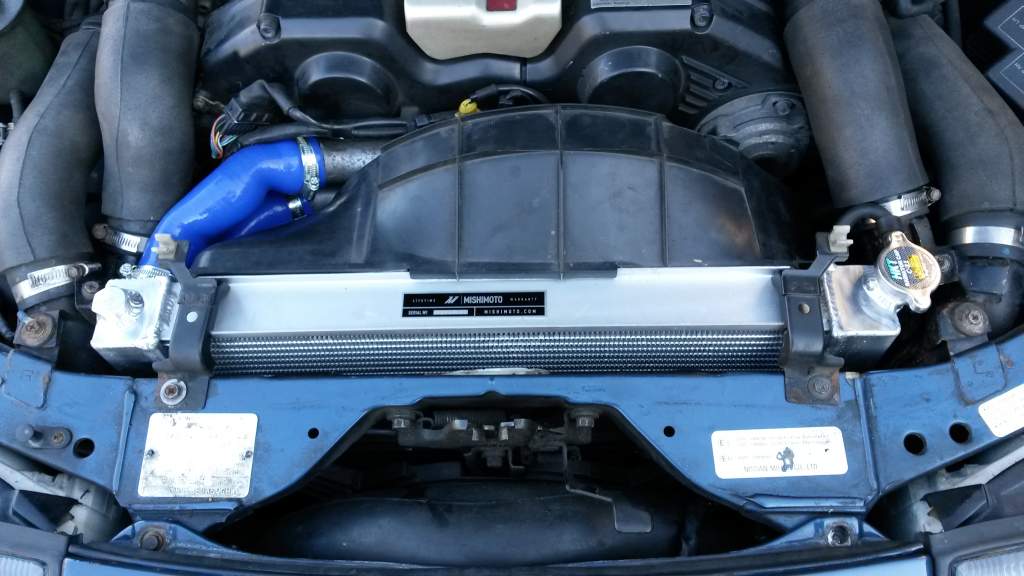
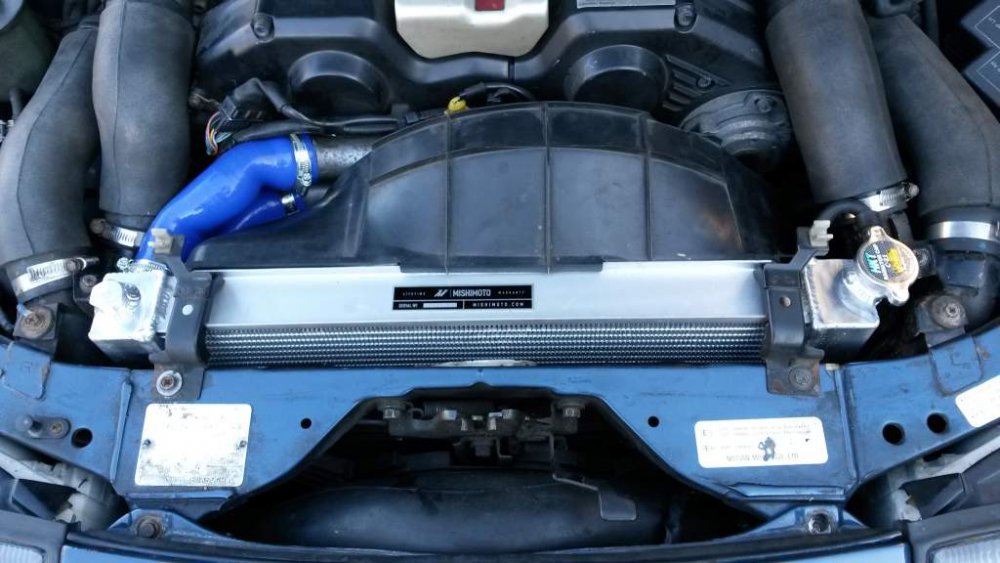
I picked mine up from the garage today - having had a nice new Mishimoto kit, comprising of radiator, auto transmission cooler and silicone coolant hoses fitted.... ...They did a nice job locating the oil cooler; and I need to get some better looking radiator brackets now. Bad news, though, is that it appears they have managed to break the expansion tank. It was fine before - as I had over-filled it without issue, when the old rad was leaking. Now, coolant just pisses out when I pour it into the tank:sad: Anyone got a spare for sale? Richard:cool:
-
Yup - I agree....:cool:
-
Nice one Steve....:cool: .....But check out the seller's e-mail address.....:rofl:
-
Jeff's man did mine about 5 years ago - and it's still belting out icy cold air....:cool:
-
Glad to see you had a great day mate.... ....And the Zed looks damn good against the hotel back-drop...:thumbup:
-
Great find....:thumbup:
-
I like that....:thumbup: Still (relatively) subtle and big, without being OTT...:cool:
-
Many happy returns Kevin - hope you have a great day mate! Richard:happybday:
-
PMSL....:rofl:
-
Looking good Nick....:cool: