Everything posted by TheRealNips
-
.jpg.460b2fc1c725c9cb2c5f0839c5c86d11.jpg)
From the album: Nissan 300ZX TT 1991 Black (NRD) - Sold
-
.jpg.1af048efb1fd3260c1302f04d3637eef.jpg)
From the album: Nissan 300ZX TT 1991 Black (NRD) - Sold
-
.jpg.a4186ebe3bd7a2c724d8b4a9f3d8c833.jpg)
From the album: Nissan 300ZX TT 1991 Black (NRD) - Sold
-
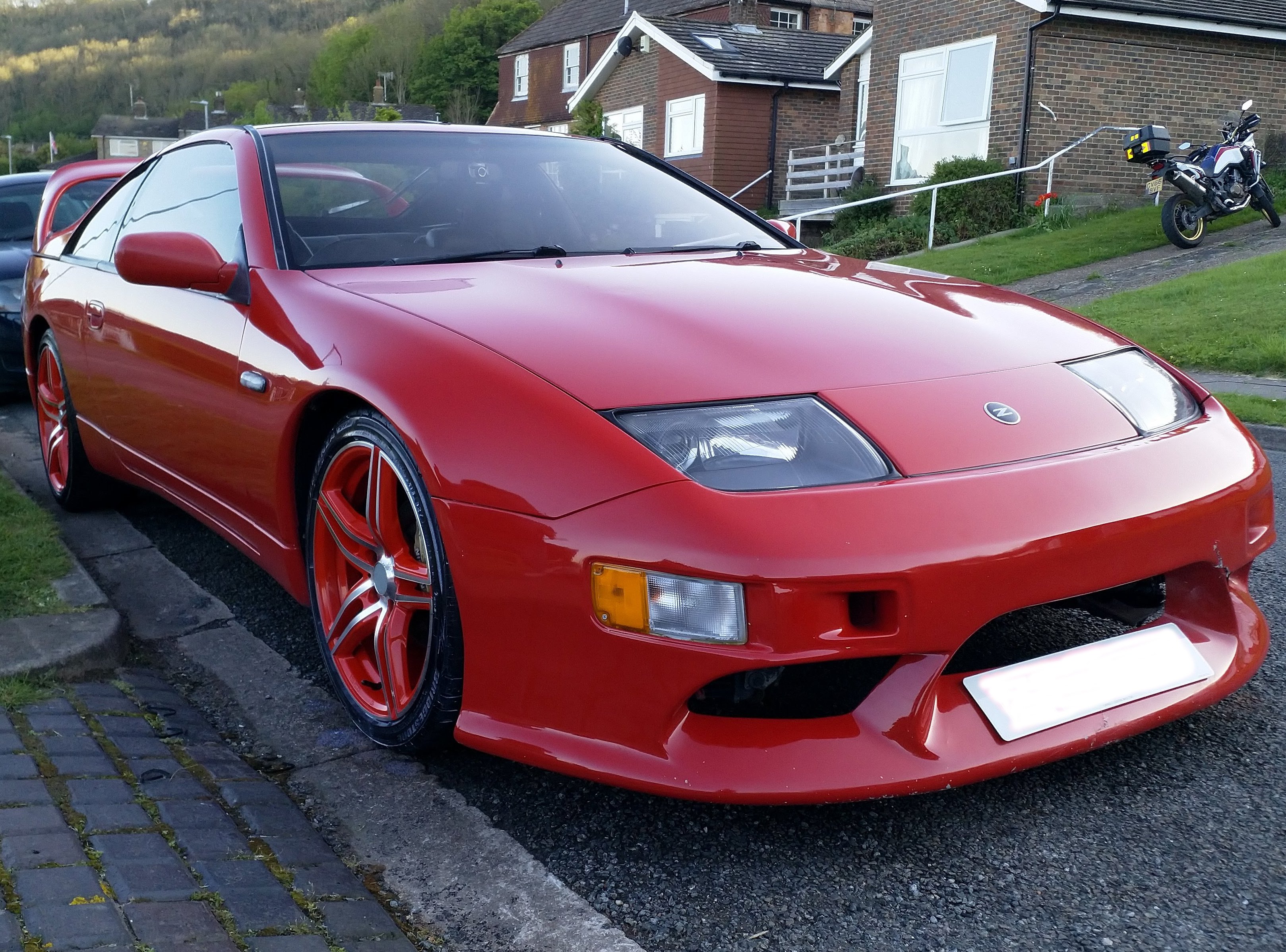
This was my first attempt at owning a red TT car (my dream car). It was bought from up north with "some" rust to fix. My friend and I worked on it over several years on days off only to realise that there was nothing holding the rear sub frame on. I decided enough was enough and stripped it for all the parts and sold the shell, engine and gearbox to an MX5 owner who was going to put the engine in one of his MX5. RIP car....I tried to save you...
-
.jpg.5ce89a7b9ae9f98ad438ad1580787b45.jpg)
From the album: Nissan 300ZX TT 1991 Red (FZ1) - RIP
-
.jpg.616d9071ead2064b75bad10f7992833f.jpg)
From the album: Nissan 300ZX TT 1991 Red (FZ1) - RIP
-
.jpg.4256291ed917f5dae074c2e3f7d50af4.jpg)
From the album: Nissan 300ZX TT 1991 Red (FZ1) - RIP
-
.jpg.a8e9087e3ad863f2b34ab509a7eb92a7.jpg)
From the album: Nissan 300ZX TT 1991 Red (FZ1) - RIP
-
.jpg.e1404e820fa869abacfff4703aacb5c8.jpg)
From the album: Nissan 300ZX TT 1991 Red (FZ1) - RIP
-
Bought in November 2014 for £800, this was my first ever Zed, genesis one might say! The car was in a bad state and over time, I have got it de-rusted and returned to stock. The interior has been replaced to a stock vugalor/leather interior. The after market alloys were replaced with OEM wheels painted black/red that I found on the internet. It has been lowered by 20mm front and back. As NA, its loud and in the future I may replace the exhaust as when in 5th on a motorway, it can drone between 2000-3000rpm. The paint needs completely re-doing as it was a red car, that was re-sprayed as a black car and the black is now starting to peel off. The car has been around the world with me, 10 countries, 70,000 miles, over countless road trips and it was even my daily drive for 4 years! Sadly the car was sold in Feb 2020, but to a chap who is currently rebuilding it. Long Live JBJ!
-
.jpg.15e8fcb8f454ff6f1430faed6566660c.jpg)
From the album: Nissan 300ZX NA 1990 Black (JBJ) - Sold
-
.jpg.99170ceccf8287b9ca7621787ca59a89.jpg)
From the album: Nissan 300ZX NA 1990 Black (JBJ) - Sold
-
.jpg.b0f4d19edbc0bf32cc06aff7e0366305.jpg)
From the album: Nissan 300ZX NA 1990 Black (JBJ) - Sold
-
.jpg.20e57541cfa8dad01338ac1abd4facfb.jpg)
From the album: Nissan 300ZX NA 1990 Black (JBJ) - Sold
-
.jpg.e4974448af823ce3cc00f12f2a195294.jpg)
From the album: Nissan 300ZX NA 1990 Black (JBJ) - Sold
-
.jpg.02692d3898a140e9851e29fbc3a7af03.jpg)
From the album: Nissan 300ZX NA 1990 Black (JBJ) - Sold
-
.jpg.7deac5aa5c2ad73dffdc5426bed53fa1.jpg)
From the album: Nissan 300ZX NA 1990 Black (JBJ) - Sold
-
.jpg.24ce8fc6ca0c811a470e983216b9f600.jpg)
From the album: Nissan 300ZX NA 1990 Black (JBJ) - Sold
-
.jpg.a216a0eb8f436131bf6410edf5a4ffc9.jpg)
From the album: Nissan 300ZX TT 1991 Red (FRV) - Sold
-
.jpg.8ade86115457a9e6d0d73546d5531e5c.jpg)
From the album: Nissan 300ZX TT 1991 Red (FRV) - Sold
-
.jpg.f2a185b2d384eff76c8e981ae8d1feb9.jpg)
From the album: Nissan 300ZX TT 1991 Red (FRV) - Sold
-
.jpg.699eb80accdfea55dd06cfd9c0a39bf9.jpg)
From the album: Nissan 300ZX TT 1991 Red (FRV) - Sold
-
.jpg.db9f4d2f14f3ea3975bec9388f011e01.jpg)
From the album: Nissan 300ZX TT 1991 Red (FRV) - Sold
-
.jpg.e704d1348a0165f3ed443cd6222aba69.jpg)
From the album: Nissan 300ZX TT 1991 Red (FRV) - Sold
-
.jpg.1b50121bec59351498f8365cc34ce4e5.jpg)
From the album: Nissan 300ZX TT 1991 Red (FRV) - Sold