



Everything posted by JaiKai
-
Looks like ba6731a to me.
-
True but i just happen to have one sitting on my desk. Like you i have a few carcuses of various series 4 clocks. The one ive currently got fitted was imported from the states and is a nismo with the clocks that go to 300mph.
-
Yeh, Mines a series 4 too and on mine it was there but just taped up. It connects the sender into the main electrics which inturn hooks to your clocks. Any sender from a breaker will do.
-
Your missing the sender ! The wiring for the series four is there but the pumbing isn't. Find yourself a sender and some vac pipe and hook it up, check for the spare plug taped up need the drivers side of the plenum near the fuses.
-
mines are series 4 too and never noticed it on mine.
-
Why? There less than a fiver to buy and if I get them tomorrow then ill fit them tomorrow, else it won't be till next weekend again until I can do anything, I'd rather get it fixed asap than wait a week and risk damage to something.
-
If i cant get a set tomorrow i'll take you up on that offer, cheers
-
Cheers
-
Well took one of the wheels off today and as suggested there's no spiggot rings installed. i measured the hub and wheel and its about 10mm differance so it's just the bolts that's keeping close to centre. just have to find a local supplier to get a set now. i think I need the 66.1 - 72.6 mm spiggot.
-
Yeh, there all drift works too, and it all passed mot less than two months ago with no advisories. ive not checked the hubs for a bit but I did have the rear hubs off not that long ago, I'll check the fronts ttoo when i check the size of the wheels to see if spigots are needed, don't mind seeing any so that's likely what it is.
-
Ah, not sure and never thought of that ! ill check tomorrow, great idea.
-
Right when driven over 60 I'm getting a shakey steering wheel. No idea what causes it and I'm running out of ideas? First off everything under the arches is aftermarket and over the last year I've replaced suspension for Meister Coilovers, all the other arms and so on have been changed to drift works. Also front and rear drop links have been changed to new oem, my 19" wheels were refurbished then rebalanced then to finish it all off the whole lot was checked and aligned by a garage who is well adapted in performance setups. Any ideas what else it could be ? My next area of thoughts were to replace the prop for a single piece.
-
Good to hear your settling down with a zed that works, good one bud !
-
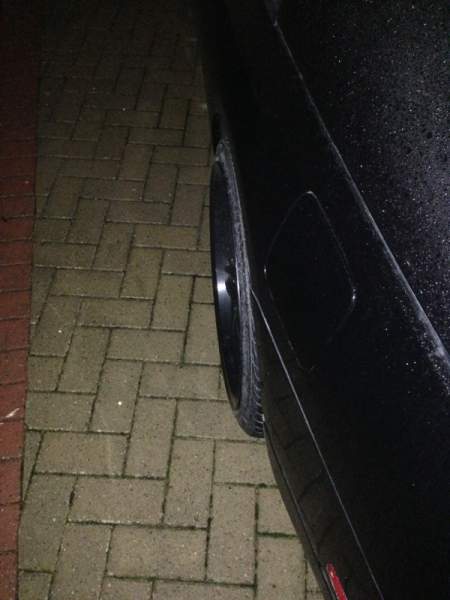
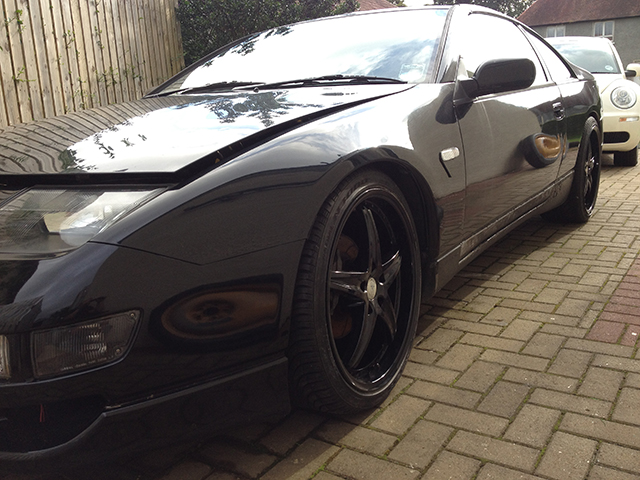
Not long got all my setup done and i'm fairly impressed with her stance too now, although the rears rub a bit so thinking of getting the arches rolled.
-
When i informed them that i had changed all my parts to aftermarket driftworks they asked why ! I told them truthfuly some parts needed changed like the rear lower arms as the joint would fail the next mot and that the after market part was actualy cheaper than the oem part from nissan and they said they were fine. Although saying that those parts were cheaper but i doubt standard suspension would be more expensive than my meisters.
-
Mines with Admiral under multicar and I've declared my mods and there fine.
-
Plan to get my zed a respray too hopefully before This years JAE.
-
Happy New Year Jeff to you and your family !
-
I yes, zeds back on the road at the moment, needs a paint job but but couldn't be any worse than groovers primer !
-
Happy New Year and JAE 2013 hear we come !!!
-
So glad your going, sometimes is good to take a break from each other lol.:innocent:
-
mine has to be Centurions [video=youtube_share;hIajdXHRmJ4]
-
What does luke skywalker shave with ? - Laser Blades.
-
Scratch that, just re read your post saying you have an na, maybe someone added them with the other front. Does the old front bumber have vents ?
-
more than likely the vents to the intercoolers. All they do is direct airflow towards the intercoolers at each side - presuming it is a tt you have.
