Everything posted by AndrewG
-
Couple of pages on the design of the VG30DETT engine from the Road and Track "Guide to the all-new Nissan 300ZX". Published in '89 and running to 97 pages dedicated to the design and development of the Z32.
-
JUN Auto entered the USA Bonneville Speed Trials in 1991 with the JUN-Blitz 300ZX in the E/BMS class. The car ran a record 260.876 mph becoming world champions and setting a record that still remains unbroken. Short videos of the Blitz, TBO and JUN Auto teams preparing for the Bonneville Salt flats. They are in Japanese but you can get the jist. Great soundtracks of engines at full chat... [video=youtube;MvKQWP-uHAY]
-
Couldn't agree more!
-
Looking forward to seeing the results Gary.
.jpg.2673b5e59de52f293e222d94fafa886c.jpg)
-
When you replaced the heater matrix did you set the heater controls to the highest heat setting to flush out any trapped air in the matrix? There may be a problem with the heater core valve: https://aus300zx.com/xenforo/index.php?threads/assitance-needed-with-heater-core-valve.312258/
-
What a nostalgic read Gary and everything priced in £sd! From the days when Halfords were a motorist's store.
-
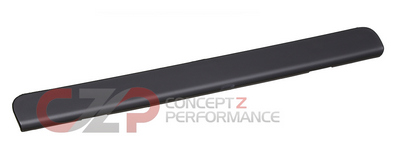
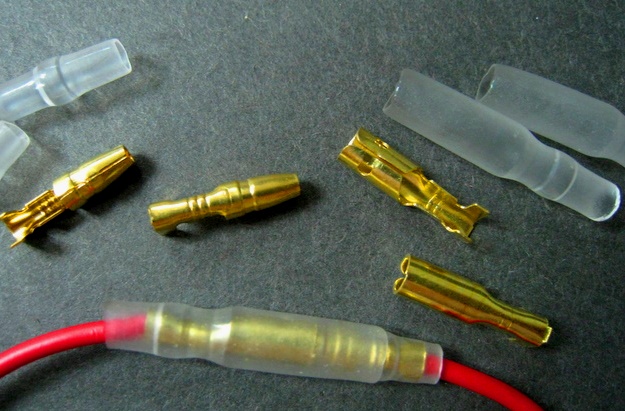
Yes, at least when I bought a full set back in July (from allcarpartsfast): 68260-40P00 LID-CLUSTER £117.46 68261-30P00 LID £22.19 68477-40P00 MASK-VENTILATOR £10.45 68478-40P00 MASK-VENTILATOR £10.45 Expensive parts (all plus VAT and P+P)! You could also try Mike@MJP.That was a great day!That's true, however it is not that difficult to import one from the US. Here is another option (again it will need to be shipped from the US): https://conceptzperformance.com/wps-high-output-170-amp-alternator-twin-turbo-tt-non-turbo-na-nissan-300zx-90-96-z32-13478-ho-170_p_25783.php and another option mentioned here from the Australian 300ZX site: "EBay BNR -cheapest you'll find and they fit" https://aus300zx.com/xenforo/index.php?threads/sourcing-a-high-amperage-alternator.336404/Gary, when I installed my third brake light I cut off the existing connector on the light and used soldered bullet connectors. Like these:
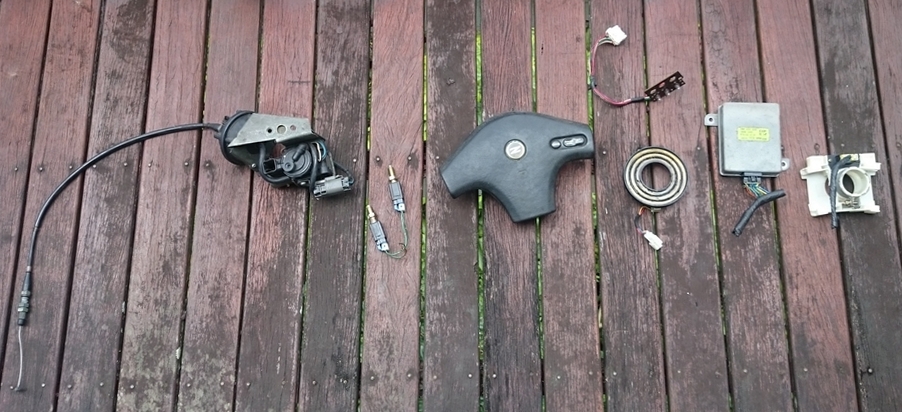
 For reference for anyone attempting an ASCD retrofit these are the FSM pages I scanned (for RHD cars) for Joel's retrofit. ASCD schematic: EL-99.pdf Circled in red are the principle ASCD connectors (EL-101): EL-101.pdf Location of ASCD components: EL-112.pdf Location of the various harness connectors used by the ASCD circled in red above (EL-101): EL-118.pdf EL-119.pdf EL-126.pdf EL-127.pdf EL-133.pdfJoel is retrofitting cruise control. Writeup here: -> Cruise Control Installation.pdf Parts required (not including loom parts):
 Try fixing the noisy fan, it does have a purpose. http://www.twinturbo.net/ttnetfaq/FAQpages/tempfan.html http://www.pexcom.com.au/z32cms/e107_plugins/content/content.php?content.75Onwards and upwards Mark! European tours are great fun.There is a write-up here (unfortunately the pictures appear to have disappeared): http://www.twinturbo.net/nissan/300zx/forums/technical/view/1035652/Alternator-upgrade-for-the-Z-to-140amp-Infinity-I30.htmlBest wishes on your Birthday Gary!
 It was an option on series 1 UK specs as was automatic transmission.May be fixed with this: https://aus300zx.com/xenforo/index.php?threads/seatbelt-retraction-factory-fix.274394/Try this calculator: http://www.1010tires.com/Tools/Wheel-Offset-Calculator BTW - Stock Jspec are 16x7.5J 45 offset all round. UK specs differ with 16x8.5J 35 offset on rears.This writeup should help you with the problem (and includes the 1MΩ resistor fix): http://zhome.com/ZCMnL/PICS/detonationSensor/detonationSensor.html With the engine in the car replacing the det sensor is not an easy task and a number of relocation methods have been posted on TT.net: http://twinturbo.net/net/viewmsg.aspx?forum=technical&msg_id=786419&forum=technical&dtSearch=2Knock sensor part# is 22060-30P00 and is same for TT and NA. By computer readout, you mean Consult (code 34 - Detonation Sensor Circuit)? That could also mean that the harness is faulty.That would be an excellent idea! Two items that spring to mind to include are Cat testing and FUCA tolerances.I though that the mileage a vehicle has covered was recorded as part of the test to help combat clocking?