




Everything posted by JaiKai
-
not on here but I got a set of skirts from him the other day so he's still in the land of the living. :)
-
I havent got to my engine and all in i'm at 6k, but thats mostly cosmetic like respray and new plastic parts.
-
Brave !! I just made a £1300 order with MJP today aswell so we both must have swallowed the same pill. lol
-
well i purchased the main loom, gearbox loom and a new det sensor loom so its cost me $765.25 which is about £449.63. Then on arrival to the UK customs charges was £44. Its a big cost but as i'm doing a full rebuild i thought it was worth doing it all. So all in for the three looms was just under £500 posted.
-
New engine loom has arrived from the states and my first big order with MJP was just placed. New loom looks the biz and has detachable components from the main loom so like of the injectors and coil pack connectors can be replaced separately from the main loom without soldering which is cool. i'll get I pic up tonight of it.
-
Will buy my new intercoolers from Z1 but keep all the other bits on order from MJP. thanks for the suggestions.
-
Lol, ill be heading down on the Friday in a transit so that I can pick up my engine rebuild on the way back. will be down with my Wife and my daughter Kari. my own zed will be half built by then hopefully but won't be ready enough to drive as I'll be missing an engine, :)
-
Cool, plan is to replace all the trims, side lights and fogs.
-
Just wondering since i'm buying new intercoolers from Z1 and i'm also replacing all the main rubbers for my zed and lights, Is it cheaper to just order the whole lot from z1 in the states ? Will there be a large import tax bill when it gets here ?
-
Hi Lexx, I'll be there first thing with the club banners and i'm happy to help out with the full event. Lee
-
Looking closely it's actually the same picture used so more than likely are japspeed. It it also says 1-2 months order time on zcentres site so there likely made to order from japspeed.
-
Just about to buy myself a new japspeed exhaust but there out of stock at the moment. Not sure which make those are but they do look like japspeed.
-
Good man, been after one for ages having a series 4 myself and noticed your thread about it not that long ago.
-
More parts just ordered from z1, ordered a left hand side cruise stalk, new links for the throttle bodies and new rubbers for all my hard pipes.
-
So true, although I don't have a garage. but I do tend to leave my tools in and around the zed when I'm working on her. l left a screwdriver on the scuttle panel once and after a week of driving around I find it where I must have left it. No idea how it managed to stay where it was. lol
-
Hi buddy, been working extra time this week so never managed to see your other request until late last night. but glad you got it printed ok.
-
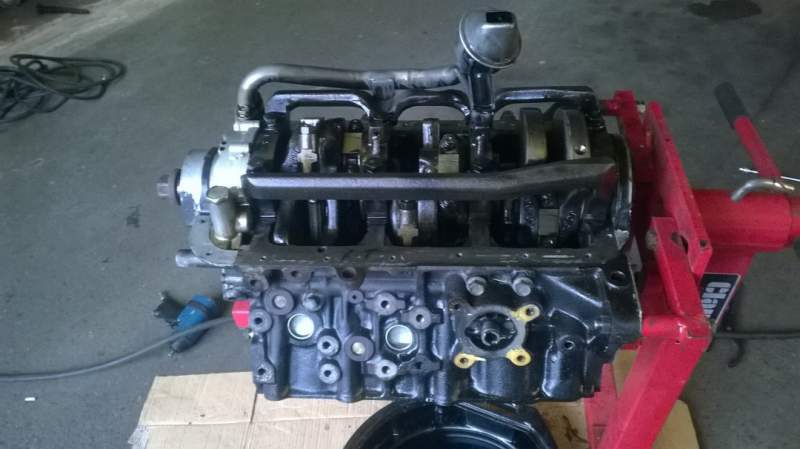
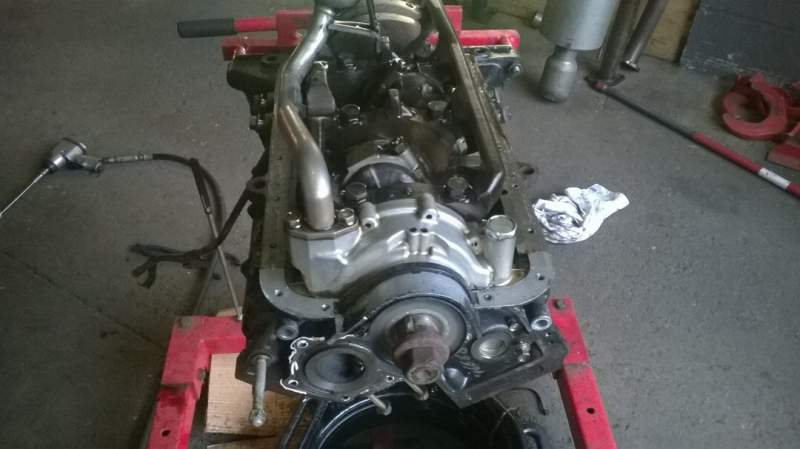
Just another we update on my rebuild ! As the Zeds in for a respray I've sent the engine for a makeover too. just received these pics from lee dent :
-
Cheers, just PM'd him so will wait for a reply.
-
Hi all, So my rebuild needs alot of parts and I've sourced a supplier to get them at cost but we need the actual oem part numbers from nissan. My list is below so if anyone could help by posting the part numbers it would be great. Front Fogs Lights Front Indicator Lights zcentre Rear Panel with break light Door Top Moulding RH Door Top Moulding LH Screen Trim RH Side Screen Trim LH Side Front Screen Fasteners RH Front Screen Fasteners LH Front Screen Upper Moulding Rear Screen Lower Moulding Targa Trim RH Targa Trim LH Targa Centre Bar Rear Roof Trim RH Rear Roof Trim LH Left and Right side Scuttle Panels
-
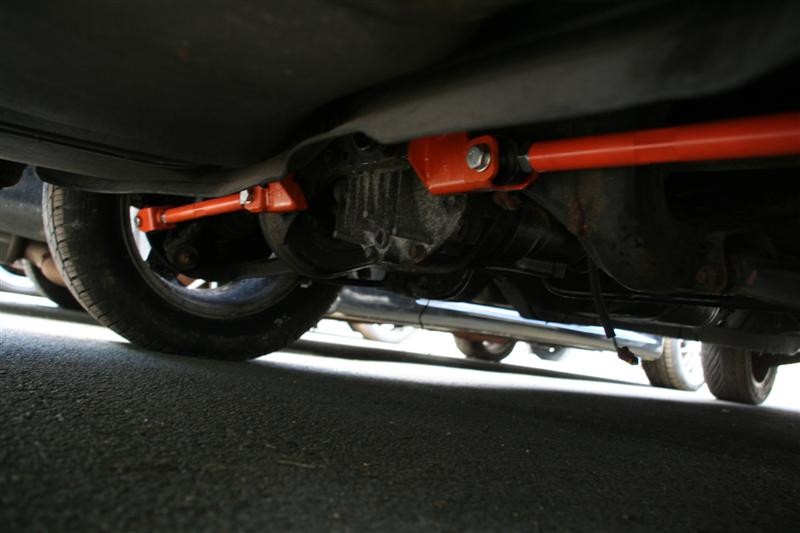
This is what it generally looks like :
-
The driftworks ones don't have the central bar and join directly at the left and right sides. I've got them fitted to my zed but don't have any pics and can't take any at the moment as mine is in the body shop.
-
More parts just arrived for my rebuild. New Type-S skirts from carmad is on-route and a 99 spec spoiler just arrived today. Also order a full new engine loom from the states.
-
Sure can, email me the full pictures to lee.young@jaikai.co.uk and let me know what picture is what. Lee
-
BLITZ FATT DC - Turbo Timer removed from my last breaker. Sell for £50 posted ono.
-
Selling a toyo aftermarket radiator, Bought for £160 just over a year ago; selling for £60 posted Has a slight twist in the overall shape but does not leak and when fitted fits perfect.
