




Everything posted by TwinTurboRich
-
I reckon northern France would be excellent. Are you taking the Zed? :)
-
:biggrin:
-
What a mess!!! :shock:
-
Hey Gaz.....whats that owl thing? lol :lol:
-
Even the footie in Windsor Park was called off twice! :ohmy:
-
Nice one fellas :thumbup:
-
Me neither :ninja:
-
Happy belated birthday Rob :)
-
Happy belated birthday mate :)
-
Welcome Greg :thumbup:
-
Happy belated birthday mate :)
-
Nothing in Cardiff :)
-
:kiss::kiss:
-
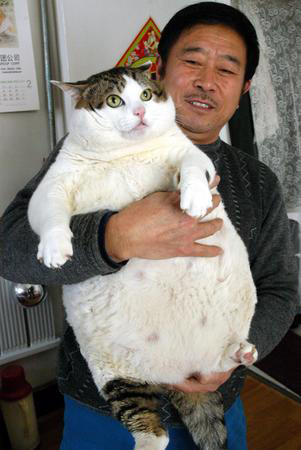
If they are like this Daz, you will be loaded!! :lol::lol:
-
Trust you to say that :rant::rant: Yeah but will look like this!! :lol::lol: I'll try my best Gaz :)

-
We are watching it too. Good insight that you rarely see
-
3000 posts! All a load of nonsense too! :clap: Will probably take me 20 years to get to Al's (StellaZ) total :)
-
Awesome!!!!!! :)
-
Just because Crystal Palace lost as well :lol::lol::lol:....pretty shite weekend for you :)
-
What an absolute epic game Wales v England was!!!!! :thumbup:...
-
Well maybe if you were sharing said beer with................ Her!!!!!!!!!

-
We are having crispy chilli beef, chicken fried rice, seaweed, lettuce wraps, chicken curry, sweet and sour chicken, spring rolls, prawn crackers and king prawns lol.......greedy sods here :). No beer for me though as I am up @4.30 am for work tomorrow and Sunday :(
-
Chinese for us too :clap:
-
Great cars, don't see many about these days :(
-
Happy birthday Alan :thumbup:
