




Everything posted by JaiKai
-
No, since I'm using it too now!
-
Goods news is your already subbed so its not costing anything more to post here :whistling:
-
If forum runner or vbulletin release a fix then i'll keep it going, for now the only option is to use tapatalk
-
There's been a few threads lately relating to members rigs / pc games and such that we thought it was time to have a dedicated section ! So I'd like to introduce "Subscribed Member's PC / Tech Forums" The new forum will be open to all for reading but to enhance membership we've decided to keep this one for fully subbed members only. This forum has been split down into a few areas as follows : Gamer Discussions -- Section relating to everything gamers do but for the PC Owners Rigs / PC's -- Post up your latest creation here Technical Support -- Get help from myself or other users in here General Advice -- Any general advice relating to software / hardware Buyers Advice -- Direct buyers advice in here Hopefully this new section well make it easier to get and give advise to the member base, it also give everyone a chance to show off what there personal build is like that they use daily to view these forums. Enjoy, For and behalf of the committee JaiKai
-
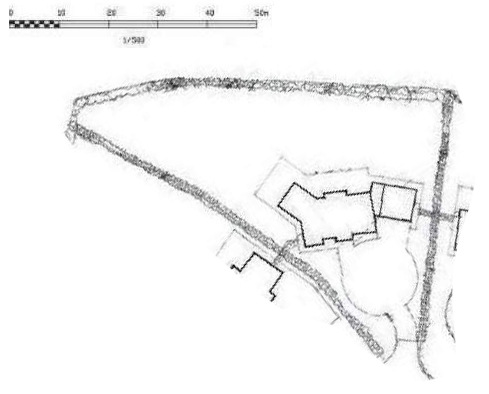
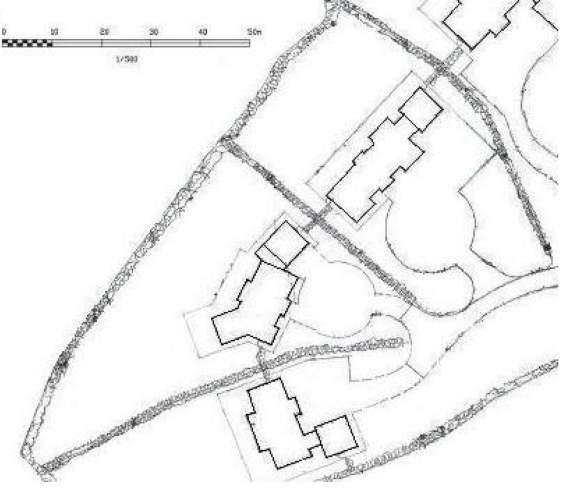
If you change the scale that's on the page bigger than the image then it wont be in scale !
-
or :
-
I've cropped it for you and all you need is to enlarge the picture when you print it, windows Photo Viewer can enlarge the picture to scale depending on the settings of the printer used.
-
What should be an easy job took ages, all because of a few rusty bolts
-
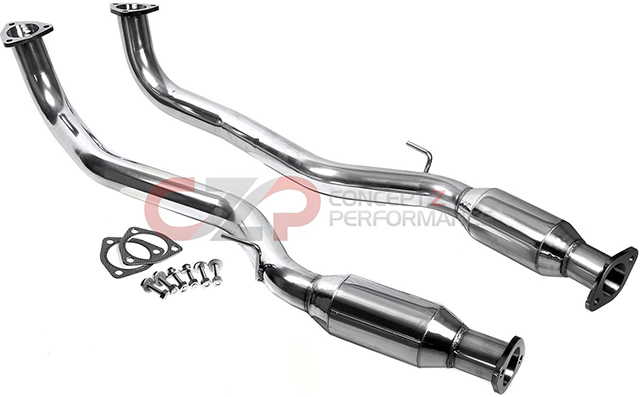
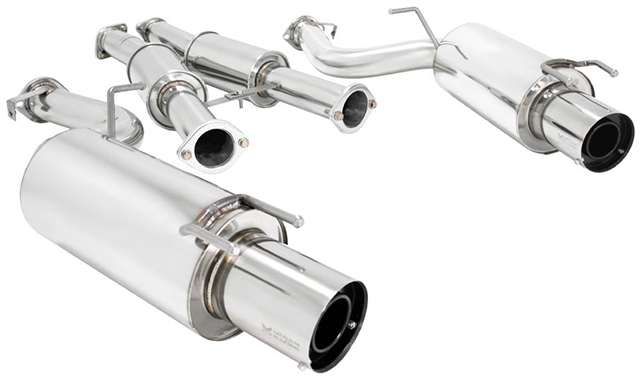
It will be costly to import yes but I think it will be worth it in my case as doing so much other things I don't want the look of the exhaust or the fact that its got a huge hole in it now let it all down. Had my eye on these :
-
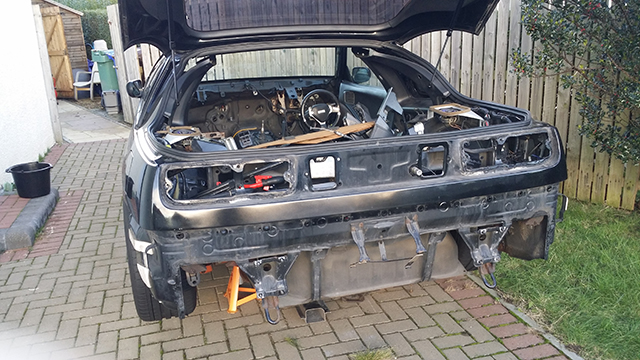
Got my rusty exhaust off and now my zed look even more less than a zed !
-
Bump Just in case anyone missed this thread the other day I've turned on a new garage system which should be accessible from the top menu. Were planning to switch the other system off towards the end of the month so can everyone who has or wishes to create a garage do so in the new system rather than old. Also any images added to the new gallery system can be posted directly in thread using the new camera icon aswell as adding pics to the gallery when posting in the normal way too.
-
So i'm planning to get rid of this beast and was thinking of buying something new. Anyone ever imported an exhaust and is its expensive to do ? Was looking at ones on conceptzperformance.com
-
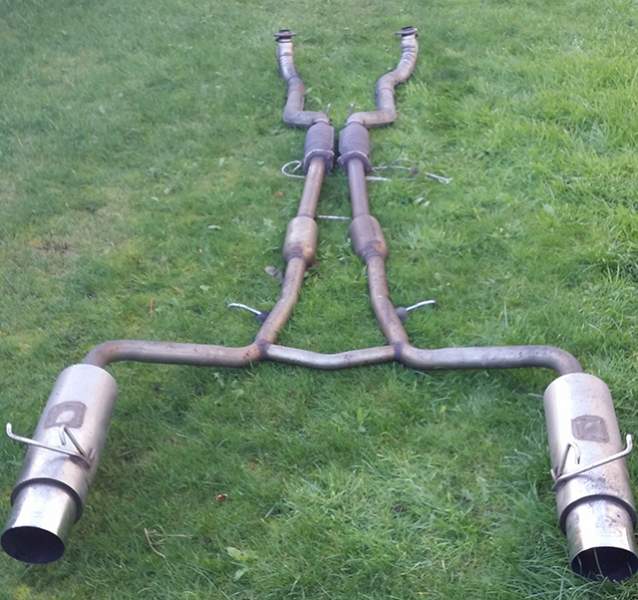
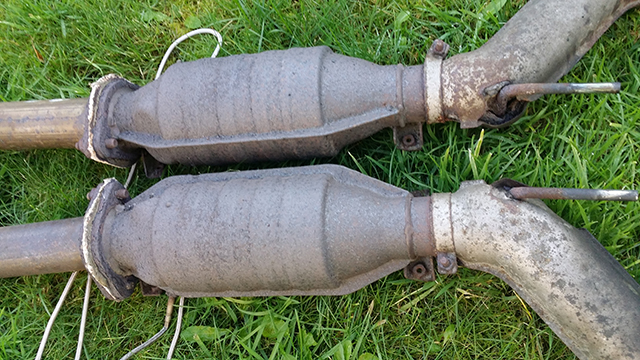
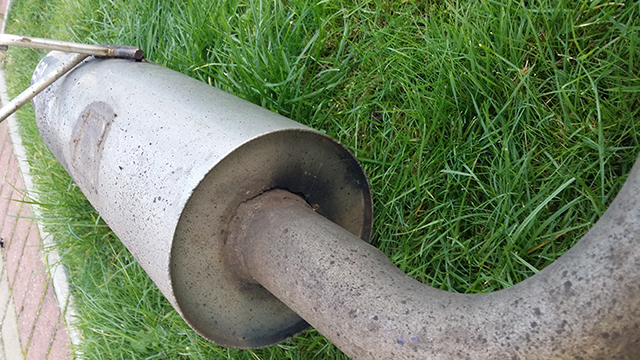
Was working on the zed for about 4 hours today and all I did was get the exhaust off ! Going on from my zed being on axle stands for 6 months thread, I took another bash at getting the exhaust off today and after many cuts and bruised knuckles its finally free. In the end its just brute force and some rust penetrating spray to ease the bolts out. When it finally broke free I discovered the right back box was actually damaged and is not so far from falling off its hooks too. Its a big bloody thing as it came off my last zed and as far as I was told is a custom build. Anyways here's some pics of the beast :
-
Used to in my younger years, still have a fairly powerful rig at the moment but it's used for mainly design than gaming, as a gamer who grew up with a mouse and keyboard I just can't get round to playing one person shooters with a game pad. Sent from my SM-N9005 using Tapatalk
-
Hi All, We've had a few reports lately that since the upgrade of vbulletin to version 4.2.2 the forum runner software that is used to give access on mobile devices no longer is fully functional. Apparently a few people have reported this to the forum runner developers and there's still not any sign of a fix and that was over two weeks ago since the first reports on there forums. So not wanting to disappoint our mobile users I've installed TapaTalk which is now fully functional For the moment i'll keep Forum runner enabled unless the fix doesn't come out and the two system can run side by side for now. Lee
-
seems to be a bug in forum runner with clients connecting to version 4.2.2.
-
The new system is active and can be access from the top toolbar or clicking the link below : http://www.300zx.co.uk/forums/dbtgallery.php?gal=garage
-
Hi all, As you all know we like to keep the club forum as up to date as possible as security and functionality is key to us. Last night just after 12pm I upgraded vbulletin to the latest version of 4.2.2 which keeps us bang up-to-date. Problem is one of our plugins; namely the garage system broke in the progress; luckily I managed to diagnose the fault and put in place a fix to get it up and running again. However in the future this may not be possible as I the current garage platform is near its end of shelve life. We have a few issues currently with it that include style faults and occasional database errors which aren’t that easy to fix or should I say beyond my knowledge to fix them. Rather than sit back and wait until it breaks again we have a plan ! So here’s it is : Our friends over at dbtech who make some of the other funky mods we use also do a gallery system which can easily be adapted to function much like the current garage system but with a few advantages. I’ll turn this on shortly and when it does come on anybody that has pictures in the old system can you please start to transfer your galleries over to the new system. For the moment you can copy and paste your garage information to the new garage profile page until we can get the proper fields added back onto the newer system. It’s a different style of system so bear with us while we tweak it to our requirements. The good news is this system should last and be supported actively for many years to come. Any issues or queries please ask on this thread. Cheers Lee
-
Hi all, I've been busy at work lately so been keeping myself on the low with the forums recently. So after a couple of PM's from concerned members I thought I'd give everyone an update on my zed. Currently it's up on four axle stands so that I can get the exhaust off and the engine out. Unfortunately for me there's a few fairly rusted bolts and I can't get the exhaust off, as well as that the weather cover I had over the zed wasn't waterproof and of course the bonnet was off and so was the plenum so my engine block I'd more like a gold fish bowl. Half my zed interior is in my hut and the rest is up the loft along with new spoiler, bumper and wings. The plan was to get the car stripped, engine rebuild, full respray done before the end of the year. But the weather being to bad in Scotland and not having access to a proper garage everything's taking a lot longer than I wanted. Now I'm in a rush to find a garage to get the zed out of the weather before the shell deteriates. Well that's where I'm at at the moment, lol
-
Ok, that's you activated again. Not sure why your payment failed on the forum, still need andy to look into it so its a benefit of the doubt for now, lol The PM issue was a conflict of your REO settings and Reg user settings which allowed you to receive but not send.
-
I ment the PayPal transaction number.
-
Hi Rich, Payments not showing on the forum accounts, can you post the transaction ID so I can get Andy to trace it. Cheers Lee
-
Would have been faster doing a reinstall at 40 min tops, lol
-
Hi Richard, Follow the link in my signature and I can remote to your laptop if you want. Obviously do this from the net book.
-
i'm up for this depending on where it is.

