
Jump to content
View in the app

A better way to browse. Learn more.

300ZX Owners Club

A full-screen app on your home screen with push notifications, badges and more.

To install this app on iOS and iPadOS
  1. Tap the Share icon in Safari
  2. Scroll the menu and tap Add to Home Screen.
  3. Tap Add in the top-right corner.
To install this app on Android
  1. Tap the 3-dot menu (⋮) in the top-right corner of the browser.
  2. Tap Add to Home screen or Install app.
  3. Confirm by tapping Install.

craig 300

Premium Member
  • Joined

  • Last visited

  • Country

    United Kingdom

Everything posted by craig 300

  1. got my pack today thank you
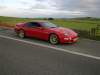
  2. had my car for a couple of months now, just thought i,d put up some pics:nana2:
  3. thanks for the update
  4. evening all can anyone tell why on a jap import the rear fog lights have to be operated by an after market switch? where are the rear fog switches on uk cars? thanks
  5. will pm my details thanks
  6. thanks for sorting my membership out,look forward to recieving my membership pack
  7. was a short wheelbase tt built for the uk maket or import only,if it is import only any recomendations for insurace quotes thanks

Important Information

Terms of Use

Configure browser push notifications

Chrome (Android)
  1. Tap the lock icon next to the address bar.
  2. Tap Permissions → Notifications.
  3. Adjust your preference.
Chrome (Desktop)
  1. Click the padlock icon in the address bar.
  2. Select Site settings.
  3. Find Notifications and adjust your preference.