Everything posted by GSC
-
Jim replaced my loom and injectors a while back….and it transformed the car!
-
I am available to display and attend for the duration if selected.
-
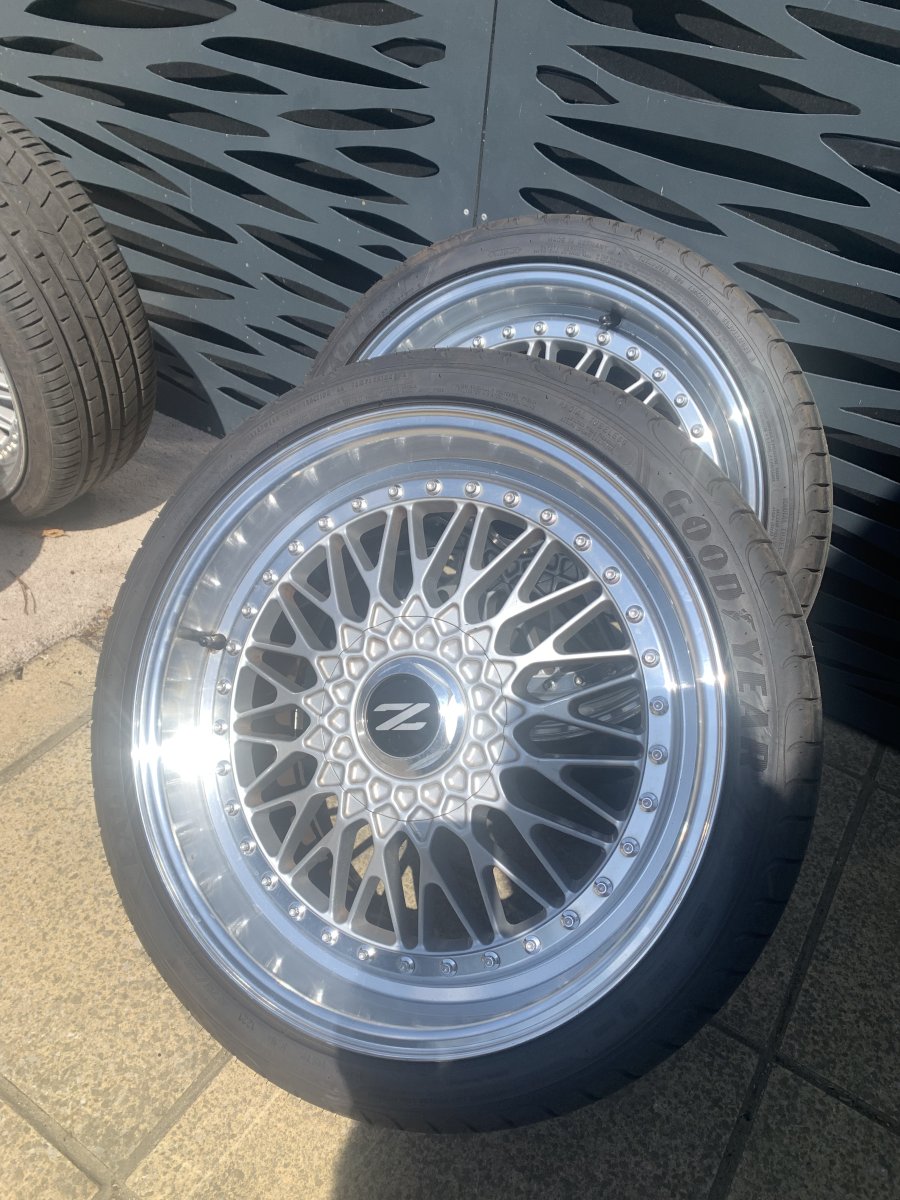
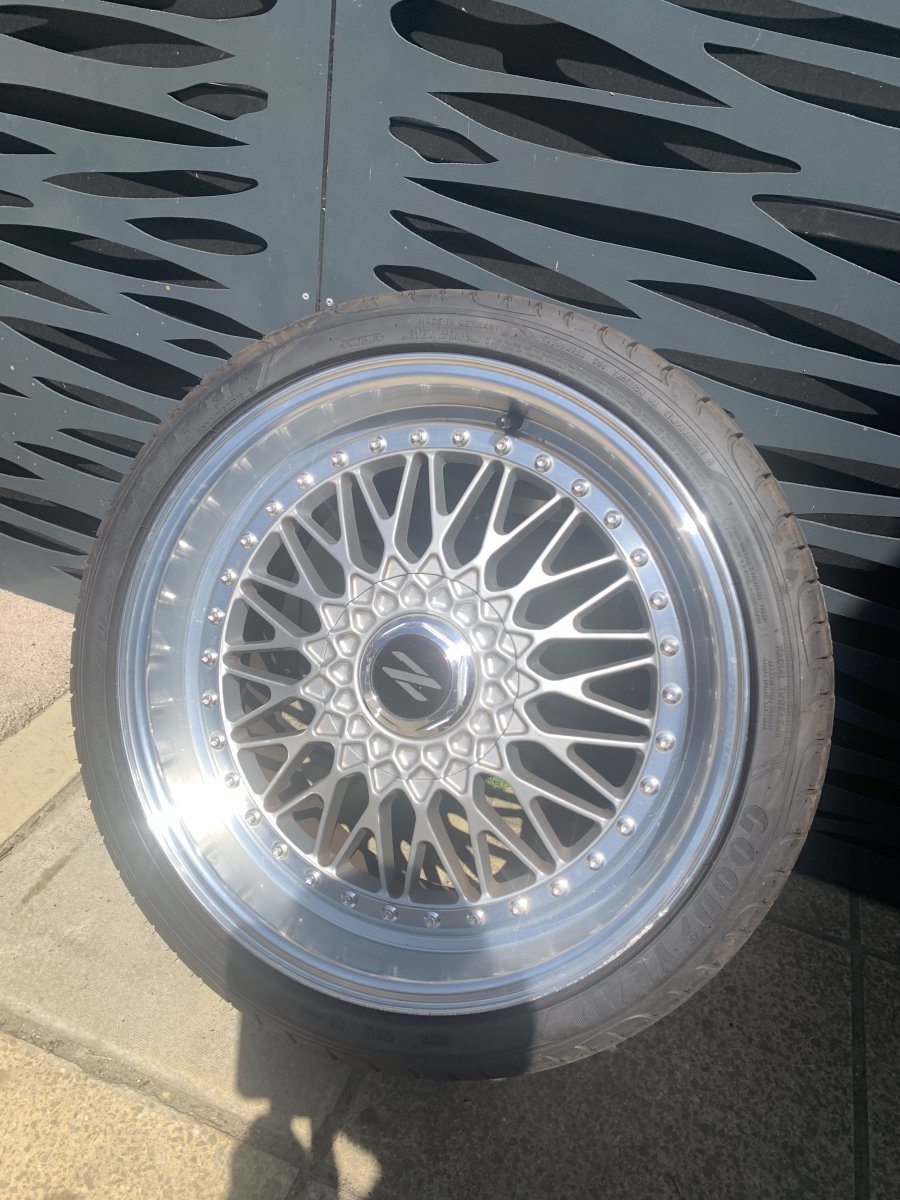
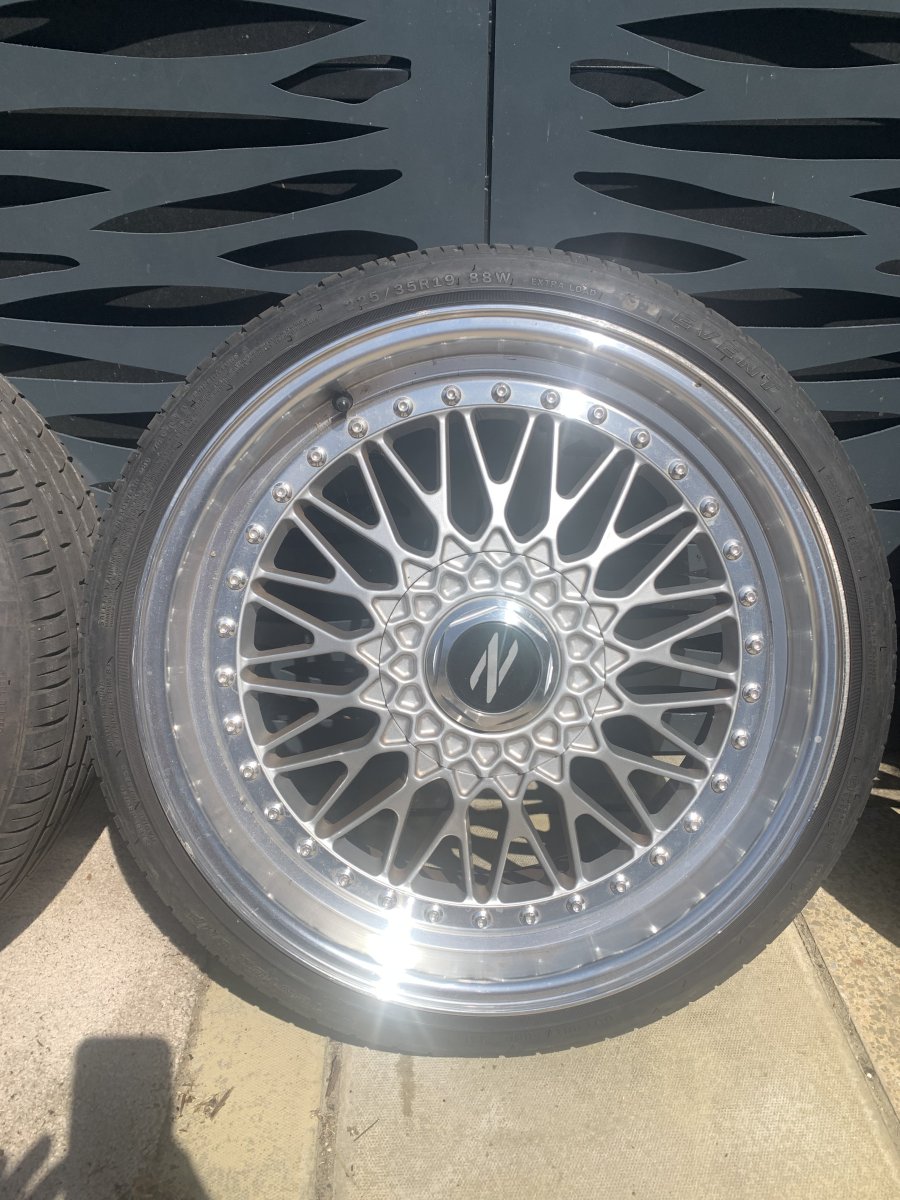
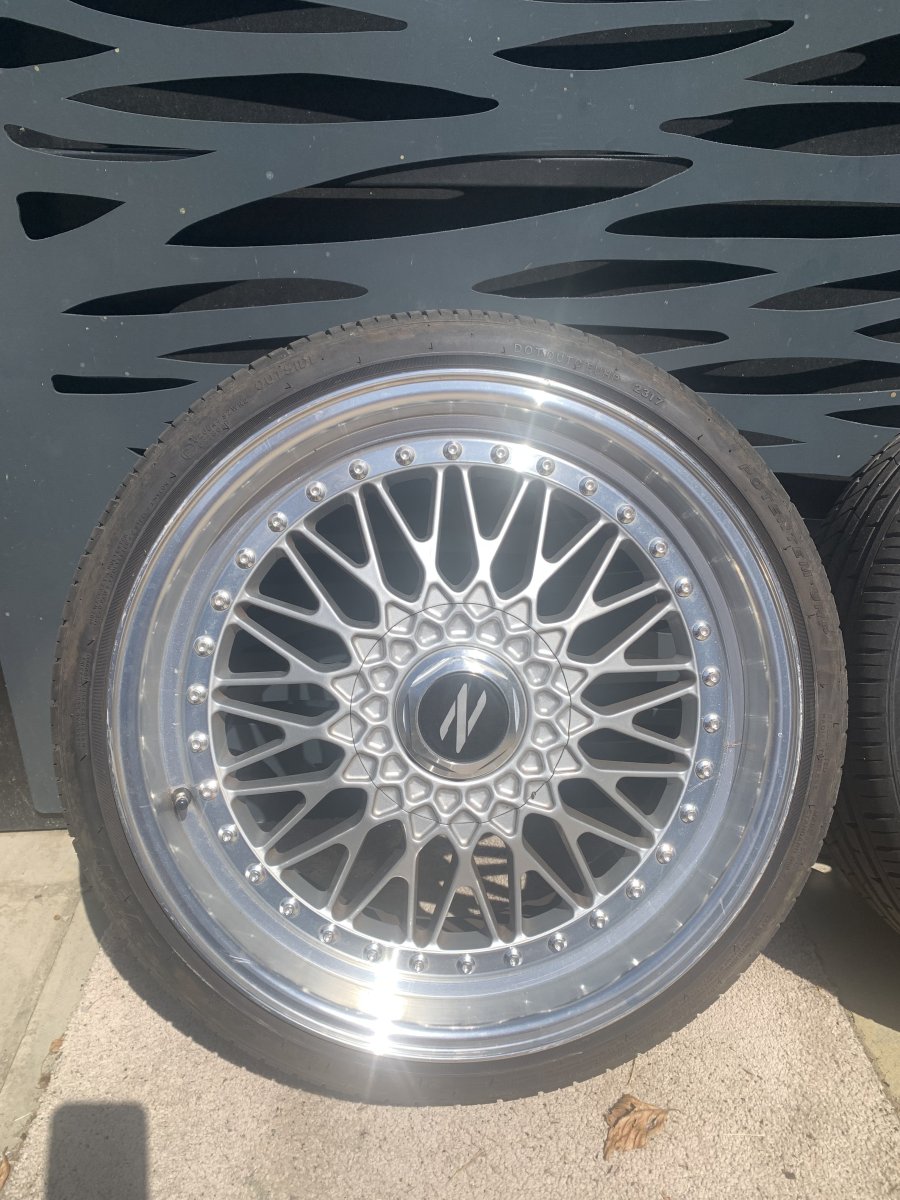
For sale set of Vintage Calibre Staggered Alloy wheels and tyres. Slight kerb rash on the fronts (see pics) Fronts shod with 225/35 R 19 Potentem Event tyres (5mm tread depth) Rears shod with 275/30/R 19 Goodyear Eagle F1 (8mm tread depth) these have covered less than 200 miles and cost £320 for the pair! £500 collect from London SE9

-
Merry (belated) Birthday Lee
-
Merry (belated) Birthday Joel 🎂
-
Thank you all 👍
-
Sorry Richard...I had hoped to be able to offer myself and Zed for this years show...but alas work commitments prevent me from doing so ☹️
-
Agreed valuation confirmed by Adrian Flux today 👍
-
Unfortunately I now cannot attend this weekend……Apologies
-
I’ll be there….first event in 2 years due to moving house and life in general!
-
Merry (belated) Birthday Joel.
-
Merry Birthday Andrew! 🎂🎁
-
Thank you 👍
-
Don't forget to ping me when you get round to changing the wheels 😉Great result Andrew...good to see the 'Wheel Chock' notice was taken seriously! 👍Merry belated birthday Tom 👍Merry belated Birthday Craig 👍Merry Birthday Lee 👍Merry Birthday Joel 👍I shall be there on the Sunday 👍Merry Birthday Andrew 👍Merry Birthday Richard 👍Merry Birthday Jim 👍Thanks guys 👍