Jump to content
View in the app

A better way to browse. Learn more.

300ZX Owners Club

A full-screen app on your home screen with push notifications, badges and more.

To install this app on iOS and iPadOS
  1. Tap the Share icon in Safari
  2. Scroll the menu and tap Add to Home Screen.
  3. Tap Add in the top-right corner.
To install this app on Android
  1. Tap the 3-dot menu (⋮) in the top-right corner of the browser.
  2. Tap Add to Home screen or Install app.
  3. Confirm by tapping Install.

Picked up the new TT from the mot test centre with a 12 month ticket!, thought I'd treat her to a catback too !image.jpg
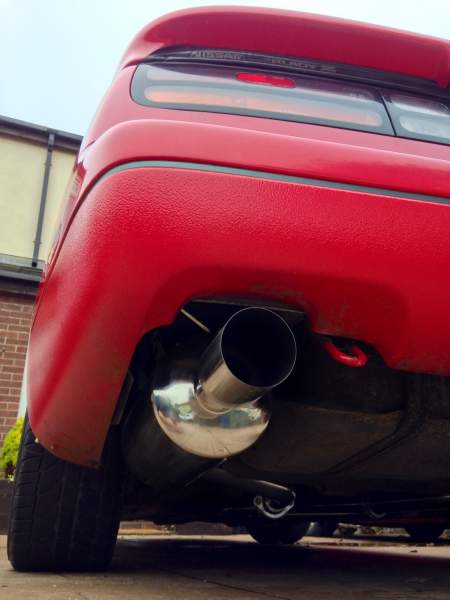
image.jpg

image.jpg

Featured Replies

Not a standed wheel? Therefore no cruise control?

Welcome to the club

Art

All my zeds except my current turd had cruise control, I always used it, probably saved me from various speeding tickets :)

I love having CC, both my cars have it and would never buy a car without. :)


Anyway, enough of that, red Z looks clean. This the Z that your GF will be driving?

My SWB TT also has that same standard wheel and therefore no cruise control. It happens to be a G reg 1989 too.

Wonder if right at the beginning CC was an optional extra which then became standard later.


Funkysi, I thought you retro fitted CC to your Zed IIRC?

No, only the method on which to control. The car had CC, I only retrofitted a CC stalk as I have an aftermarket steering wheel and wanted to retain its operation. I did fit the CC ECU from a UK car though as my Japanese CC was limited.


It's actually extremely difficult and very time consuming retro-fitting the factory CC system to a Z32.

Join the conversation

You can post now and register later. If you have an account, sign in now to post with your account.

Guest
Unfortunately, your content contains terms that we do not allow. Please edit your content to remove the highlighted words below.
Reply to this topic...

Recently Browsing 0

  • No registered users viewing this page.

Important Information

Terms of Use

Configure browser push notifications

Chrome (Android)
  1. Tap the lock icon next to the address bar.
  2. Tap Permissions → Notifications.
  3. Adjust your preference.
Chrome (Desktop)
  1. Click the padlock icon in the address bar.
  2. Select Site settings.
  3. Find Notifications and adjust your preference.