Jump to content
View in the app

A better way to browse. Learn more.

300ZX Owners Club

A full-screen app on your home screen with push notifications, badges and more.

To install this app on iOS and iPadOS
  1. Tap the Share icon in Safari
  2. Scroll the menu and tap Add to Home Screen.
  3. Tap Add in the top-right corner.
To install this app on Android
  1. Tap the 3-dot menu (⋮) in the top-right corner of the browser.
  2. Tap Add to Home screen or Install app.
  3. Confirm by tapping Install.

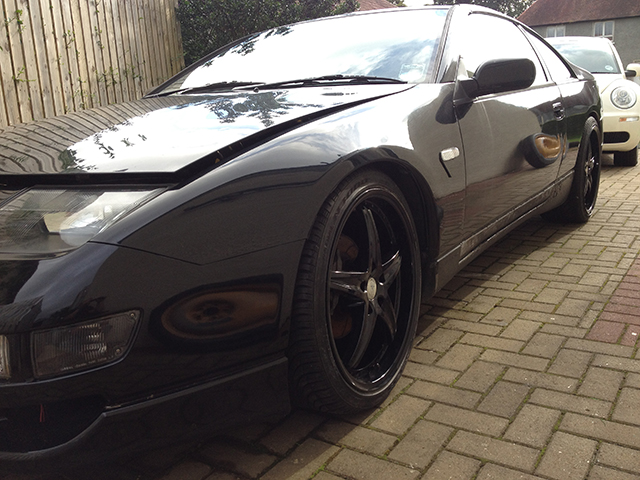
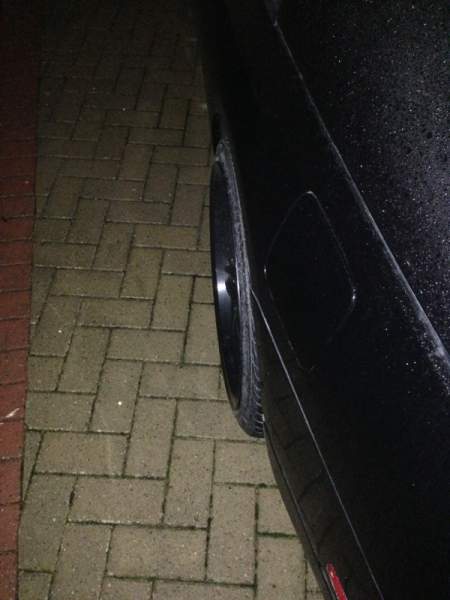
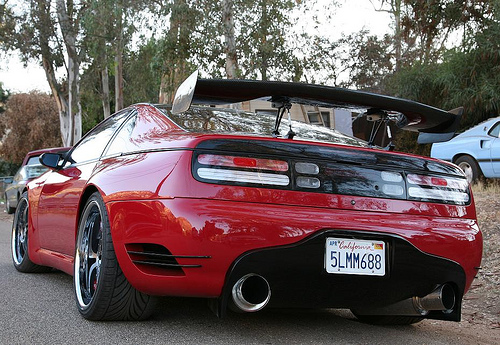
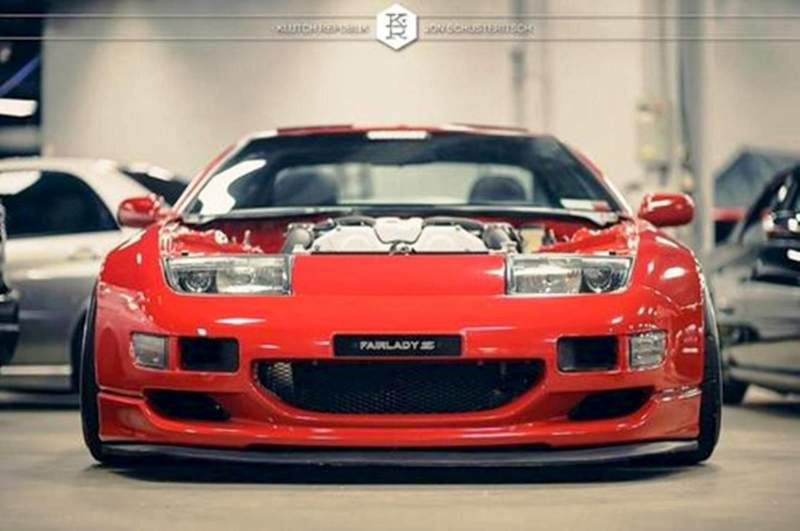
Gotta say they are lovely motors as standard but add wheels, a bit of stance and they are awesome!! heres a few examples:


slammedz3211_zps8c57c3fd.jpg


Slammedz329_zpsb64ac412.jpg


Slammedz3210_zps7fb41084.jpg


- - - Updated - - -


Some more:


slammedz327_zps49b2d901.jpg


slammedz326_zpsd9ae206e.jpg


slammedz325_zps6459cf7b.jpg


slammedz324_zps2079b4a4.jpg

  • Replies 27
  • Views 8.2k
  • Created
  • Last Reply

Top Posters In This Topic

Posted Images

Featured Replies

  • Author

and some inspiration for my own:


slammedz323_zps6c133cd7.jpg


slammedz322_zps706a1db8.jpg


Slammedz321_zps9ba59d94.jpg


Anyone know what diffuser that is??

That ain't 'Stance'....


This is STANCE:


sstp-1209-01+1990-nissan-300zx-2-2+cover.jpg

sstp-1209-03+1990-nissan-300zx-2-2+wheel.jpg

sstp-1209-06+1990-nissan-300zx-2-2+rear-view.jpg


Can't say I'm a fan :sleep:

  • Author
That ain't 'Stance'....


This is STANCE:


sstp-1209-01+1990-nissan-300zx-2-2+cover.jpg

sstp-1209-03+1990-nissan-300zx-2-2+wheel.jpg

sstp-1209-06+1990-nissan-300zx-2-2+rear-view.jpg


Can't say I'm a fan :sleep:


Have to say i preferred his earlier set-up with the HRE's ( second picture i put up ), think he is trying a bit to hard with the current wheels. Tbh i would say all bare the 5th picture down ( red one ) are all well 'stanced', and even that only needs to come down a small bit to be right.

That ain't 'Stance'....


This is STANCE:


...


Can't say I'm a fan :sleep:


You spelt SHITE wrong.

Have to say i preferred his earlier set-up with the HRE's ( second picture i put up ), think he is trying a bit to hard with the current wheels. Tbh i would say all bare the 5th picture down ( red one ) are all well 'stanced', and even that only needs to come down a small bit to be right.


that is one of the only cars I've seen that looks drunk lol

You spelt SHITE wrong.


i think its just broken, it looks like some one stole half the suspension

  • Author
Meh, skinny Z's :lol:


DSC_0016a.jpg


Knew you would enjoy this thread, Oh and are you ever going to part with the fairlady z badge???

Knew you would enjoy this thread, Oh and are you ever going to part with the fairlady z badge???


The more pressing question is when will he stop taking parts off.

Knew you would enjoy this thread, Oh and are you ever going to part with the fairlady z badge???[/QUOTe]


Nope hahaha well not yet lol


The more pressing question is when will he stop taking parts off.


NEVER mwahahaha. Actually I have stopped, and have actually been refitting standard parts to it... ;)

  • Author

:tt2:

Nope hahaha well not yet lol


NEVER mwahahaha. Actually I have stopped, and have actually been refitting standard parts to it... ;)


So by not yet, i take it you mean you aint parting with it till iv sent over the cash?? just send me a pm with you paypal addy an i will get it straight over!! :tt2:

Anyone know what diffuser this is??


winfactory / driven authority

LOL...


this is a bit like a really hot girl... that's pigeon toed.... :)


That ain't 'Stance'....


This is STANCE:


sstp-1209-01+1990-nissan-300zx-2-2+cover.jpg

sstp-1209-03+1990-nissan-300zx-2-2+wheel.jpg

sstp-1209-06+1990-nissan-300zx-2-2+rear-view.jpg


Can't say I'm a fan :sleep:

Join the conversation

You can post now and register later. If you have an account, sign in now to post with your account.

Guest
Unfortunately, your content contains terms that we do not allow. Please edit your content to remove the highlighted words below.
Reply to this topic...

Recently Browsing 0

  • No registered users viewing this page.

Important Information

Terms of Use

Configure browser push notifications

Chrome (Android)
  1. Tap the lock icon next to the address bar.
  2. Tap Permissions → Notifications.
  3. Adjust your preference.
Chrome (Desktop)
  1. Click the padlock icon in the address bar.
  2. Select Site settings.
  3. Find Notifications and adjust your preference.