Everything posted by winnoze
-
Drain pipe from roof not blocked/broken? Sent from my GT-N7105 using Tapatalk
-
Whatever you do...*Do Not* aim at any bathroom doors! Sent from my GT-N7105 using Tapatalk
-
I haven't received a confirmation either... Sent from my GT-N7105 using Tapatalk
-
Wishing u better soon... Sent from my GT-N7105 using Tapatalk
-
I got first dibs on that spot! Sent from my GT-N7105 using Tapatalk
-
My brain hurts.. Sent from my GT-N7105 using Tapatalk
-
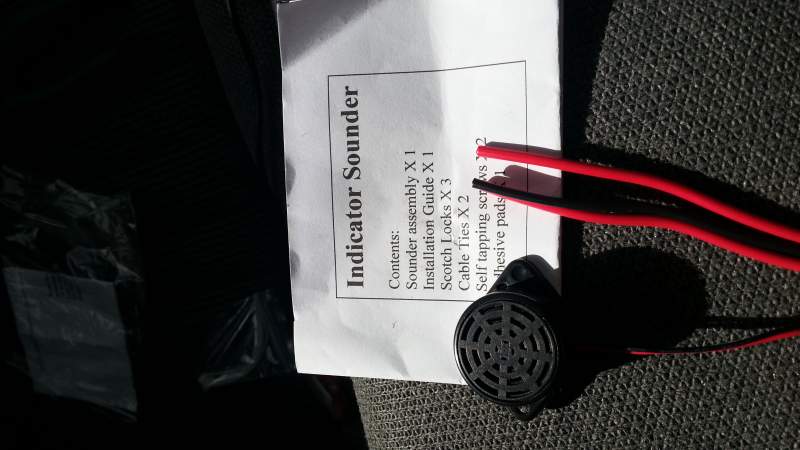
Fitted an indicator buzzer. Then removed it as it's too high pitched and loud enough for the guy in the car behind me to hear it.... Sent from my GT-N7105 using Tapatalk
-
Sticky? Sent from my GT-N7105 using Tapatalk
-
Thanks guys...I remember reading your write up Phutumsch, but couldn't find it. (Only recently realised what "bump" meant lol) Sent from my GT-N7105 using Tapatalk
-
Thanks Jeff! I'll have a look for it tomorrow, unless anyone has pics....? Sent from my GT-N7105 using Tapatalk
-
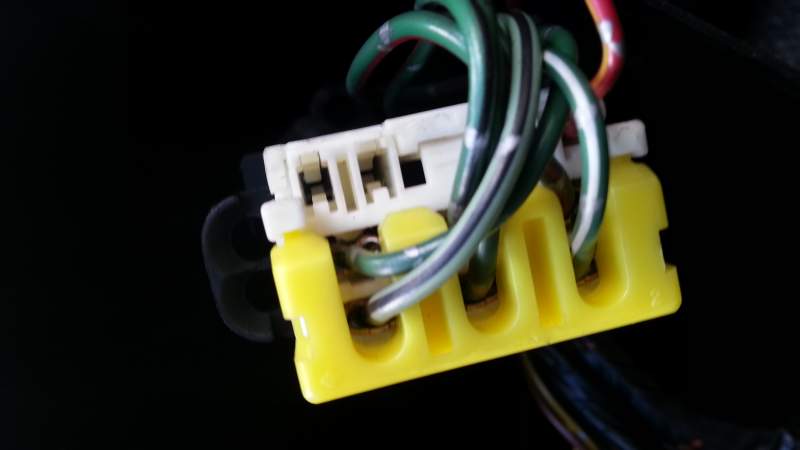
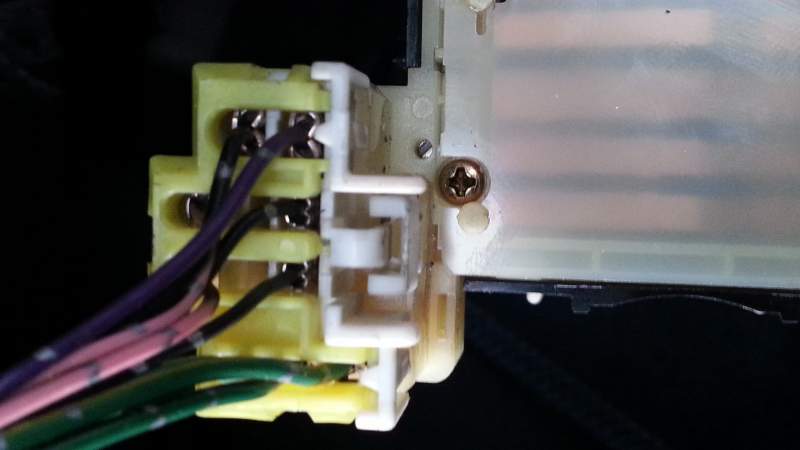
Some advice required please...I got myself one of these to stop driving with silent indicators on... . I figured maybe fit on hazard connector.... or indicator stalk... The instructions say pickup from the lights themselves, but obviously I do not want to be running metres of wire from there.... Can someone add some arrows to above pics, or is there an alternative to tell me where to pickup the L and R live, and the earth connection?
-
Bump Sent from my GT-N7105 using Tapatalk
-
Thanks for that. Not planning to sell anytime soon, but thought that there was some legal mullarkey to go through first. I take it he reset your odometer at the time? Sent from my GT-N7105 using Tapatalk
-
There lies the problem...odometer shows in km, and it would be nice to be in miles but not that astronomical amount... what did others do?
-
so....get my calculator out and wind the clock back? is that what everyone else does?
-
Just purchased a kph to mph speedo convertor on Fleabay, to go with a new MPH facia. Apparently it also changes the mileometer to miles, and deresctricts....who is the recognised verifyer of the mileometer(currently in km) reading when this is changed? Or can it be done as part of the MOT report?
-
Listing has ended due to an "error"... does say 1 sold though...that'll be you. Most likely a refund heading your way, unless they decide to make one just for you! Sent from my GT-N7105 using Tapatalk
-
Funny u should say that. Was in Tescos yesterday watching an angry lady at their hand wash place on the phone to police as while she was shopping someone nicked her car while it was supposed to have been washed! Apparently they were refusing to let her watch their cctv and trying to wriggle out of it... Sent from my GT-N7105 using Tapatalk
-
Glad to hear you and your family are ok. Sent from my GT-N7105 using Tapatalk
-
Wow! I'll have a set. After I sell my Passat Sent from my GT-N7105 using Tapatalk
-
It broke me bad Sent from my GT-N7105 using Tapatalk
-
It broke me bad Sent from my GT-N7105 using Tapatalk
-
Red all the way...2 tone looks a bit "work in progress" imo... but I spose with a Zed it always is!
-
Red all the way...2 tone looks a bit "work in progress" imo... but I spose with a Zed it always is!
-
ZX Estate version required soon? All he best.