


from start to finish
- Replies 129
- Views 9.1k
- Created
- Last Reply
Top Posters In This Topic
-
Terry 56 posts
-
Funkysi 11 posts
-
oobumblebeeoo 9 posts
-
300_zedx 7 posts


Posted Images
Featured Replies
Important Information
Account
Navigation
Search
Configure browser push notifications
Chrome (Android)
- Tap the lock icon next to the address bar.
- Tap Permissions → Notifications.
- Adjust your preference.
Chrome (Desktop)
- Click the padlock icon in the address bar.
- Select Site settings.
- Find Notifications and adjust your preference.
Safari (iOS 16.4+)
- Ensure the site is installed via Add to Home Screen.
- Open Settings App → Notifications.
- Find your app name and adjust your preference.
Safari (macOS)
- Go to Safari → Preferences.
- Click the Websites tab.
- Select Notifications in the sidebar.
- Find this website and adjust your preference.
Edge (Android)
- Tap the lock icon next to the address bar.
- Tap Permissions.
- Find Notifications and adjust your preference.
Edge (Desktop)
- Click the padlock icon in the address bar.
- Click Permissions for this site.
- Find Notifications and adjust your preference.
Firefox (Android)
- Go to Settings → Site permissions.
- Tap Notifications.
- Find this site in the list and adjust your preference.
Firefox (Desktop)
- Open Firefox Settings.
- Search for Notifications.
- Find this site in the list and adjust your preference.
Hi guys,
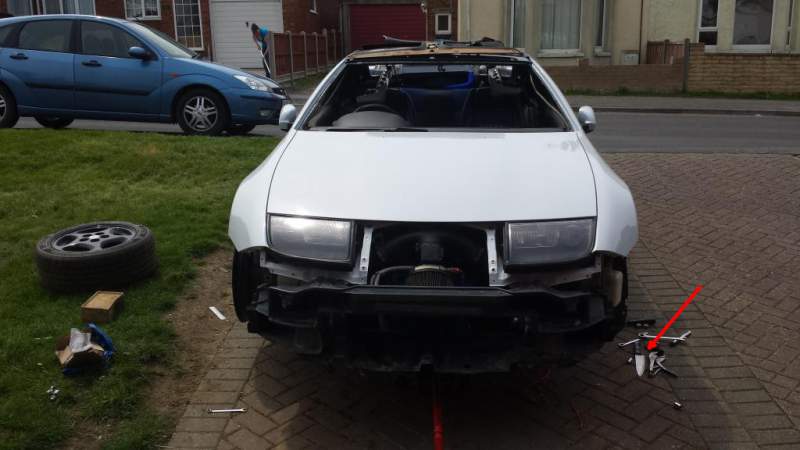
Was bored at work so I thought I'd make a thread from start to finish of how I bought my zed shell from Sussex stu till now.
I know I have a couple of threads with photos of respray and another with the build but thought I'd put all the pictures so to try and see how it came along...
I still aint finished so I will just update it has I go along...
This is how it looked when I 1st got it
The engine bay
I took it back to metal etch primed then seam sealer then 2k primer
Then some 2k white