Jump to content
View in the app

A better way to browse. Learn more.

300ZX Owners Club

A full-screen app on your home screen with push notifications, badges and more.

To install this app on iOS and iPadOS
  1. Tap the Share icon in Safari
  2. Scroll the menu and tap Add to Home Screen.
  3. Tap Add in the top-right corner.
To install this app on Android
  1. Tap the 3-dot menu (⋮) in the top-right corner of the browser.
  2. Tap Add to Home screen or Install app.
  3. Confirm by tapping Install.

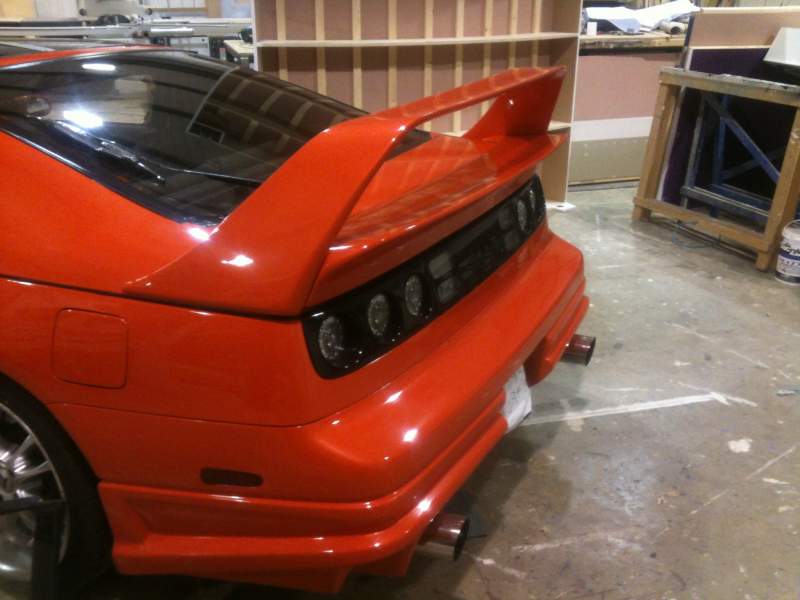
Hi to all you guys and gals hope to see you all soon when I get my Zx finished, only few more bits to get done windows in new screen interior not much lol.image_zps916f2ee9.jpg
image_zps97fc7a58.jpg

Featured Replies

That looks like the zx off eBay from Norwich. Nice looking motor ( went for a good price too).

Hope to see you at some of the local meets in the new year mate.

  • Author

It is mate needs some work though been after one for ages had a Mitsui gto a while ago i like my jap cars, got to find my way around here now.

What was the engine like when you bought it? I was tempted to buy it to break but looked too good for that.

If there's anything you need, parts or help wise then there is a wealth of info from the members here! ( without them, I would have been screwed many times by now).

Hi and welcome to the club Mick - and thanks for your support in subscribing too mate!!


That's a tidy looking Z you have there, BTW...:cool:


Richard:thumbup:

I have something to say............ It's better to burn out than to fade away..... :tt2:

  • Author

Thanks for the welcomes carnt wait to get it on the road and get to some meets, glad I joined got help already thanks guys.

Join the conversation

You can post now and register later. If you have an account, sign in now to post with your account.

Guest
Unfortunately, your content contains terms that we do not allow. Please edit your content to remove the highlighted words below.
Reply to this topic...

Recently Browsing 0

  • No registered users viewing this page.

Important Information

Terms of Use

Configure browser push notifications

Chrome (Android)
  1. Tap the lock icon next to the address bar.
  2. Tap Permissions → Notifications.
  3. Adjust your preference.
Chrome (Desktop)
  1. Click the padlock icon in the address bar.
  2. Select Site settings.
  3. Find Notifications and adjust your preference.