Jump to content
View in the app

A better way to browse. Learn more.

300ZX Owners Club

A full-screen app on your home screen with push notifications, badges and more.

To install this app on iOS and iPadOS
  1. Tap the Share icon in Safari
  2. Scroll the menu and tap Add to Home Screen.
  3. Tap Add in the top-right corner.
To install this app on Android
  1. Tap the 3-dot menu (⋮) in the top-right corner of the browser.
  2. Tap Add to Home screen or Install app.
  3. Confirm by tapping Install.

Hello everyone,


MeisterR is in the finial stages of its new website, and we are looking for pictures for the gallery and testimonial of the coilovers from members who have used them.

We thought it will be easier to have everything on one thread and we will add them on to the website.


So if you have pictures of your car on MeisterR coilovers, please post them and write a short review of what you think of them. :)


1. Name: (If you want to provide it)


2. Location: (Town or County)


3. Car Make and Model: (Honda Civic, Mazda MX5, Nissan Skyline GTR, etc)


4. MeisterR Coilovers Model: (Zeta-S, Zeta-R, etc)


5. A Short Review:

a. Performance on Road:

b. Performance on Track:

c. Value for Money:

d. Would you buy again:

e. Any Personal Note:


7. Pictures:

Please attach any pictures you have of your car that you want to show the world. ;)


8. Video:

If you have any video of your car in action on YouTube / Vimeo, please attach link to video.


The new website should look a lot better, and make navigating easier.

We also have some exciting new product to add onto the website so we are looking forward to getting them completed and launch.


Thank you for everyone's help over the years, and I look froward to everyone's pictures and review. :)


Jerrick

  • Replies 33
  • Views 3.4k
  • Created
  • Last Reply

Top Posters In This Topic

Posted Images

Featured Replies

  • 7 months later...
  • Author

New year coming so time to update those testimonial.

Got a set of MeisterR coliovers? Please post a few pictures and let other know what you think.


Jerrick

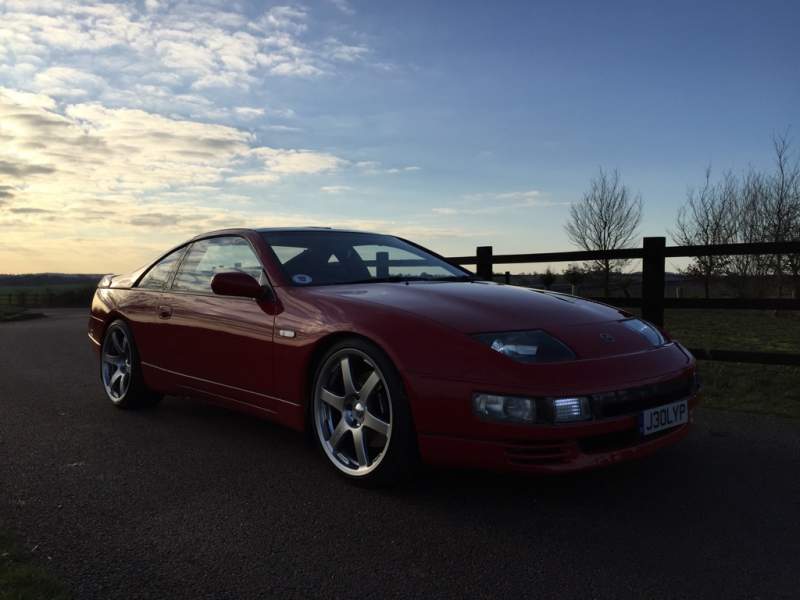
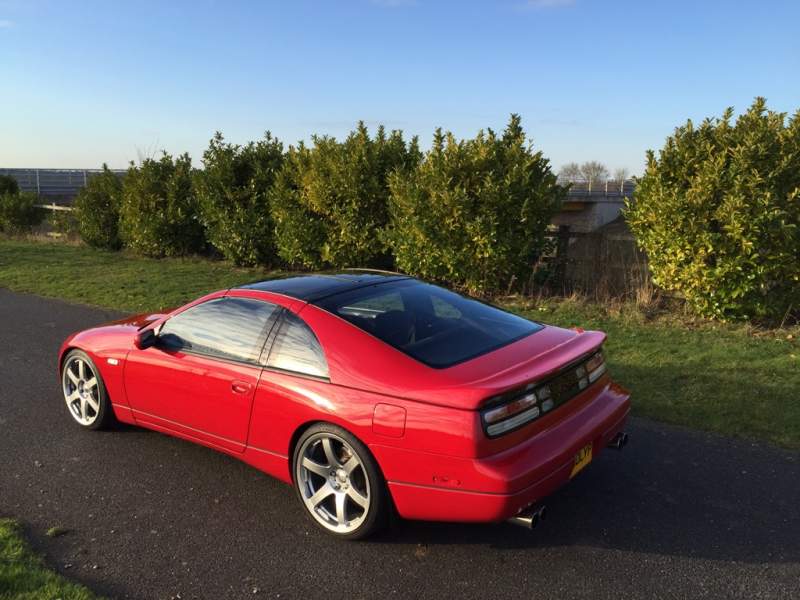
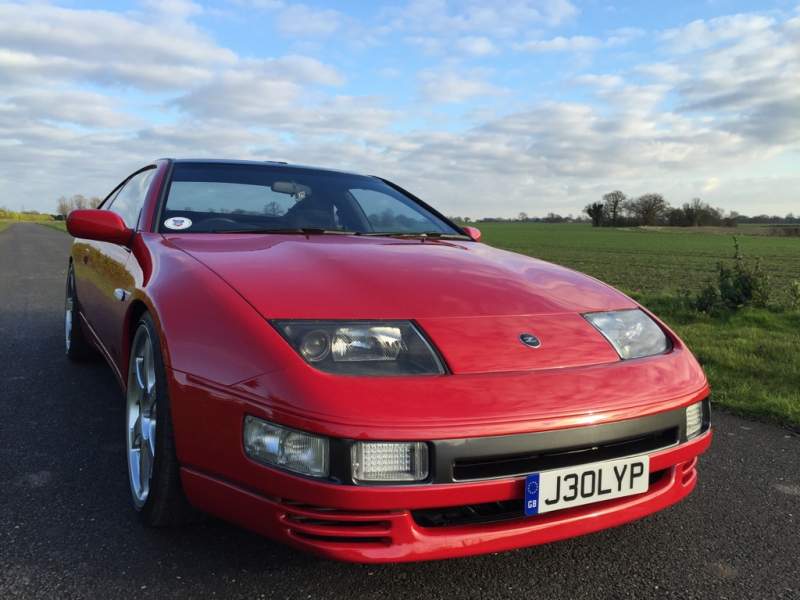
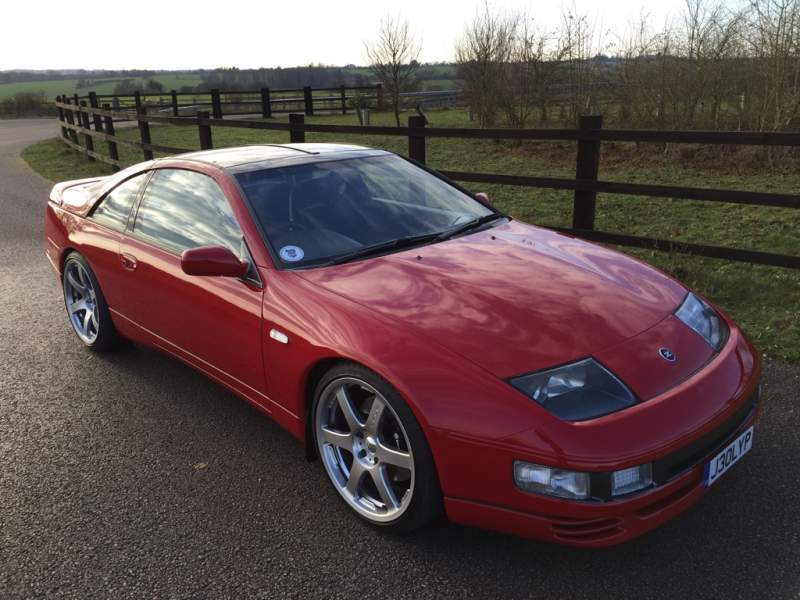
I just realised I never did this review. I took some photos today so I'll add them here.


1. Name: Joel Pickering


2. Location: Essex, UK


3. Car Make and Model: Nissan 300ZX Z32 2+2


4. MeisterR Coilovers Model: Zeta-S (with 2+0 spring rates)


5. A Short Review:

a. Performance on Road: Very streetable, excellent handling even on fairly bumpy terrain. Set to full soft with anti roll bars on max. I went for the softer spring rates in order to maintain a higher level of comfort, this MeisterR coilover setup is more comfortable than my old fixed height adjustable shock and lowered spring setup and performs just as well. With the rebound set to a harder setting the comfort does decline but the performance improvement is huge in comparison. This would be handy for track use although I haven't tested that yet, making this a great setup for road cars with occasional track use.


b. Performance on Track: TBA.


c. Value for Money: With a club discount, they're great VFM amongst lots of competition.


d. Would you buy again: Yes. I have also recommended several others to do so.


e. Any Personal Note: The service and support from MeisterR is also very good, technical advice readily available from friendly and knowledgable staff.


7. Pictures:

ImageUploadedByTapatalk1419803274.407320.jpg

ImageUploadedByTapatalk1419803292.083936.jpg

ImageUploadedByTapatalk1419803310.176226.jpg

ImageUploadedByTapatalk1419803328.985081.jpg

ImageUploadedByTapatalk1419803505.228049.jpg

  • 7 months later...
  • Author

A bump to this thread, we are working on a new website​ (again) so any new testimonial are welcome. :)


Jerrick

An updated pic of my sure-footed Z32.


95edd822fddde58c671cd2f2311b2c61.jpg


:bow:


Joel, PLEASE FOR GOD SAKE enter your car in COTM!


It will and it MUST win ALL!!!!!

:bow:


Joel, PLEASE FOR GOD SAKE enter your car in COTM!


It will and it MUST win ALL!!!!!


image.png


:thumbup1:

Join the conversation

You can post now and register later. If you have an account, sign in now to post with your account.

Guest
Unfortunately, your content contains terms that we do not allow. Please edit your content to remove the highlighted words below.
Reply to this topic...

Recently Browsing 0

  • No registered users viewing this page.

Important Information

Terms of Use

Configure browser push notifications

Chrome (Android)
  1. Tap the lock icon next to the address bar.
  2. Tap Permissions → Notifications.
  3. Adjust your preference.
Chrome (Desktop)
  1. Click the padlock icon in the address bar.
  2. Select Site settings.
  3. Find Notifications and adjust your preference.