Jump to content
View in the app

A better way to browse. Learn more.

300ZX Owners Club

A full-screen app on your home screen with push notifications, badges and more.

To install this app on iOS and iPadOS
  1. Tap the Share icon in Safari
  2. Scroll the menu and tap Add to Home Screen.
  3. Tap Add in the top-right corner.
To install this app on Android
  1. Tap the 3-dot menu (⋮) in the top-right corner of the browser.
  2. Tap Add to Home screen or Install app.
  3. Confirm by tapping Install.

jayjay93

Standard Member
  • Joined

  • Last visited

  • Country

    United Kingdom

Everything posted by jayjay93

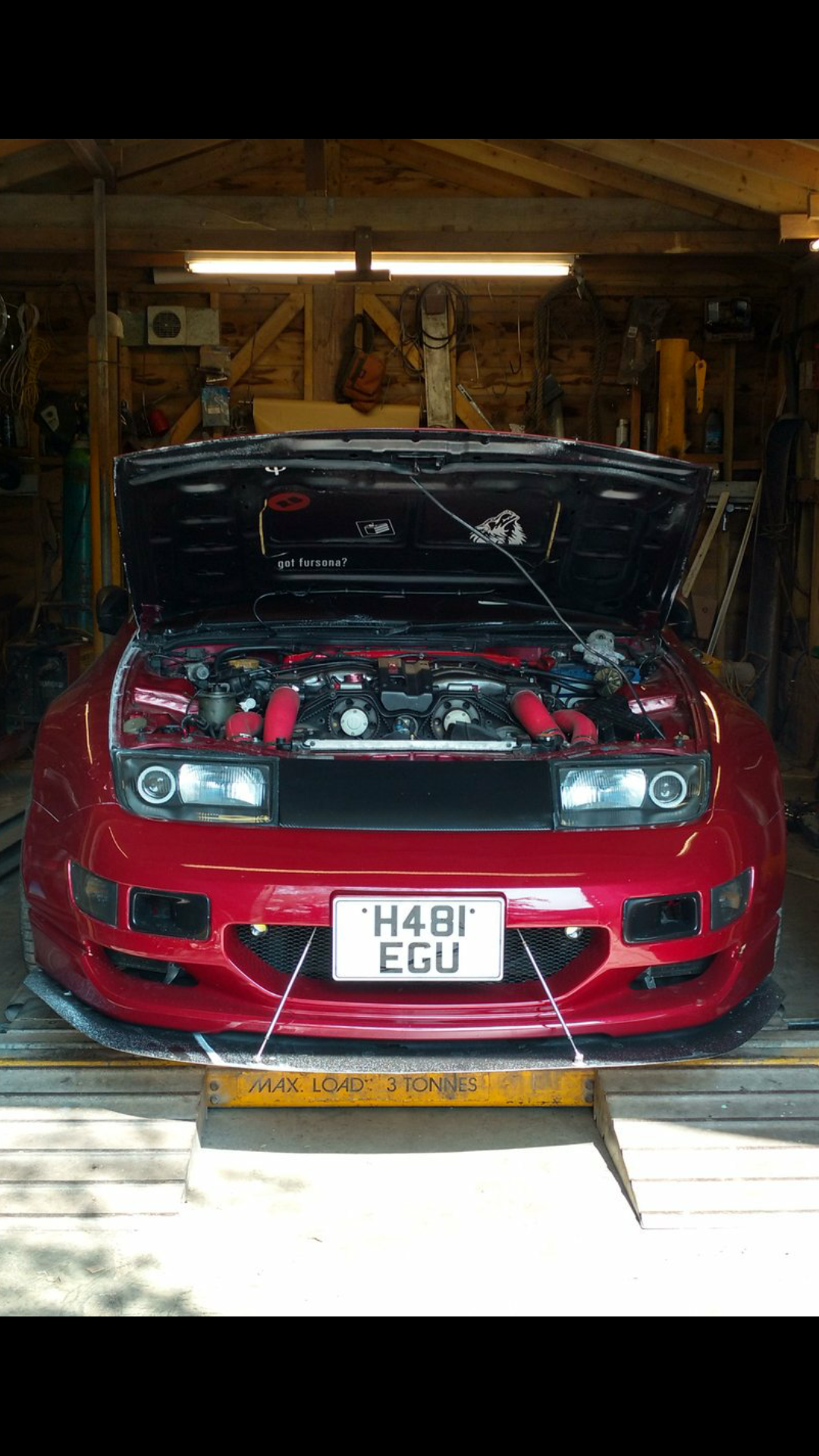
  1. Hey there guy's been a member for a while on here reading up and doing my research before i went ahead and brought a car. and yesterday with the help of former zed owner Paul Stevens i took the plunge into the 300zx world and brought a rough TT zed with a leaky engine. and I'm pleased to say that after much anger and cursing the leak was fixed to reveal a good runner :D so I'm currently a very happy owner and hope to learn more about these fantastic cars!

Important Information

Terms of Use

Configure browser push notifications

Chrome (Android)
  1. Tap the lock icon next to the address bar.
  2. Tap Permissions → Notifications.
  3. Adjust your preference.
Chrome (Desktop)
  1. Click the padlock icon in the address bar.
  2. Select Site settings.
  3. Find Notifications and adjust your preference.