


Everything posted by wow300
-
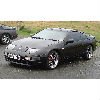 Like mot time ? lol
 -
Incredible car for 9k !
-
Joels wiring looks correct
-
just do as we say... lol
-
bridge it, its totally safe.
-
seen 89.9 tonight at sainsburys
-
I wonder if anyone is good enough to email me a copy of the conzult extensive manual please, as dont seem to be able to get it anywhere ?
-
Why??? They don't even know what a 300zx is...
-
Better version of datascan
-
As silver bulet said 5 hoses 2 valves
-
ye as above or bad earth maybe
-
Here you go http://www.300zx.co.uk/tech/BuyingZ.htm
-
-
A pic might be handy
-
Ye i was under same impression
-
I have a K&N panel filters, they are dry and were when new.
-
Ya thats right, but if there is metal screws/bolts running through it, it wont help, i think bumper has to come off mate, as you can't get in behind as there's a metal plate or something in front of it.
-
Watching this as i cant see how to remove it on mine without taking bumper off
-
strange... my uk z does not light headlights on sides
-
led sides are a straight bulb replacement You wont really get any mot hassle although you could if they wanted to be funny..
-
Amazes me.... And these people are owning Zeds :shock:
-
ye loads of xmas pud :):D:duffer::tongue:
-
contact dan DTA maybe
-
Flat spots on tyres ?!
-
Yep, only went up as China was buying it all up for the olympic games