


.jpg.ca5e23154a090ab70a1ba39f190f9eea.jpg)

Everything posted by mailrebdog
-
Hi all! Hoping someone can provide me with a 123 etc list of steps I need to take to drain, flush and refill the coolant. Its a simple task in principle and something I've done on other cars before, I guess im just wanting to ensure I do it right first time. Not only that, I've seen competing advice across forums on whats best to do. Any comments/advise is always welcome!
-
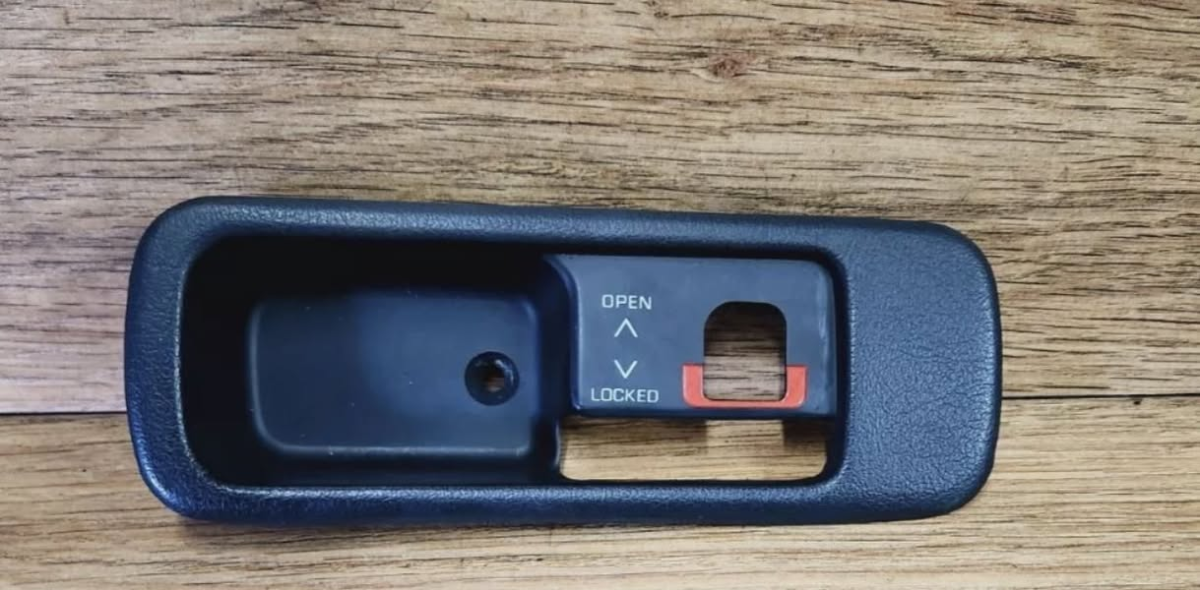
WANTED: RHD Drivers side targa panel handle surround. Like the below picture but opposite side. If anyone has one, please let me know as mine is snapped in two ☹️
-
Hey all - My name is Liam. First time z32 owner, got a 1991 TT 2+2 Jap Import Manual. Absolutely loving the car and looking forward to learning more about it and how to maintain/fix/mod etc. If you see any simple questions on new threads from me, go easy haha. I'm a wannabe DIY mechanic at best.

-
Thank you @Peage - Looked them up online and sent an email
-
@craigszxtt - I've just purchased her, owned her for 2 days now. I'd love to know more about your ownership, im actively trying to find out the history of the car as unfortunately the last owner lost it all 🙃


