Jump to content
View in the app

A better way to browse. Learn more.

300ZX Owners Club

A full-screen app on your home screen with push notifications, badges and more.

To install this app on iOS and iPadOS
  1. Tap the Share icon in Safari
  2. Scroll the menu and tap Add to Home Screen.
  3. Tap Add in the top-right corner.
To install this app on Android
  1. Tap the 3-dot menu (⋮) in the top-right corner of the browser.
  2. Tap Add to Home screen or Install app.
  3. Confirm by tapping Install.

Featured Replies

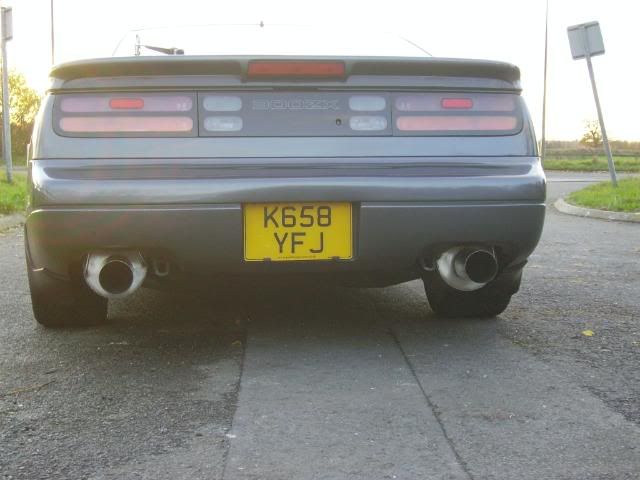
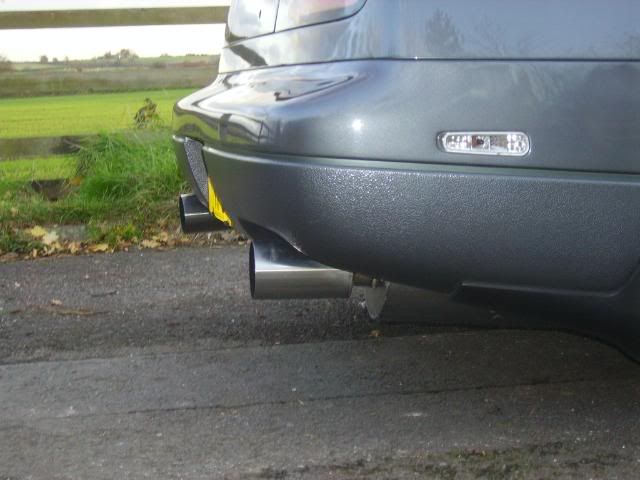
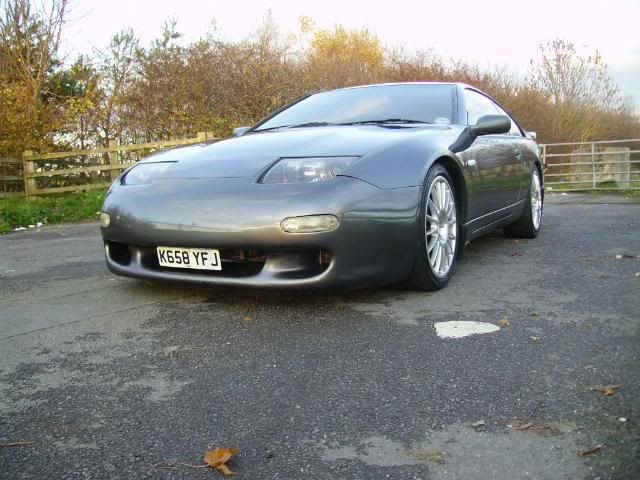
Tidy looking car. Is it me or is the left pipe bent down further than the right one?

Thats my old exhaust, looks cleaner than when you took it away.

Nice looking car.

  • Author

Is it me or is the left pipe bent down further than the right one?


Yes it is abit,believe me, i tried to get it level but the exhaust tip has been welded lower so it wont just line up!!!!!!!!

  • Author
You will soon be taking the zorst off again cos I got your other stuff sat here now for ya!!!:hyper::hyper:

:):):):)

Thats my old exhaust, looks cleaner than when you took it away.


Had a bit of time on them alex..:)


I was gonna wash the car today!


but then i couldnt be assed!


Lazy Ass:tongue::tongue:

Im waiting for the new PTU to go in then ill give her my normal 4 hour wash

Is it me or is the left pipe bent down further than the right one?


Yes it is abit,believe me, i tried to get it level but the exhaust tip has been welded lower so it wont just line up!!!!!!!!


There must be something not right, the actual box looks lower, not just the tip. But ar looks great!!

  • Author
There must be something not right, the actual box looks lower, not just the tip. But ar looks great!!


Well the exhausts will be coming off again soon anyways, so will have a little play then............:)

  • Author
looking good mate - Japspeed ones?


Nope got them from Ac49er, Dave think they S E Nissan :D

Join the conversation

You can post now and register later. If you have an account, sign in now to post with your account.

Guest
Unfortunately, your content contains terms that we do not allow. Please edit your content to remove the highlighted words below.
Reply to this topic...

Recently Browsing 0

  • No registered users viewing this page.

Important Information

Terms of Use

Configure browser push notifications

Chrome (Android)
  1. Tap the lock icon next to the address bar.
  2. Tap Permissions → Notifications.
  3. Adjust your preference.
Chrome (Desktop)
  1. Click the padlock icon in the address bar.
  2. Select Site settings.
  3. Find Notifications and adjust your preference.