Skip to content
View in the app

A better way to browse. Learn more.

300ZX Owners Club

A full-screen app on your home screen with push notifications, badges and more.

To install this app on iOS and iPadOS
  1. Tap the Share icon in Safari
  2. Scroll the menu and tap Add to Home Screen.
  3. Tap Add in the top-right corner.
To install this app on Android
  1. Tap the 3-dot menu (⋮) in the top-right corner of the browser.
  2. Tap Add to Home screen or Install app.
  3. Confirm by tapping Install.

beat my first scooby today

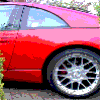
this guy i know has a new shape 320bhp sti model he said my car was 12 years old and stood no chance against his "better" car 1st was even 2nd he fell in behind me and 3rd i pulled away as if he was parked the bad news is ive warped my front disks on the bends but i think it was worth it im going to see him tonight and see what excuse he gives

any bets on the excuse?


------------------

nissan300.bmp

  • Replies 27
  • Views 357
  • Created
  • Last Reply

Top Posters In This Topic

Featured Replies

good one mac 1 lol


willie get your ass up there and we can take the 2 Z's up the strip and i will show you how i beat the scooby lol


------------------

nissan300.bmp

Originally posted by semco32:

good one mac 1 lol


willie get your ass up there and we can take the 2 Z's up the strip and i will show you how i beat the scooby lol


No probs wink.gif

Now all the 300 owners would say I can kill a Scooby eek.gif

But that message came from the Scooby forum biggrin.gif

I rest my case tongue.gif


------------------

maxidog.jpg

KEEP IT SIDEWAYS;).

Join the conversation

You can post now and register later. If you have an account, sign in now to post with your account.

Guest
Unfortunately, your content contains terms that we do not allow. Please edit your content to remove the highlighted words below.
Reply to this topic...

Recently Browsing 0

  • No registered users viewing this page.

Important Information

Terms of Use

Account

Navigation

Search

Search

Configure browser push notifications

Chrome (Android)
  1. Tap the lock icon next to the address bar.
  2. Tap Permissions → Notifications.
  3. Adjust your preference.
Chrome (Desktop)
  1. Click the padlock icon in the address bar.
  2. Select Site settings.
  3. Find Notifications and adjust your preference.