



Engine sensor recordings- help interpret
- Replies 80
- Views 8k
- Created
- Last Reply
Top Posters In This Topic
-
Noz 30 posts
-
madkiwi 20 posts
-
redwine300 10 posts
-
Gio 6 posts


Posted Images
Featured Replies
Account
Navigation
Search
Configure browser push notifications
Chrome (Android)
- Tap the lock icon next to the address bar.
- Tap Permissions → Notifications.
- Adjust your preference.
Chrome (Desktop)
- Click the padlock icon in the address bar.
- Select Site settings.
- Find Notifications and adjust your preference.
Safari (iOS 16.4+)
- Ensure the site is installed via Add to Home Screen.
- Open Settings App → Notifications.
- Find your app name and adjust your preference.
Safari (macOS)
- Go to Safari → Preferences.
- Click the Websites tab.
- Select Notifications in the sidebar.
- Find this website and adjust your preference.
Edge (Android)
- Tap the lock icon next to the address bar.
- Tap Permissions.
- Find Notifications and adjust your preference.
Edge (Desktop)
- Click the padlock icon in the address bar.
- Click Permissions for this site.
- Find Notifications and adjust your preference.
Firefox (Android)
- Go to Settings → Site permissions.
- Tap Notifications.
- Find this site in the list and adjust your preference.
Firefox (Desktop)
- Open Firefox Settings.
- Search for Notifications.
- Find this site in the list and adjust your preference.
This is what I recorded yesterday using ECUtalk. I edited the video down to 4:15, just from the time I got on the interstate and exited again.
Apologies for all the clicking picked up by the microphone, the only thing I can think is it was rubbing on the leather seat?
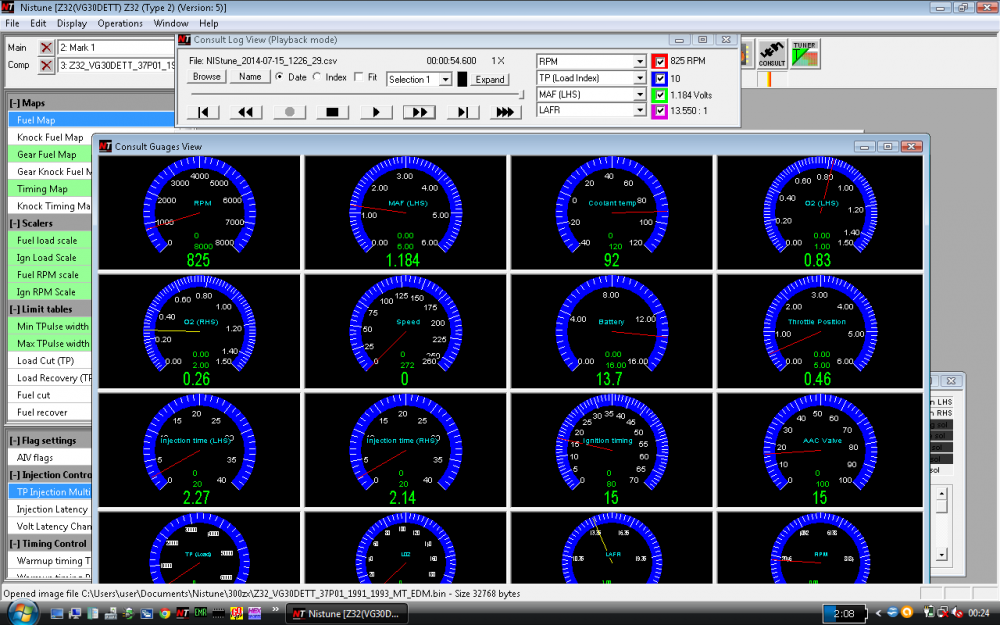
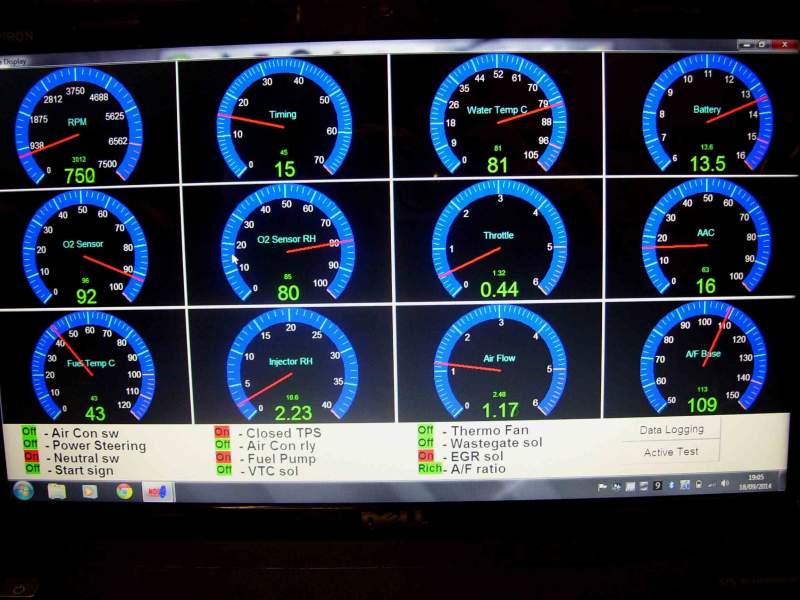
I think everything looks normal. Car did not go into safety boost, which is what I was hoping I would get so I could record what the engine was doing when it occurs. My theory of a faulty MAF seems to be disproved by this recording, at 6,000 rpm with 3.26 volts on the throttle (and about 10.5 psi boost) the MAF was at 4.16 v (this is at approx. 110 mph, in 3rd gear- automatic transmission). However, the MAF was showing a bad reading with the ignition ON (engine not running) of 0.44 with a voltmeter, ECUTalk recorded 0.08 volts. Service manual says it should be 0.8 volts.
ECUTalk could not read the speed, I believe the consult adapter I got on Ebay is faulty. It also causes a code 14 Speed sensor fault, and sets off the HICAS warning light, and to make things just peachy it puts the power steering into "high speed mode"- fine for the freeway, not so great on city streets. Removing the consult adapter from the vehicle's plug restores everything to normal. So I am asking the seller for a replacement adapter, assuming this one has some kind of internal short.
Also did a power balance test when I got home using OBD Scantech. Got an rpm drop on every cylinder, so presuming I have no misfires (at idle anyway). Is it worth re-running the balance test at higher rpm (I saw that as an option)?
Power Balance Test Summary On 9/13/2014 5:08:33 PM
Coolant Temperature: 189 Deg {F}
Idle Air: 24 %
Cylinder # 1
Cylinder On Stablized For 2 Seconds
Average RPM When Cylinder Stablized... 845 Rpm
Cylinder Off Sampled For 3 Seconds
Average RPM When Cylinder Is Off... 802 Rpm
Average RPM Drop Result... 43 Rpm
Highest RPM Drop... 95 Rpm
Amount Of Data Sampled When Cylinder Off... 182
Cylinder # 2
Cylinder On Stablized For 2 Seconds
Average RPM When Cylinder Stablized... 869 Rpm
Cylinder Off Sampled For 3 Seconds
Average RPM When Cylinder Is Off... 827 Rpm
Average RPM Drop Result... 42 Rpm
Highest RPM Drop... 69 Rpm
Amount Of Data Sampled When Cylinder Off... 187
Cylinder # 3
Cylinder On Stablized For 2 Seconds
Average RPM When Cylinder Stablized... 877 Rpm
Cylinder Off Sampled For 3 Seconds
Average RPM When Cylinder Is Off... 817 Rpm
Average RPM Drop Result... 60 Rpm
Highest RPM Drop... 114 Rpm
Amount Of Data Sampled When Cylinder Off... 191
Cylinder # 4
Cylinder On Stablized For 2 Seconds
Average RPM When Cylinder Stablized... 873 Rpm
Cylinder Off Sampled For 3 Seconds
Average RPM When Cylinder Is Off... 815 Rpm
Average RPM Drop Result... 58 Rpm
Highest RPM Drop... 110 Rpm
Amount Of Data Sampled When Cylinder Off... 186
Cylinder # 5
Cylinder On Stablized For 2 Seconds
Average RPM When Cylinder Stablized... 864 Rpm
Cylinder Off Sampled For 3 Seconds
Average RPM When Cylinder Is Off... 817 Rpm
Average RPM Drop Result... 47 Rpm
Highest RPM Drop... 76 Rpm
Amount Of Data Sampled When Cylinder Off... 185
Cylinder # 6
Cylinder On Stablized For 2 Seconds
Average RPM When Cylinder Stablized... 869 Rpm
Cylinder Off Sampled For 3 Seconds
Average RPM When Cylinder Is Off... 817 Rpm
Average RPM Drop Result... 52 Rpm
Highest RPM Drop... 106 Rpm
Amount Of Data Sampled When Cylinder Off... 186
Can anyone tell me if this is all normal?
Thanks,
Mark
(Crossposted to every 300zx forum I am a member of)