



2fast2cool2 side mounted intercoolers
- Replies 31
- Views 2.4k
- Created
- Last Reply


Posted Images
Featured Replies
Important Information
Account
Navigation
Search
Configure browser push notifications
Chrome (Android)
- Tap the lock icon next to the address bar.
- Tap Permissions → Notifications.
- Adjust your preference.
Chrome (Desktop)
- Click the padlock icon in the address bar.
- Select Site settings.
- Find Notifications and adjust your preference.
Safari (iOS 16.4+)
- Ensure the site is installed via Add to Home Screen.
- Open Settings App → Notifications.
- Find your app name and adjust your preference.
Safari (macOS)
- Go to Safari → Preferences.
- Click the Websites tab.
- Select Notifications in the sidebar.
- Find this website and adjust your preference.
Edge (Android)
- Tap the lock icon next to the address bar.
- Tap Permissions.
- Find Notifications and adjust your preference.
Edge (Desktop)
- Click the padlock icon in the address bar.
- Click Permissions for this site.
- Find Notifications and adjust your preference.
Firefox (Android)
- Go to Settings → Site permissions.
- Tap Notifications.
- Find this site in the list and adjust your preference.
Firefox (Desktop)
- Open Firefox Settings.
- Search for Notifications.
- Find this site in the list and adjust your preference.
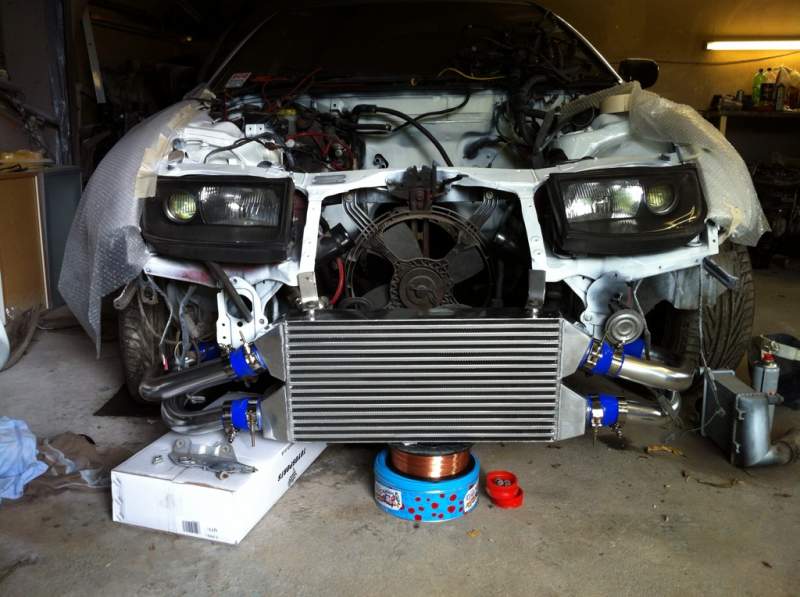
Been looking at these for a bit and almost decided to change my plans from fitting a FMIC to fitting a pair of these even though i love the look of a FMIC on a zed. Has anyone brought a set of these on here ?
http://www.ebay.co.uk/itm/NISSAN-300ZX-Z32-VG30DETT-TWIN-TURBO-UPGRADE-FRONT-MOUNT-ALLOY-INTERCOOLER-KIT-/230829626641?pt=UK_CarsParts_Vehicles_CarParts_SM&hash=item35be849511#ht_2152wt_1344