Jump to content
View in the app

A better way to browse. Learn more.

300ZX Owners Club

A full-screen app on your home screen with push notifications, badges and more.

To install this app on iOS and iPadOS
  1. Tap the Share icon in Safari
  2. Scroll the menu and tap Add to Home Screen.
  3. Tap Add in the top-right corner.
To install this app on Android
  1. Tap the 3-dot menu (⋮) in the top-right corner of the browser.
  2. Tap Add to Home screen or Install app.
  3. Confirm by tapping Install.

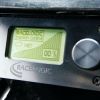
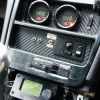
I’ve just finished installing my Race Logic Traction Control unit and I was just wondering who else as it fitted and what you think about it?


1192t_1.jpg

1190t_1.jpg

Edited by iain knight
edit Text

  • Replies 28
  • Views 2k
  • Created
  • Last Reply

Top Posters In This Topic

Posted Images

Featured Replies

Looks like the AEM works differently in that it doesn't use sensors but instead using Speed vs RPM and Gear calculated speed, from a pre-determined set of parameters under ideal conditions.


The AEM Universal box uses engine acceleration as the basis for TC. I was going to cut and paste from the software manual, but it's long and full of tables/maps. The downside is that maximum acceleration under ideal conditions is logged and used as the basis for TC tables and sensitivity. It seems like this can change with different tires, gears, surface conditions. So, TC probably needs to be tweaked when major traction upgrades or downgrades occur. The good news is that AEM TC works on damned near any vehicle with or without wheel speed sensors. From AEM:


Traction Control Tuning Procedure

1. If the vehicle has a manual transmission with no gear position sensor, use the TC Gear Ratio option and define the Gear Ratio Table as described above. If the vehicle has an automatic transmission with a gear position sensor, select the option TC Gear from Sensor.

2. AEM recommends starting with the following options settings for calculating Raw Engine Acceleration:

TC Speed/Time = ON

TC Timebase = OFF

3. With the option Traction Control turned off, log the parameters Engine Accel raw and Engine Speed under hard vehicle acceleration through each gear with optimum traction conditions.

4. Review Engine Accel raw to determine a maximum acceleration rate. Define this value using the option TC Max.

5. Use the sensitivity tables to adjust the acceleration sensitivity at varying engine or vehicle speeds. If vehicle speed is used, the option TC vs Road Speed must be enabled. The parameter Engine Accel Rate can be viewed or logged to see the results.

6. Once the sensitivity tables are defined and a good signal for Engine Accel Rate is established under optimum traction, define the trip tables. This should be just above the values for Engine Accel Rate under optimum traction conditions in each gear.

7. Start with the TC Ign Retard option by defining the amount of retard (20 deg is a good starting point). Define the TC Ign Retard Resto option (2 deg is a good starting point). These settings will retard the spark timing 20 degrees when the trip limits are exceeded and will restore the timing 2 degrees per engine revolution when the accel rate falls below the trip limits.

8. Enable traction control by selection the option Traction Control from the option list.


I'd use the launch control function maybe but this ^^^^ seems like it could open a whole can of worms under different conditions


Id say a dedicated TC unit is going to be far superior

I agree, I think the AEM TC programme is a half ass'd attempt and far too many variables to be 100%


It does seem more like LC than TC

Yep sounds pants, never actually looked at how it worked just remember reading it on the box.


Not sure of availability in the UK but there is another one called ProEFI traction control that some reviews i've read have rated it as better than the Racelogic. Not seen a bad word about the Racelogic though.

Join the conversation

You can post now and register later. If you have an account, sign in now to post with your account.

Guest
Unfortunately, your content contains terms that we do not allow. Please edit your content to remove the highlighted words below.
Reply to this topic...

Recently Browsing 0

  • No registered users viewing this page.

Important Information

Terms of Use

Configure browser push notifications

Chrome (Android)
  1. Tap the lock icon next to the address bar.
  2. Tap Permissions → Notifications.
  3. Adjust your preference.
Chrome (Desktop)
  1. Click the padlock icon in the address bar.
  2. Select Site settings.
  3. Find Notifications and adjust your preference.