Jump to content
View in the app

A better way to browse. Learn more.

300ZX Owners Club

A full-screen app on your home screen with push notifications, badges and more.
To install this app on iOS and iPadOS
  1. Tap the Share icon in Safari
  2. Scroll the menu and tap Add to Home Screen.
  3. Tap Add in the top-right corner.
To install this app on Android
  1. Tap the 3-dot menu (⋮) in the top-right corner of the browser.
  2. Tap Add to Home screen or Install app.
  3. Confirm by tapping Install.

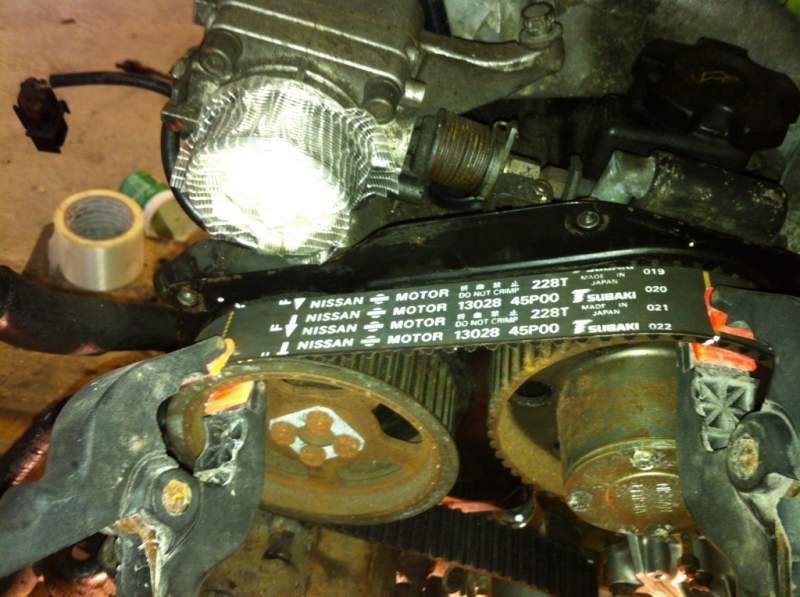
Ok so I'm in the process of fitting the new belt, on the belts they have yellow lines on so you know the dot on the camshaft wheel lines up with the dot on the back plate for some reason my line is always a tooth out even though the dots line up as I'll show in a pic


5db3f979.jpg

As you can see here the yellow line on the left cam wheel lines up but the one on the right is a tooth out but you can see the two white dots line up


And again here

6ee32e03.jpg


Also can't seem to get the belt on the auto tensioner as its to tight for some reason

Please help as its now really winding me up

  • Replies 27
  • Views 620
  • Created
  • Last Reply

Top Posters In This Topic

Posted Images

Featured Replies

  • Author

Ok so done it according to the link the left cam pulleys will be slightly out got the belt all on but the crank markings are still a tooth out for some reason really getting annoyed


cb4e913c.jpg

  • Author

Well that's another day of getting naff all done(now got to go n do someone else's car that they've managed to break) really starting to lose interest in the car,

Check Jeffs how to do a cambelt in the FAQ section, this should help you.

smithy

Is there anyone local to me that would come give me a hand to fit it next weekend? Please


Not me personally but I have a plan!!!

Call!!!

Pete

If I understand Jeff's how to correctly,

It is more important that the belt lines up precisely with the sprockets, and the marks on the backplate can be a little off. They are there more for reference so as to get the initial orientation of the sprockets close ready for fitting the belt.

It appears that you may be able to line the belt and sprockets and allow the back plates to be slightly out.

Maybe once the tensioner is set, things will be more in sinc.

  • Author

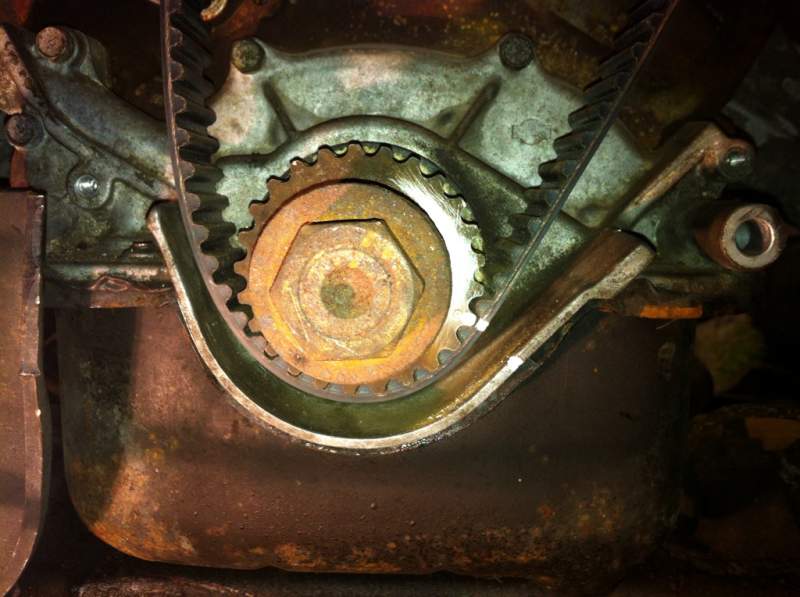
Yea I've lined the belt and sprockets up the right side line up with the back plate and the left side are a little out, now when it comes to the crank marking on Jeffs right up the cambelt line and dot and marking on oil pump all line up, but for some reason the mark on the cambelt on mine is a tooth out as I showed in the pic, can't work out why though

I have seen a vid on how to do this job.. and he too lined up the crank and right hand (as you face the engine) cams they explained (and showed) that the left hand cams move/settle when you take the belt off and so need a slight tweak when fitting the next belt.


It's a video I have seen on you tube and I have not attempted this job before personally.

If you were to rotate the crank 1 tooth anticlockwise and the right hand cam sprocket 1 tooth anticlockwise, (as you look at it from the front) would that not put everything in the correct place?

Except for the back plate marking of course.

  • Author

the right hand cam pulleys line up now, the pulleys on the left you line the belt lines up with the pulley notch thats means its slightly out by the backing plate which is right, then the crank lines should all line up but for some reason its not, its the crank lines that are stopping me from finishing it off

Ok do not despair your nearly there, your caution is a good thing but its clouding the issue, if the top four cambelt marks are lined up with the top four sprockets and the crank is correctly marked but is not matching the belt just pop the crank bolt back in and turn it to suit.


HOWEVER the bottom crank sprocket mark acuracy needs to be 100% and a close up of your crank shows a possible dot mark above your tipex mark, check this again, what your looking for is a little dimple,


Let us know how you get on


Jeff TT


timingmark.jpg

Edited by JeffTT

  • Author

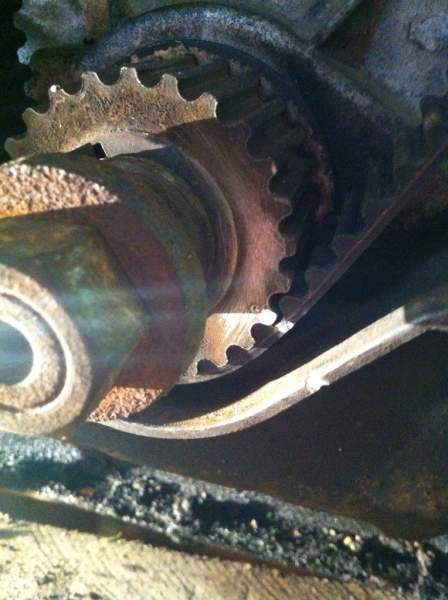
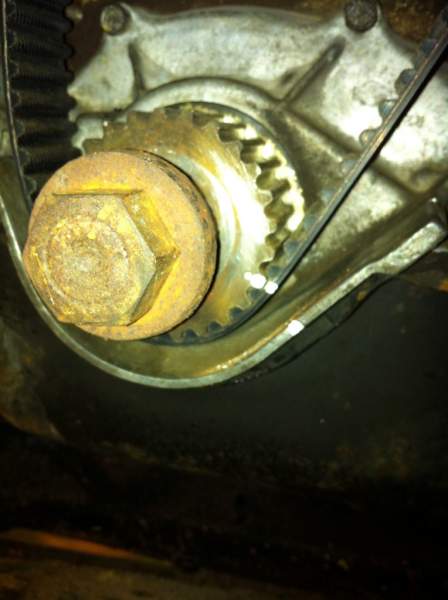
Thanks for the advice jeff, I've cleaned the crank sprocket up and the marking was in the right place a little dimple near the tooth I'll post up a few pics of how it's timed up at the min but not yet tensioned


5b28ccc9.jpg


de46fbb0.jpg


And the crank

52e364b6.jpg

7112f4ea.jpg

d196a995.jpg


How's this looking still looks slightly out to me or is it just my eyes lol??


Oh forgot I'm away this weekend for long weekend with the missus and little one so if anyone fancies having a look have to be the weekend after

Edited by 111mattin111

yep .. remember move it across but not to tight ... lock it ... then undo the locking bolt that u put in there ( remember to take it out once done ) u looking for about 5mm preload gap

Still looks out to me on the crank sprocket line to the oil housing mark. Is there any movement in the crank, you need a few mil clockwise, im not sure the tensioner will move it round enough.


- - - Updated - - -

  • Author

Nope that pulling the crank round to take up the tension to the right of the crank so no more room, so if it's still just out where's it going wrong

Yes agree with Mark all it needs now is to tension the belt, again the crank mark on the oil pump is for reference only not actual setting, the crankshaft sprocket mark and the camshaft pulley marks are al that you need to concern yourself with.


Jeff TT

Join the conversation

You can post now and register later. If you have an account, sign in now to post with your account.

Guest
Unfortunately, your content contains terms that we do not allow. Please edit your content to remove the highlighted words below.
Reply to this topic...

Recently Browsing 0

  • No registered users viewing this page.

Important Information

Terms of Use

Configure browser push notifications

Chrome (Android)
  1. Tap the lock icon next to the address bar.
  2. Tap Permissions → Notifications.
  3. Adjust your preference.
Chrome (Desktop)
  1. Click the padlock icon in the address bar.
  2. Select Site settings.
  3. Find Notifications and adjust your preference.