-
anyone esle heading to total jap car show at knockhill tomorrow?
-
oh i like them...
-
i know that feeling, ive just got my first z32 went through £75 of fuel in 3 days and didnt go anywhere..........wheres my deisel audi lol
-
also put fuel in it :thumbup1:
-
Won't be for a while as buying the car broke me lol. Only quick option for me would be to swap someone. Don't know what these are worth. I was told they were expensive but can't find anything about them
-
Thanks. Gonna look out for 18s tho, cars a bit low for the speedbumps around here
-
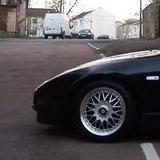
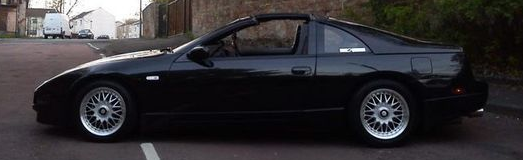
16" rays rbt split rims (thats all i know about them, cant find any other info:confused1:)
-
the lights were blue, standards will do for now till i get a decent set down the line
-
liked
-
just got standad bulbs for it, massive difference, thy will do just now till i can get proper hids for it, ones that was in car were cheap ebay jobbies
-
thanks buddy ill give that a try tomorrow
-
hi all, ive just got me a '90 z32 and it has hid's fitted but i cant see the road at night, they are useless really. anone know what standard bulbs should be in them or is there a way to "fix" the hids? thanks derek
-
thanks folks, seems everyone is well spread out:shifty:
-
thanks, im in glenrothes, fife derek
-
hi, newbie here, just got my first z32 so thought id join up. are there many others up here in scotland?

View in the app
A better way to browse. Learn more.