Jump to content
View in the app

A better way to browse. Learn more.

300ZX Owners Club

A full-screen app on your home screen with push notifications, badges and more.

To install this app on iOS and iPadOS
  1. Tap the Share icon in Safari
  2. Scroll the menu and tap Add to Home Screen.
  3. Tap Add in the top-right corner.
To install this app on Android
  1. Tap the 3-dot menu (⋮) in the top-right corner of the browser.
  2. Tap Add to Home screen or Install app.
  3. Confirm by tapping Install.

Big sis tt

Dormant Member
  • Joined

  • Last visited

  • Country

    United Kingdom

Everything posted by Big sis tt

  1. And this is the other one
  2. Hi mate I did try giving you a call yesterday I’ll try and add some pictures
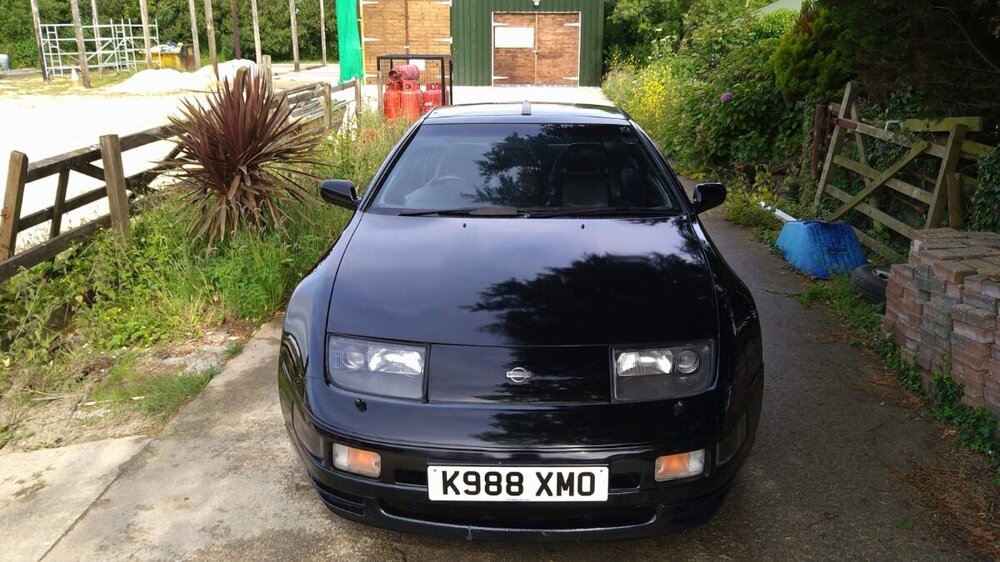
  3. Hi my friends as you know iam on the hunt for another zed, I’ve found a couple , but need a bit of advice, first I’ve found a t/t auto jap spec it’s a 1994 model,guessing that makes it a series 2? It in white and a lwb it’s not on English plates , it’s kHz which I believe is Channel Islands, it’s had 2 plate changes in its life , the current owner has said the last keeper did the cam belt but unsure about the water pump, it only got mot till December , and is asking £6k for it, no2 is a uk spec on a k plate in black, got power seats and heated as well, and got the original sound system , the owner brought bit from Bedfordshire a while ago , but they say it needs a new exhaust system and the rear suspension needs some attention, not sure on the mileage, they are asking £8k for it, l would like to know what you guys think and weather they are worth the money, thank you all and be safe

  4. I prefer a n/a but would consider a t/t ,
  5. Cheers my friend
  6. Hi folks iam a old member, I was known a nellys300zx iam know back on the lookout for another zed , some of the older group members will remember my old black Zeds it good to be back on the zed hunt ?

Important Information

Terms of Use

Configure browser push notifications

Chrome (Android)
  1. Tap the lock icon next to the address bar.
  2. Tap Permissions → Notifications.
  3. Adjust your preference.
Chrome (Desktop)
  1. Click the padlock icon in the address bar.
  2. Select Site settings.
  3. Find Notifications and adjust your preference.