Jump to content
View in the app

A better way to browse. Learn more.

300ZX Owners Club

A full-screen app on your home screen with push notifications, badges and more.

To install this app on iOS and iPadOS
  1. Tap the Share icon in Safari
  2. Scroll the menu and tap Add to Home Screen.
  3. Tap Add in the top-right corner.
To install this app on Android
  1. Tap the 3-dot menu (⋮) in the top-right corner of the browser.
  2. Tap Add to Home screen or Install app.
  3. Confirm by tapping Install.
  • Replies 38
  • Views 2.3k
  • Created
  • Last Reply

Top Posters In This Topic

Posted Images

Featured Replies

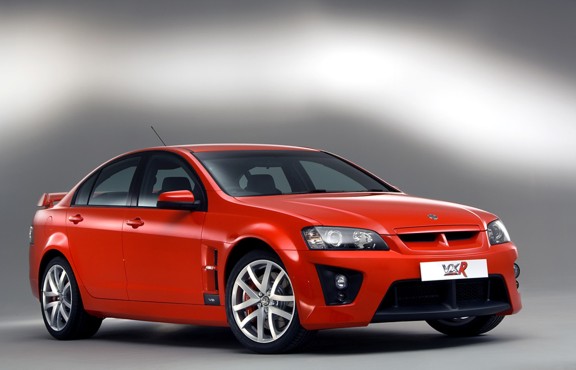
There,s a zed killer right there in every department...fantastic choice:bow:

  • Author
There,s a zed killer right there in every department...fantastic choice:bow:


I agree, I can see me keeping this one for a long time...I can't see the noise this thing makes ever growing old.

Have to get some cut off valves, allowing you to open pure unsullied V8 roar whilst being able to quieten it down for the neighbors. There's a guy round here with a RAM you can hear it from a few roads away. :D

Nissan should of put a V8 TT in the 300zx :)


Pretty sure they toyed with fitting one, along with a mid engine and 4wd format. I think the V6 was used to allow the bonnet height to remain as per the design. There were quite a few concepts before they settled on the Z32 that created the wacky Mid4 and gave the R32 its HICAS and 4wd system.

My neighbours are not impressed.


Whoopeedoo !!


My neighbours always know when its 6.10am 6 days a week !!!!


20160731_115332_zpstusptvva.jpg


20160731_115347_zpsikebp6k2.jpg


Alan.............

Join the conversation

You can post now and register later. If you have an account, sign in now to post with your account.

Guest
Unfortunately, your content contains terms that we do not allow. Please edit your content to remove the highlighted words below.
Reply to this topic...

Recently Browsing 0

  • No registered users viewing this page.

Important Information

Terms of Use

Configure browser push notifications

Chrome (Android)
  1. Tap the lock icon next to the address bar.
  2. Tap Permissions → Notifications.
  3. Adjust your preference.
Chrome (Desktop)
  1. Click the padlock icon in the address bar.
  2. Select Site settings.
  3. Find Notifications and adjust your preference.