Jump to content
View in the app

A better way to browse. Learn more.

300ZX Owners Club

A full-screen app on your home screen with push notifications, badges and more.

To install this app on iOS and iPadOS
  1. Tap the Share icon in Safari
  2. Scroll the menu and tap Add to Home Screen.
  3. Tap Add in the top-right corner.
To install this app on Android
  1. Tap the 3-dot menu (⋮) in the top-right corner of the browser.
  2. Tap Add to Home screen or Install app.
  3. Confirm by tapping Install.
  • Replies 29
  • Views 2.6k
  • Created
  • Last Reply

Top Posters In This Topic

Posted Images

Featured Replies

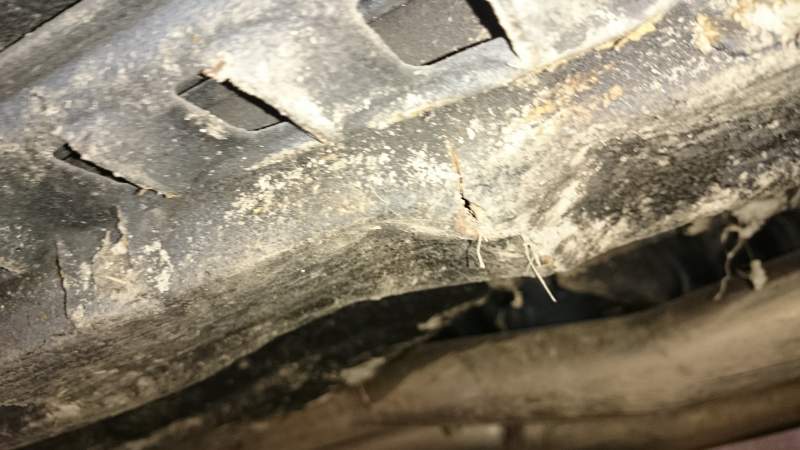
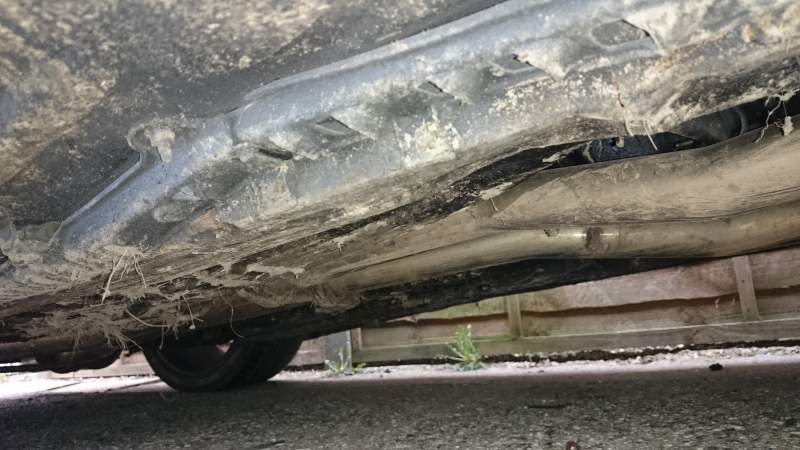
How do you suspect it's ended up with a bent floor then? Impact damage from a crash?


I'm pretty gutted for you, if I'm honest. Especially if it was supposed to have had repairs done previously and that's what the internal rust still looks like!!! :(

  • Author

Yeah, you can't trust accountants hey.


Redwines post works on my pc now, links don't work on mobile.


Hell of a lot of good work you've done there!

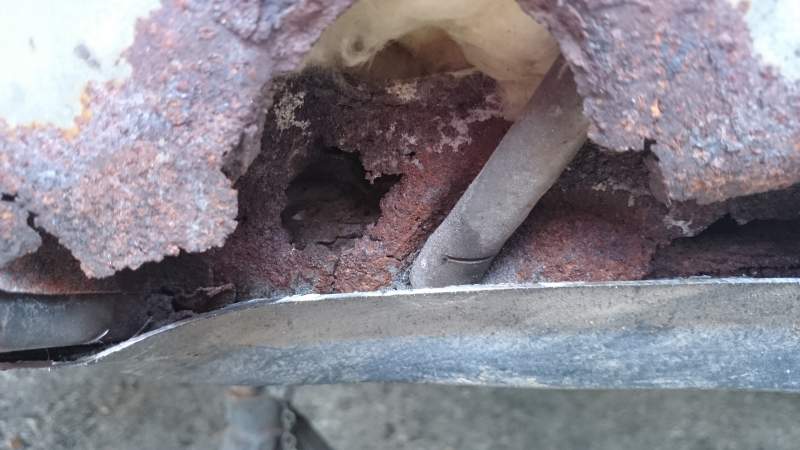
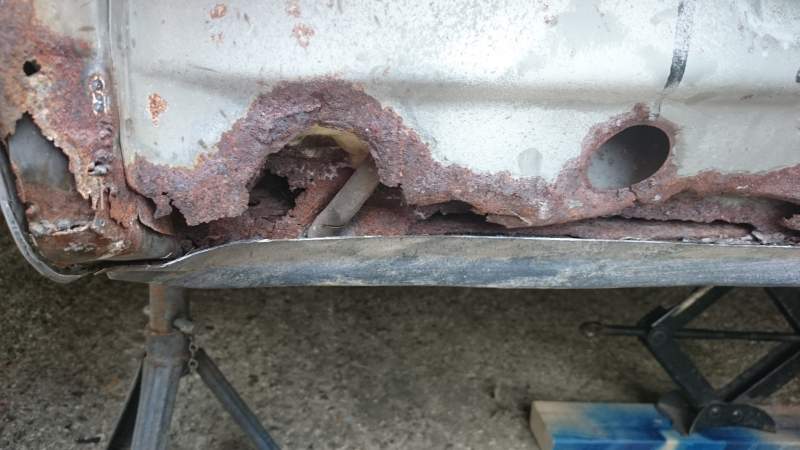
Well to be honest, it's clearly visible in the pics, nearly all that can be seen just lifting the bonnet


sorry, yes in this case, but I was talking in general.

  • Author

Right screw it I'm going to do the work. I saw a blue 300zx go past with the targas out today whilst I was sat in the gt4 at buck barn traffic lights.

Going to do all the rust, underseal and rust proof all of it then get it on the ramp just before it has its MOT as I know someone that would let me use it for a few hours. Going to reinforce the whole chassis so it'll be stronger than when it came out the factory.

Join the conversation

You can post now and register later. If you have an account, sign in now to post with your account.

Guest
Unfortunately, your content contains terms that we do not allow. Please edit your content to remove the highlighted words below.
Reply to this topic...

Recently Browsing 0

  • No registered users viewing this page.

Important Information

Terms of Use

Configure browser push notifications

Chrome (Android)
  1. Tap the lock icon next to the address bar.
  2. Tap Permissions → Notifications.
  3. Adjust your preference.
Chrome (Desktop)
  1. Click the padlock icon in the address bar.
  2. Select Site settings.
  3. Find Notifications and adjust your preference.