


Everything posted by 300ZX T
-
Cheers guys
-
Hi guys, quick question! I'm after a HID conversion kit for my zx and I am finding it difficult to get a straight answer!! What size do I need, H1, H2, H3 etc. and what's the best colour temp to go for 5000k, 6000k etc. for main beam and high beam?? Thanks in advance!!
-
How do you put your pictures up??
-
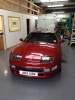
Hiya mate, it's 1992 TT LWB jap import!! I do love my Jap imports as I just sold my Impreza import!
-
From Evesham bud
-
Cheers bud
-
Hi, just bought my first 300zx today and loving it already!! Fell in love with them when they first came out and now I am happy to finally own my own...only waited 20years lol!! Decided to join this forum as it would be a perfect place to get any info or technical support relating to my new ride and also meet some fellow 300zx owners in the process!! Look forward to chatting with you all sometime!! Cheers Thass
