-
Any joy with info at all buddy
-
Lol sorry man didn't think about that as I am on nights lol
-
Did you here anything back buddy about the car?
-
Do you guys know if he would sell it?
-
Yes please would be greatful
-
Is the guy on here
-
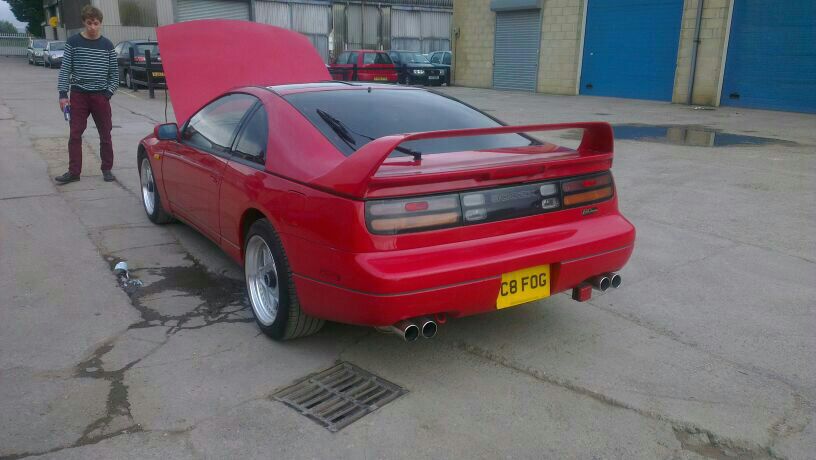
Hi there everyone I have been thinking about getting another 300zx but I would like to find my old one and buy it back if anyone knows who has got it. The reg is C8 FOG
-
Got told its a faint blue as my cuzin was behind me, he thinks it could be turbo but we don't don't no.
-
Haha I no mate not that dumb lol. But that's wot I mean could it be under to much pressure or something. The guy did say one dump value was not working very well could it be that
-
Yh but wouldn't it be both revs and speed as it drops down and picks up speed. Sorry if I sound a dumb ass
-
Ok thank you. Just don't get why soon as I go100 plus it drops down and smokes really bad :( could it be a turbo
-
Not got the log book yet mate as only just got the car. Do you think the turbo has gone
-
Ok thanks. Bit wot will the smoke be its worrying me as only had the car 5 min
-
Hi everyone just got my 300zx twin turbo auto today and really happy with it. But when I got on the motorway and got over 100mph it knock down q gear I think and smoke went every were, I really don't no wot to do and now the hicas light has come on. Hope someone can help me. Thank you :)
-
Thank you guys for the welcome :)

View in the app
A better way to browse. Learn more.