-
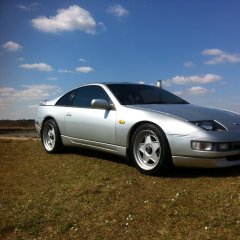
Hi everyone im based in southampton i have a swb silver 300zx n/a auto 26k on the clock xxxxxxxxxxx
-
I went to the last one in my zed prob be at this one to
-
If you mean the black box all the pins are like new look fine so I Dno :/
-
Hi peeps I new help with my drivers side window it doesn't work! I drifted the z and it suddenly worked for a couple of days then stopped the box in the door clicks when I push buttons but no movment can anyone help?
-
I nearly went to mims
-
Ah ok lol soz forgot my password not been on for a while
-
Wer down fern down way Sunday saw a nice red 300 going the opposite way
-
When I got my car I kept hearing this gurgling sound fort nothing of it. I got pulled over last night by a nice policeman not for anything but cause he really liked my car and found out he had one and loved it he said it was water in the erg valve pipe and said ask on here how to remove the pipe behind the wing to relive the water inside
-
How did you manage that?
-
Oops must of adjusted it lol and ok thanks
-
Once again people a amateur problem sidelight bulbs.... Theirs the two caps and a screw the screws just turning how do they come out to change them?
-
Yh it's kool yeh let me no :)
-
So if I do a transfere it goes to you Gary then I give you my info?
-
Ok only 20 for a year what you get for that compared to just signing up? - - - Updated - - - Ok forget that wrote it before looking haha
-
Dam lol so what's this do ? Prob not a lot of good as mines done less than 20k lol

View in the app
A better way to browse. Learn more.