Everything posted by indian_zx
-
went to see it and thought its not as good as the first 2.
-
bump for ya
-
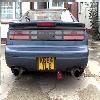
was the back nice lol. theres another here today silver one parked in green lane hounslow.
-
did it have a imirsher front bumper?
-
Chris youll need it to use up all that hp on your drive.
-
anyone have this?
-
they both look nice i was going to do it on mine but it wouldnt suit the blue colour. other than halfords spray there is another one you can use i cant remember the name.
-
was it you?
-
-
oh right i thought you got more goodies, i got my oack but thanks anyway.
-
what do you receive when you renew?
-
long time vini
-
1.kamikaze 2.Petey099 3.Indian_zx
-
twin cam pm me im from heathrow too.
-
yes please! but i can only come on a friday or sunday evening.
-
anyone got twin cams number or email addy?, he lives like 10 mins away from me.
-
can someone sort out another meet at ace cafe?
-
thats a bloody bargain :bow: lol
-
I currently have AOL platinum which is supposed to be upto 8mbps been with them for 5 years, they were great but now im experiencing a lot of problems, is there any one else recommended that will provide a good service and is faster?
-
:p
-
im thinking of getting this game anyone played it? What’s it like compared to command and conquer generals?
-
sky insurance?
-
oh btw i got the c16 and 2 versions of c64 with 100 games lol and the tape players.
-
Anyone remember outrun or chase hq games like streetfighter and paper boy
-
Hi mate What about the renewed memberships? thanks