


-
my friend, how or/and what did you do on those window seals and chrome trims, as that is my next task... did you remove them, or just masking tape and spray em, either way what with buddy thanks
-
he's defo right reference the clock connection
-
ALL SORTED EVERYONE - DODGY RELAY SWITCH DOWN IN FOOTWELL... ALL SORTED.... beautiful......
-
yeah everything worked fine before, i may just of trapped of knocked a wire, i'll get an auto elec fella to give it a look as i have no idea at all, but everything else work just bar the elec mirrors and tempertaure gauge unit bit - - - Updated - - - it all sounds very exciting, i've got an auto electrician fella coming to have a butchers later so i'll run these possabilities past him thanks everyone
-
wicked will let you know once i get it, enjoy your time away, assuming you on ya jollies.. Nick
-
think i'll see if i can get hold of an auto electrician, as no idea whaty i'm doing or may have done.... "gulp"... :huh:
-
funny enough the centre console has been out recently as just swapped head unit in the car, could it be that, as that works all fine, just seems to be all of a sudden the mirrors and the left hand side dash section (the temp number doesnt come on anymore and the fans and de mosters dont work anymore.... the right hand side set are ok....
-
hi all today when i started the old girl up, the console unit on the left (with the air con etc on) didnt light up and nothing worked, nor did the wing mirrors ping out... everything else worked, radio, seats, lights, internal clock.. it happened about 8 times in 12 attempts, any idea why this is... (i've recently changed my repeater bulbs, however surely cant be that.... can it!!!) thanks, a slightly concerned and perplaxed Nick
-
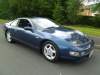
welcome to the club, its full or amazingly knowledgeable people look at my profile or the albums, and you can see mine, which is a 300zx non turbo targa auto...... you'll get an idea of what you can pick up for your kind of money... Nick
-
done buddy - - - Updated - - - also sorted an album out with some pics of the car feel free to comment but be gentle... lol
-
i've friended ya pal, as i try to get the hang of this site, ive paypal'd AndyP aswell, so hopefully will be a subscribed member soon... got find some nice front and rear speakers, and still looking for clear repeaters Nick
-
nice one, do i need to let Andy P know then, or will it just sort it self out (or have you let hime know etc) thanks Nick
-
Hi Richard check the paypal thing, as i have done it today and put some comments in the notes, so hopefully i have done it all right and i'll be a suscribed member etc thanks Nick
-
as a new member and proud owner of one at long last, plus your only about 50 miles away i may well come along.....
-
how do i subscribe and become a member please.. thanks nick

View in the app
A better way to browse. Learn more.
