
Jump to content
View in the app

A better way to browse. Learn more.

300ZX Owners Club

A full-screen app on your home screen with push notifications, badges and more.

To install this app on iOS and iPadOS
  1. Tap the Share icon in Safari
  2. Scroll the menu and tap Add to Home Screen.
  3. Tap Add in the top-right corner.
To install this app on Android
  1. Tap the 3-dot menu (⋮) in the top-right corner of the browser.
  2. Tap Add to Home screen or Install app.
  3. Confirm by tapping Install.

nncferreira

Dormant Member
  • Joined

  • Last visited

  • Country

    United Kingdom

Everything posted by nncferreira

  1. Hi DL It would be great if you could send me that fuse, i will pay for the costs. Do you have paypal? Are you guys going to the Silverstone show 2nd september?
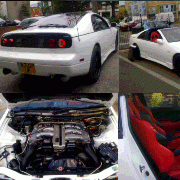
  2. How you doing guys, as you all know the stand was really bad (sorry for leaving without saying goodbye) but I managed to get my pearl white Lady-Z into the center of the show :D I even gave a ride to a nice blond girl around the main stand ehehe I'm looking forward for the silverstone show. We are the portuguese lads with the white 300z :biggrin: Nice one guys Nelson & Hugo
  3. How you doing mate? Remember the fuse problem? Can you help me out? - - - Updated - - - How you doing mate? Remember the fuse problem? Can you help me out?
  4. hi mark nncferreira from (zclub) i need 2 Tickets 1 car pass no track time . how are you ? hope talk to you later .
Important Information

Terms of Use

Account

Navigation

Search

Configure browser push notifications

Chrome (Android)
  1. Tap the lock icon next to the address bar.
  2. Tap Permissions → Notifications.
  3. Adjust your preference.
Chrome (Desktop)
  1. Click the padlock icon in the address bar.
  2. Select Site settings.
  3. Find Notifications and adjust your preference.