Everything posted by wow300
-
Looks good
-
Hi and Welcome to the club
-
I have been running lpg cars for years now, even thats ruined, couple years ago it was 40p p/ltr now 59p /litre and as cars use more lpg than petrol it wont need to go up to much more before equivilant to petrol !
-
Very usually...
-
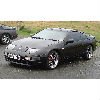
Couple pics of mine :)
-
115mph abouts!
-
Do a search, lots of threads on this
-
-
Battenburg :dance:
-
What fuel you using ?
-
Only need 2 mirrors for mot
-
Means we cant meet at Cribbs then !
-
:( Thats a shame, i went a few years ago, was great, all sorts going on, i even had a helicopter ride !
-
Andy.. do we need to book for the karting, if so how ??
-
All the best Dave :duffer::duffer: Not coming to Z008 ? thats a shame, could have all bought you a :duffer:;)
-
:rofl::rofl::rofl: class
-
Space 1999, feel really old now, good that was..lol
-
Dont worry Murt, the Z is better to drive than all of them, and the Lambo dont look all that great in real life ;)
-
Happy Birthday bud.... :duffer::duffer::duffer:
-
Opps wrong acc..
-
convoy from bristol ??
-
Normally a fuse in footwell
-
Thankyou guys :bow: Sorted now.... I have sent you a tex Mark, but pending at the mo :)
-
Looks great on yellow, nice work mate :)
-
They dont know, rain forecast today and look at it !!