


Everything posted by wow300
-
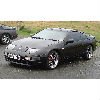 nice choice of car and colour, any more pics, interior, engine etc, ya hpoefully see you at a meet sometime
 -
You mean the spacers, the top mate
-
:rofl::rofl: got ya...
-
oh is it cool
-
just realised its a repeat...lol season*
-
Dont forget grand prix, last one of the session in china 2.55pm
-
:rofl::rofl::rofl:
-
The script
-
Excellent day, great to see John (oldzed) and his other son today.... great cavery which we were all ready for to :)
-
I think they are smart, not cheap to buy !
-
Its just out of tax at the mo, else i might, your welcome to come down and view it, you wont be disapointed ;)
-
Pity they don't concentrate on more important issues !!
-
Don't look good Murt !
-
Great album that song came from...
-
Thats just for starters.....;)
-
Make sure you have free play on the clutch pedal, as legrath says about adjustment and also the cruise control switch has an adjuster on it for the pedal
-
The John Dixon chip is a top class chip i think :bow: always idles and runs great with no over fueling that you tend to get with some chips
-
-
Looks lovely, and an absolute bargain that is :D
-
Yes i have bought a radiator from those guys, i had not problems, even sent me a free rad cap and ye prices are good.
-
A few ere n there.... lol Thats what dedication we need on here for meets:rofl:
-
vivid imagination ! got more than that.... :rofl:
-
Happy Birthday.....:duffer::duffer::duffer::duffer:
-
:hyper::hyper:
-
warped discs lose subframe bolts