- Replies 26
- Views 2.8k
- Created
- Last Reply
Account
Navigation
Search
Configure browser push notifications
Chrome (Android)
- Tap the lock icon next to the address bar.
- Tap Permissions → Notifications.
- Adjust your preference.
Chrome (Desktop)
- Click the padlock icon in the address bar.
- Select Site settings.
- Find Notifications and adjust your preference.
Safari (iOS 16.4+)
- Ensure the site is installed via Add to Home Screen.
- Open Settings App → Notifications.
- Find your app name and adjust your preference.
Safari (macOS)
- Go to Safari → Preferences.
- Click the Websites tab.
- Select Notifications in the sidebar.
- Find this website and adjust your preference.
Edge (Android)
- Tap the lock icon next to the address bar.
- Tap Permissions.
- Find Notifications and adjust your preference.
Edge (Desktop)
- Click the padlock icon in the address bar.
- Click Permissions for this site.
- Find Notifications and adjust your preference.
Firefox (Android)
- Go to Settings → Site permissions.
- Tap Notifications.
- Find this site in the list and adjust your preference.
Firefox (Desktop)
- Open Firefox Settings.
- Search for Notifications.
- Find this site in the list and adjust your preference.
Hi all
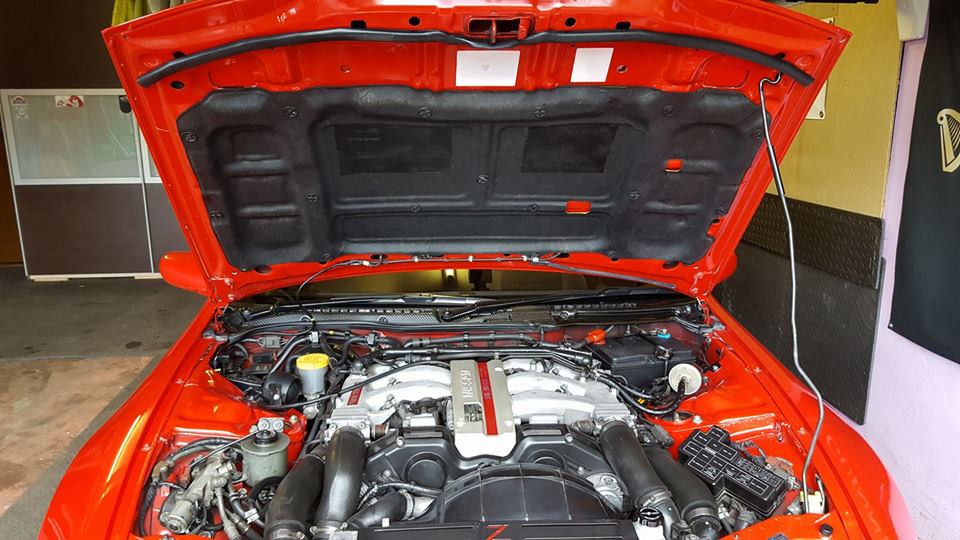
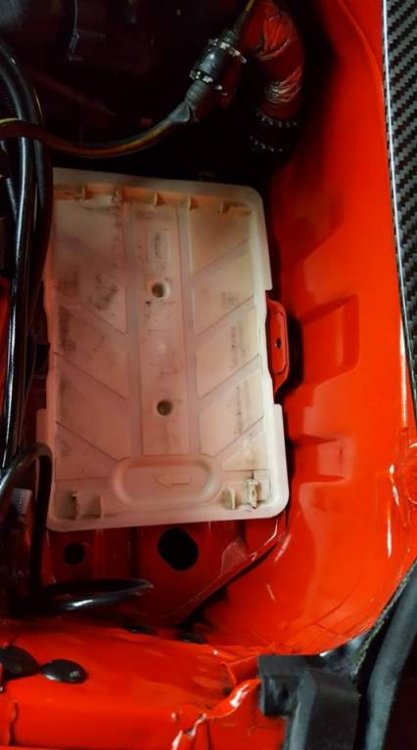
I managed to get an hour today on the 300 so started trying to clean up the engine bay. I do like a well cleaned bay and this 300 is one of the dirtiest bays I’ve ever owned. Any heavily oiled areas I’ve had to deal with on previous cars I’ve dealt with using WD40. :thumbup1:Unfortunately the 300 is so groty that the WD40 wasn’t touching the sides without working it in with a toothbrush and cloth.:tooth:
Can you guys recommend any products that are more aggressive on contact please? :gun_bandana:
Cheers,Chris
P.S. Please feel free to post your engine bay to keep me motivated. :wink: