Jump to content
View in the app

A better way to browse. Learn more.

300ZX Owners Club

A full-screen app on your home screen with push notifications, badges and more.

To install this app on iOS and iPadOS
  1. Tap the Share icon in Safari
  2. Scroll the menu and tap Add to Home Screen.
  3. Tap Add in the top-right corner.
To install this app on Android
  1. Tap the 3-dot menu (⋮) in the top-right corner of the browser.
  2. Tap Add to Home screen or Install app.
  3. Confirm by tapping Install.

Hi Guy,s,


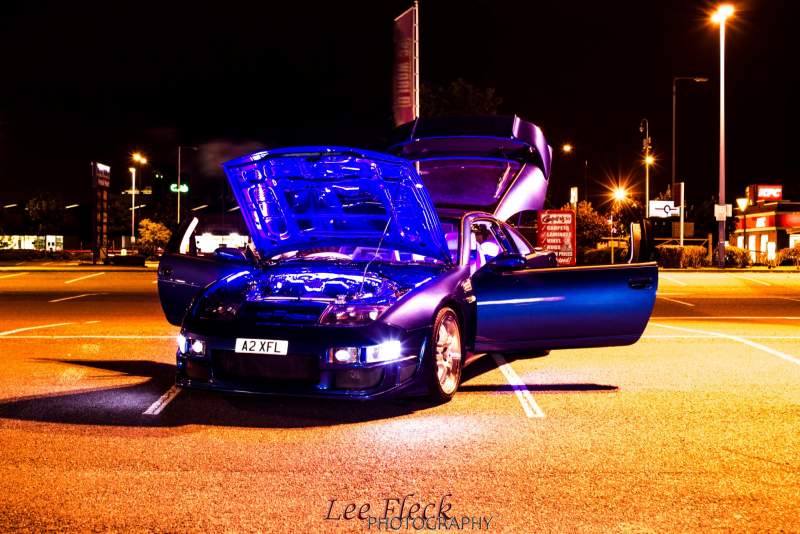
The time has come for me to sell the Zed, due to my ill health.


For the ones on here know my Z, and what massive spec it has,


Last win was at Santa Pod Jap show final


Currently sorn , mot expires mid April, but passed last time with no advisories, the only prob I can see is the usual rust on the drivers side wheelarch and sill ,,so will need the replacement panels welded and painting,


This is an awsoooome car, but not getting the use it deserves,


Reg Number is A 2X FL,,READS A ZED X FAIRLADY VALUED AT £1,000, INCLUDED IN THE PRICE.


pics and spec to follow shortly


As I mentiond £3,000 takes it including some spares too


PM me for answers ok


Cheerz


Chris

i

  • Replies 52
  • Views 1.9k
  • Created
  • Last Reply

Top Posters In This Topic

Posted Images

Featured Replies

Guest
This topic is now closed to further replies.

Recently Browsing 0

  • No registered users viewing this page.

Important Information

Terms of Use

Configure browser push notifications

Chrome (Android)
  1. Tap the lock icon next to the address bar.
  2. Tap Permissions → Notifications.
  3. Adjust your preference.
Chrome (Desktop)
  1. Click the padlock icon in the address bar.
  2. Select Site settings.
  3. Find Notifications and adjust your preference.