Jump to content
View in the app

A better way to browse. Learn more.

300ZX Owners Club

A full-screen app on your home screen with push notifications, badges and more.

To install this app on iOS and iPadOS
  1. Tap the Share icon in Safari
  2. Scroll the menu and tap Add to Home Screen.
  3. Tap Add in the top-right corner.
To install this app on Android
  1. Tap the 3-dot menu (⋮) in the top-right corner of the browser.
  2. Tap Add to Home screen or Install app.
  3. Confirm by tapping Install.

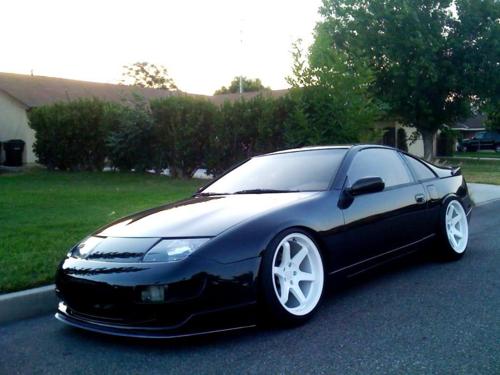
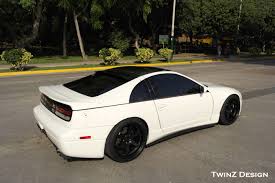
What do people think of my white Impul Z concept (photoshopped from my black one)

3Nt8cf749e38a.png

I plan to paint the rear bumper grill matt black, tint the lenses for the indicators and paint the inside of the front scoop black also.


Thoughts?

  • Replies 33
  • Views 2k
  • Created
  • Last Reply

Top Posters In This Topic

Posted Images

Featured Replies

  • Author

I just laser cut brand new indicator lenses just now so it should look brand new :)


Sent from my Elephone P8000 using Tapatalk

  • Author

I haven't any at the moment myself since it is stored in wales, and I live in London... I am going down to there later this month so I guess I could take some.


Its an NA shortie auto 89


Sent from my Elephone P8000 using Tapatalk

  • Author

I haven't any at the moment myself since it is stored in wales, and I live in London... I am going down to there later this month so I guess I could take some.


Its an NA shortie auto 89

  • Author

Rip, sent twice?


Sent from my Elephone P8000 using Tapatalk

  • Author
looking good mate any pics of your other zed ?


These are the pictures from when I bought it:

attachment.php?attachmentid=91615&d=1445927831

attachment.php?attachmentid=91614&d=1445927831

attachment.php?attachmentid=91613&d=1445927831


Only now its in pieces.


- - - Updated - - -


Probably should get the thread back on topic now :D

Join the conversation

You can post now and register later. If you have an account, sign in now to post with your account.

Guest
Unfortunately, your content contains terms that we do not allow. Please edit your content to remove the highlighted words below.
Reply to this topic...

Recently Browsing 0

  • No registered users viewing this page.

Important Information

Terms of Use

Configure browser push notifications

Chrome (Android)
  1. Tap the lock icon next to the address bar.
  2. Tap Permissions → Notifications.
  3. Adjust your preference.
Chrome (Desktop)
  1. Click the padlock icon in the address bar.
  2. Select Site settings.
  3. Find Notifications and adjust your preference.