


- Replies 34
- Views 1.7k
- Created
- Last Reply
Top Posters In This Topic
-
gazwoz 9 posts
-
BedZee Man 4 posts
-
Gaz 300 3 posts
-
SteveE 2 posts


.thumb.jpg.7f9636576895240bf9c86609bb843711.jpg)
Posted Images
.JPG.aa8cb4585508e71d7c53e460ec9518a9.JPG)
.JPG.0395a2b88831856de5912d06ffcfeb30.JPG)
Featured Replies
Account
Search
Configure browser push notifications
Chrome (Android)
- Tap the lock icon next to the address bar.
- Tap Permissions → Notifications.
- Adjust your preference.
Chrome (Desktop)
- Click the padlock icon in the address bar.
- Select Site settings.
- Find Notifications and adjust your preference.
Safari (iOS 16.4+)
- Ensure the site is installed via Add to Home Screen.
- Open Settings App → Notifications.
- Find your app name and adjust your preference.
Safari (macOS)
- Go to Safari → Preferences.
- Click the Websites tab.
- Select Notifications in the sidebar.
- Find this website and adjust your preference.
Edge (Android)
- Tap the lock icon next to the address bar.
- Tap Permissions.
- Find Notifications and adjust your preference.
Edge (Desktop)
- Click the padlock icon in the address bar.
- Click Permissions for this site.
- Find Notifications and adjust your preference.
Firefox (Android)
- Go to Settings → Site permissions.
- Tap Notifications.
- Find this site in the list and adjust your preference.
Firefox (Desktop)
- Open Firefox Settings.
- Search for Notifications.
- Find this site in the list and adjust your preference.
Hey
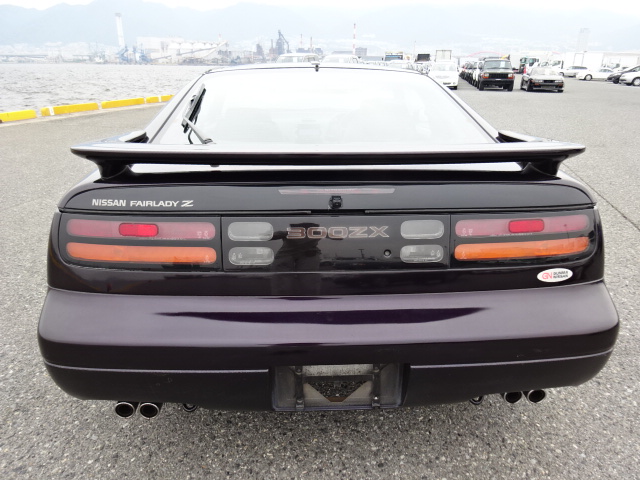
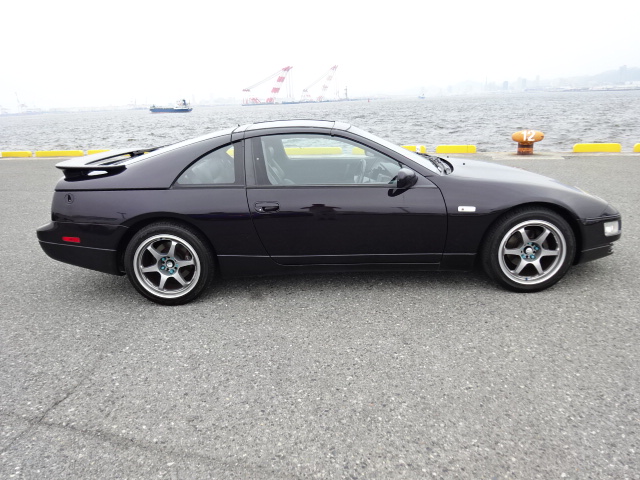
I have acquired a 1998 TT today which I guess will be here in about 8 weeks
Its on about 83k miles, colour purple. I have a picture but nothing more right now. If anyone wants to register an interest then let me know. I am guessing on price right now but 4-5k I suspect