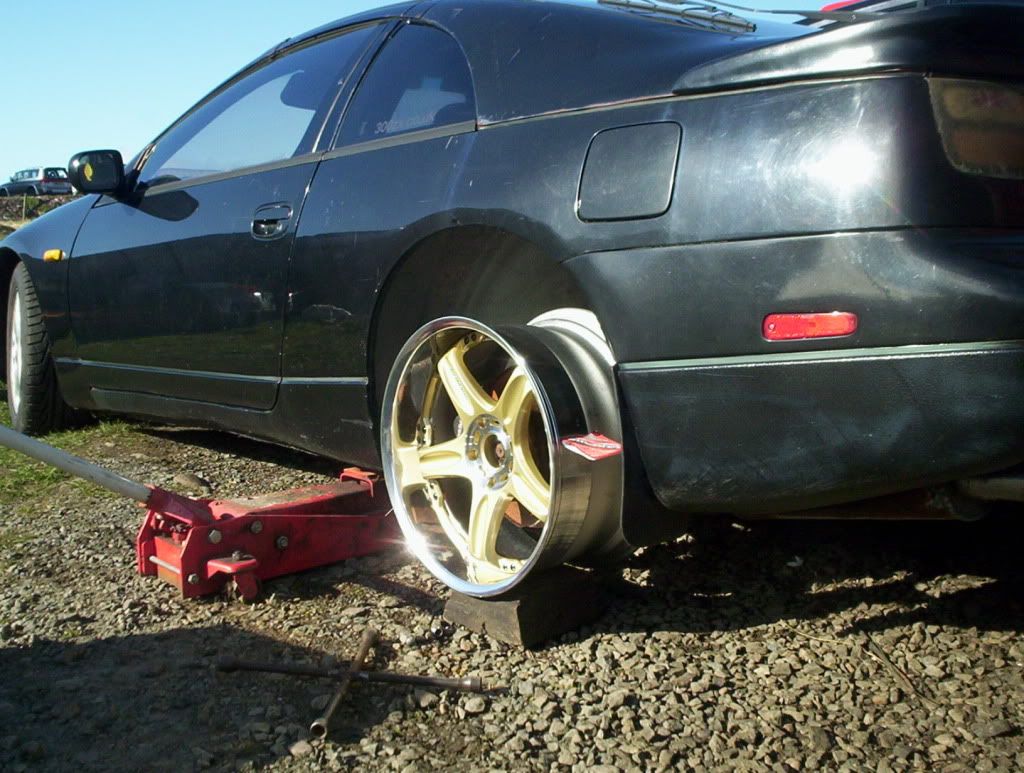
Fired up the old zed yesterday..
Featured Replies
Important Information
Account
Navigation
Search
Configure browser push notifications
Chrome (Android)
- Tap the lock icon next to the address bar.
- Tap Permissions → Notifications.
- Adjust your preference.
Chrome (Desktop)
- Click the padlock icon in the address bar.
- Select Site settings.
- Find Notifications and adjust your preference.
Safari (iOS 16.4+)
- Ensure the site is installed via Add to Home Screen.
- Open Settings App → Notifications.
- Find your app name and adjust your preference.
Safari (macOS)
- Go to Safari → Preferences.
- Click the Websites tab.
- Select Notifications in the sidebar.
- Find this website and adjust your preference.
Edge (Android)
- Tap the lock icon next to the address bar.
- Tap Permissions.
- Find Notifications and adjust your preference.
Edge (Desktop)
- Click the padlock icon in the address bar.
- Click Permissions for this site.
- Find Notifications and adjust your preference.
Firefox (Android)
- Go to Settings → Site permissions.
- Tap Notifications.
- Find this site in the list and adjust your preference.
Firefox (Desktop)
- Open Firefox Settings.
- Search for Notifications.
- Find this site in the list and adjust your preference.
put a battery on it and a half turn is all it took to start!,been stood outside over the winter,hasnt been running for around 6months...Ive promised myself now to get it done up for the summer!lolThis year for sure.
The tyres were flat on two rims,and wouldnt take air 'cos theyd come off the bead,had to remove them to re-seat them,so while i was at it,i tried on some wheels to see what look im going for.The chrome Workmeisters are 19x10,the gold Rays are 18x10,ofcourse its on a woodenblock so you have to 'squint ' to imagine what itll be like dropped to the ground on coilovers!:hammer: